
WOS Search
-
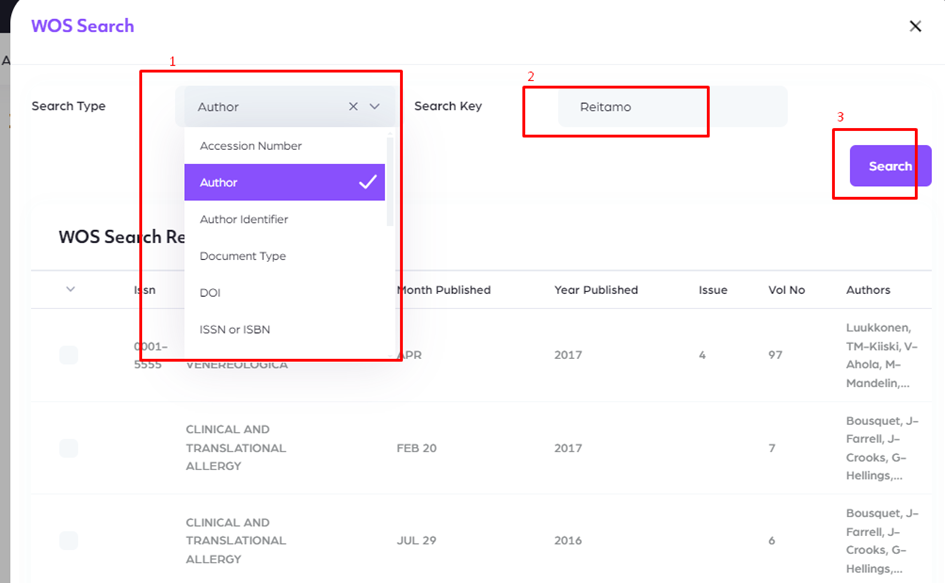
First, you must select a Search Type.
-
Example: Author
-
-
Then type in the relevant search criteria.
-
Example: Reitamo
-
-
Finally, you can search and list the results.
-
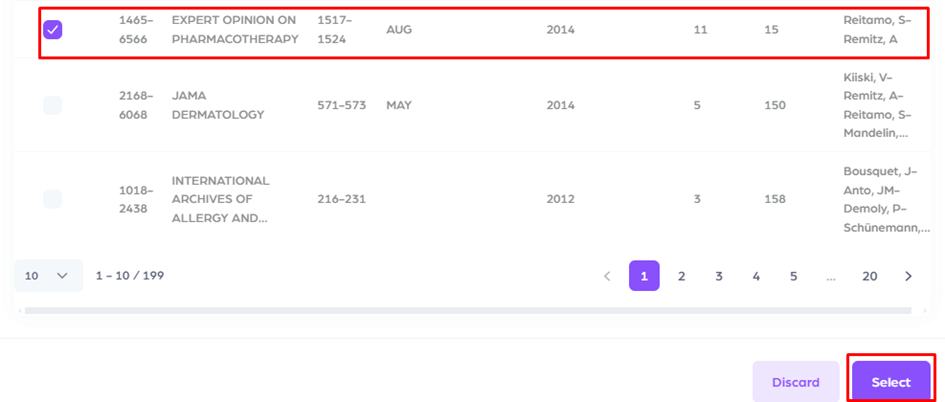
Choose the appropriate one from the results. Then press the select button.
Scopus Search
-
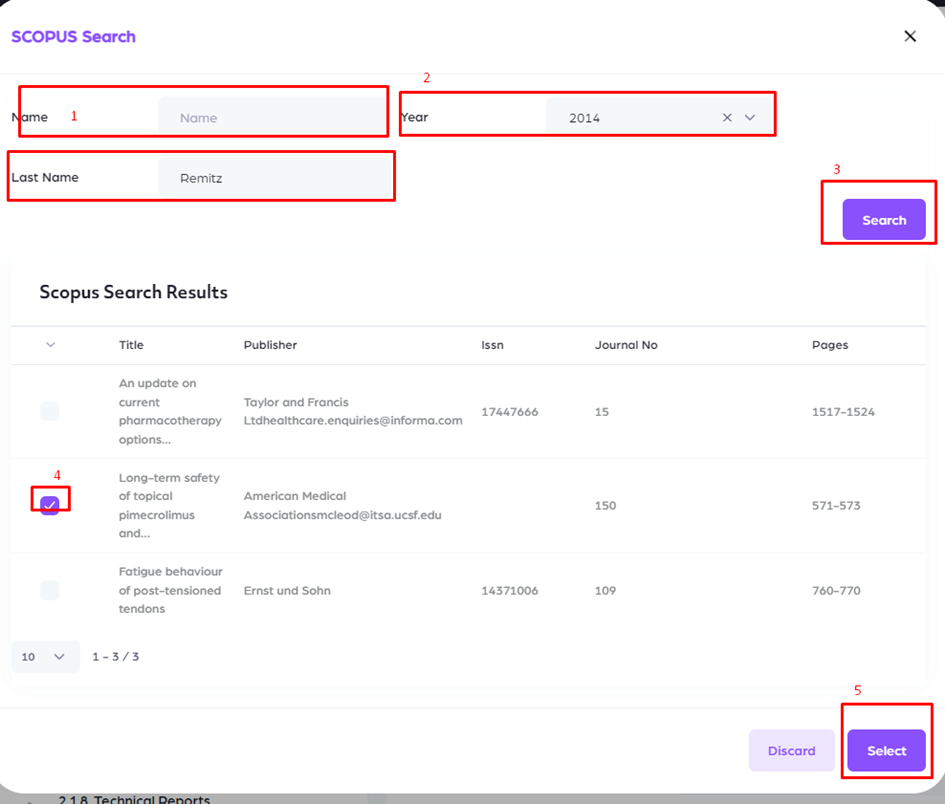
First, you must enter Name or Last name.
-
The year must be selected.
-
Press the search button.
-
Select the relevant publication.
-
Finally, press the select button.
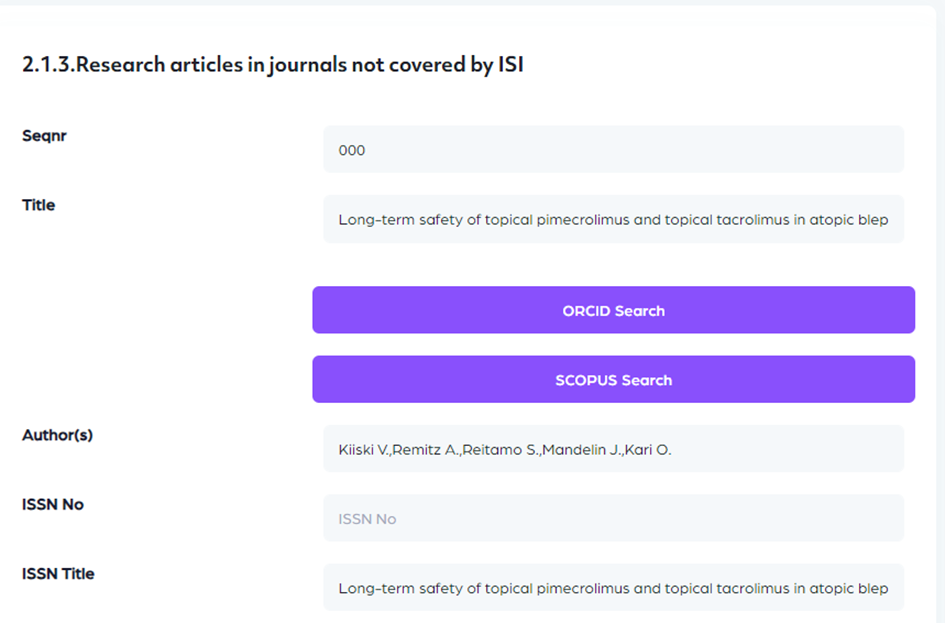
Selected article information fulfill the page automatically.
ORCID Search
-
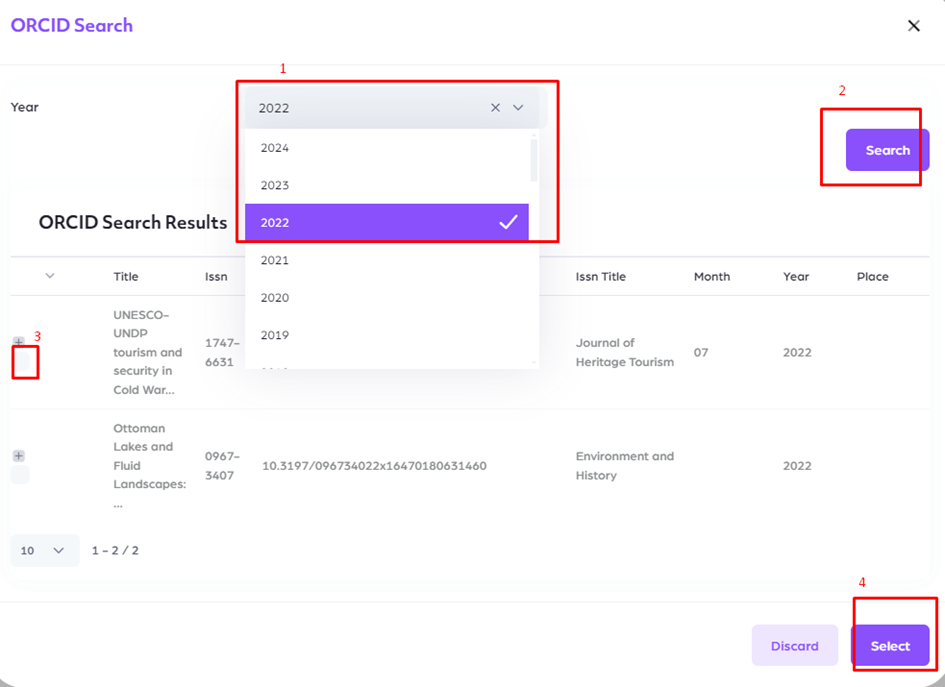
First, you must select a year.
-
Then press the search button.
-
Select the relevant publication.
-
Finally, press the select button.
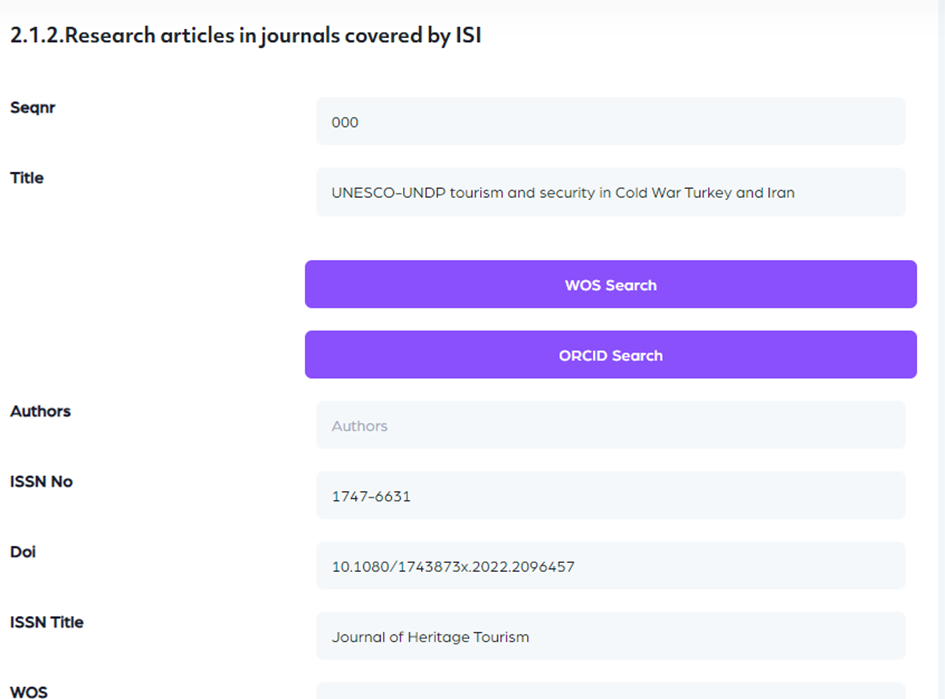
Selected article information fulfill the page automatically.