
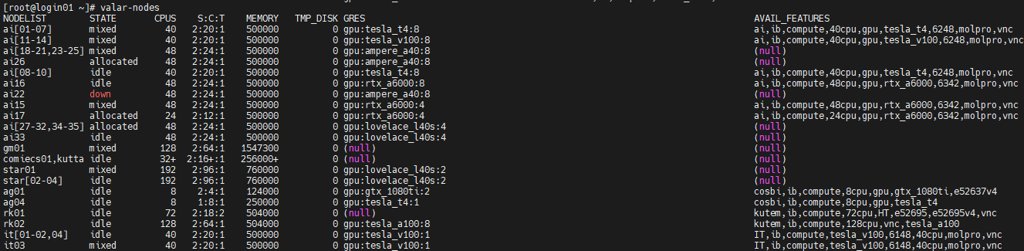
GPUs available on the HPC clusters can be listed by using the valar-nodes and kuacc-nodes commands.
Example Output
Requesting GPUs in a SLURM Job
You can request GPUs in your SLURM job script using the --gres (Generic RESources) flag.;
#SBATCH --gres=gpu:tesla_t4:1
This requests 1 Tesla T4 GPU. You can also request any GPU type using:
#SBATCH --gres=gpu:1
or combine with a constraint to reserve a specific type:
#SBATCH --gres=gpu:1
#SBATCH --constraint=tesla_t4
GPU Specifications on VALAR
Here is the updated list of GPUs available on VALAR nodes:
|
GPU Type |
Memory |
CUDA Cores |
Node Names |
|
Tesla T4 |
16GB |
2560 |
ai[01–10], ag04 |
|
Tesla V100 |
32GB |
5120 |
ai[11–14], it[01–04] |
|
Ampere A40 |
48GB |
10752 |
ai[18–26] |
|
RTX A6000 |
48GB |
10752 |
ai[15–17] |
|
Lovelace L40S |
48GB |
10752 |
ai[27–35], star[01–04] |
|
GTX 1080 Ti |
11GB |
3584 |
ag01 |
|
Tesla A100 |
80GB |
6912 |
rk02 |
Notes:
-
Tesla T4: Optimized for inference workloads.
-
Tesla V100: Equipped with Tensor Cores, suitable for deep learning.
-
Ampere A40: Supports AI, rendering, and multi-workload acceleration.
-
RTX A6000: High-end visual computing and AI tasks.
-
Lovelace L40S: Data center GPU for AI and graphics-intensive tasks.
-
GTX 1080 Ti: Legacy high-performance GPU for smaller workloads.
-
Tesla A100: Top-tier AI and HPC GPU with massive memory.
Monitoring GPUs While Running Jobs
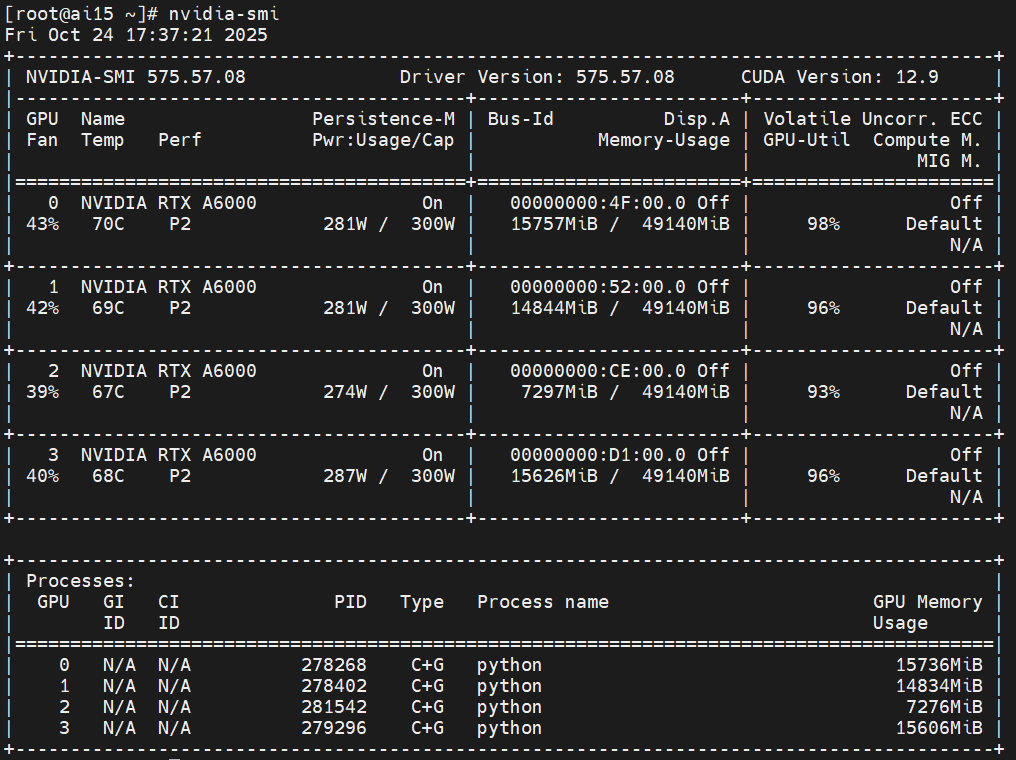
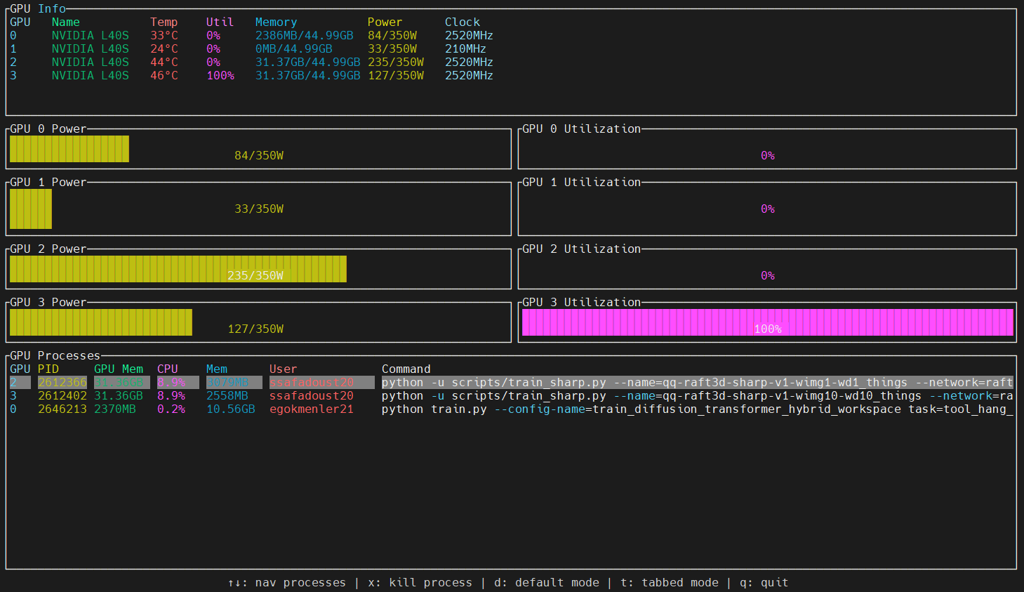
You can monitor GPU usage on compute nodes via nvidia-smi, nviwatch and and nvitop. “nviwatch” can only be used on VALAR and must first be loaded with the “module load nviwatch" command to the node running your job:
nvidia-smi
nviwatch
nvitop
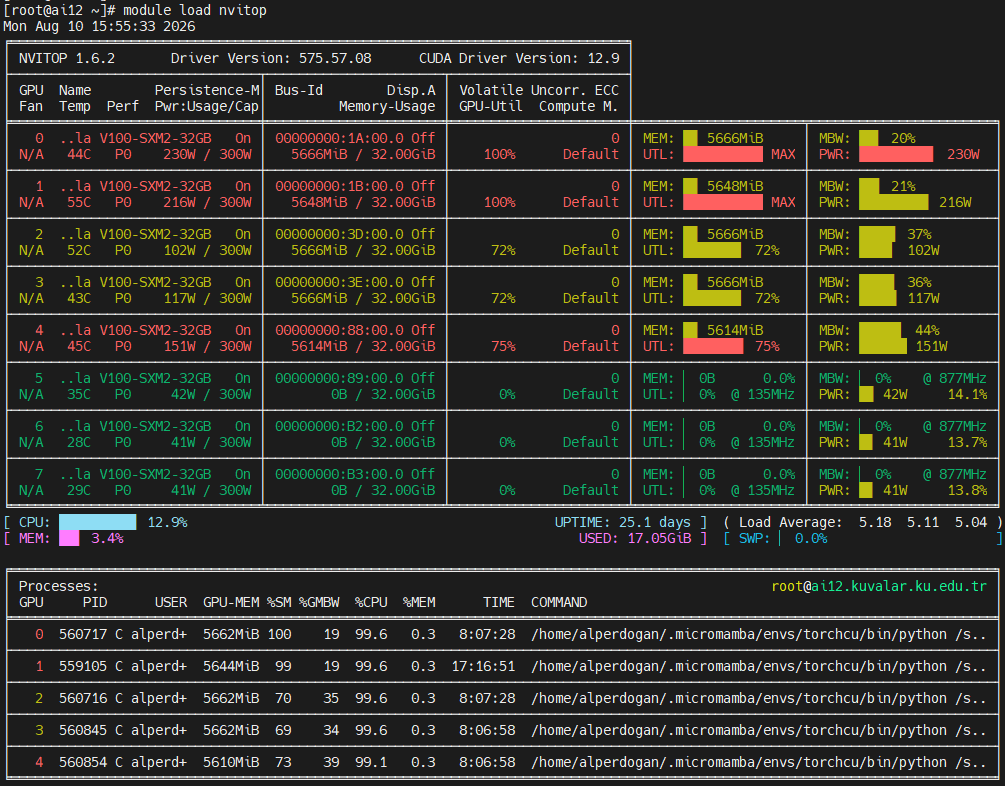
Memory Usage shows the GPU memory currently used by your jobs.
Processes lists which jobs are using which GPU. You can check the process owner using ps aux | grep <PID>. With the nviwatch tool, it is possible to access all this information and more from the same screen.
This helps avoid over-reserving high-end GPUs (like Tesla V100) for jobs that only need a small amount of GPU memory.
Best Practices
-
Reserve only the number and type of GPUs your job actually needs.
-
Use nvidia-smi to monitor GPU utilization during test runs.
-
Cancel idle or finished GPU jobs to free resources for other users.
-
Combine --gres with constraints if you need a specific GPU type.