-
On the My Consent Approvals screen, you can view, approve, edit or deny incoming course permission requests for your classes.
-
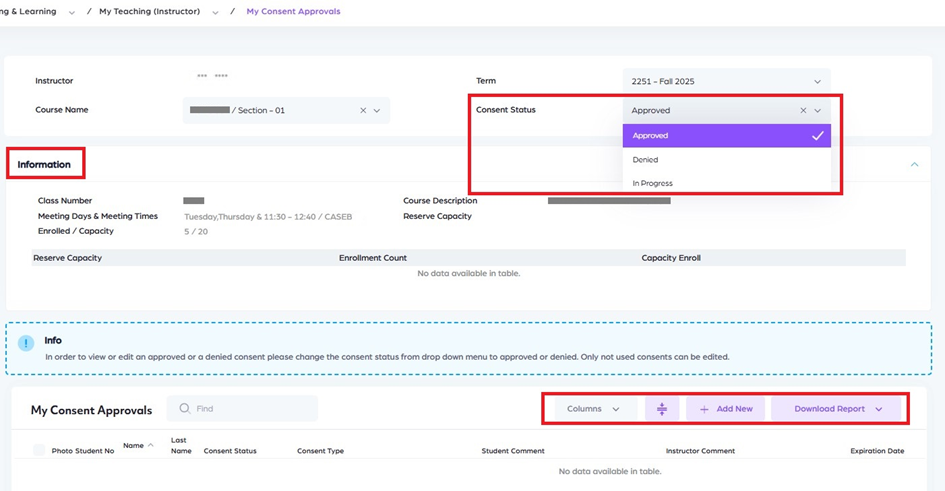
Select the course name and consent status to display consent records.
Information Page
The Information page displays key details related to the selected class.
The following information is available on this page:
-
Class Number
Displays the unique identification number of the class. -
Meeting Days & Times
Shows the scheduled days and meeting times for the class. -
Enrolled Capacity
Indicates the current number of enrolled students and the total enrollment capacity. -
Course Description
Provides a brief description of the course content and objectives. -
Reserve Capacity
Displays reserve capacity information, including reserved seats and their availability.
-
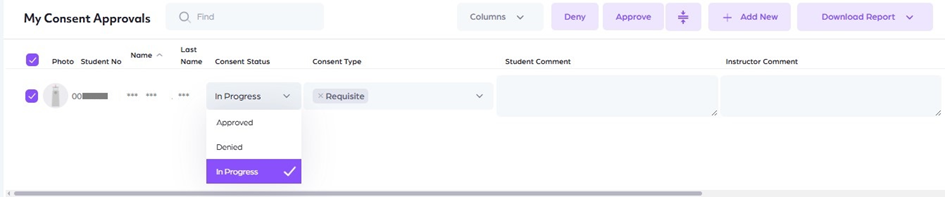
To approve or reject, select individual student or group using the checkboxes at the beginning of the rows, then click the 'Approve' or 'Deny' button.
-
You can enter comments in the designated comment text area. Student will be able to see your comment on their student center.
-
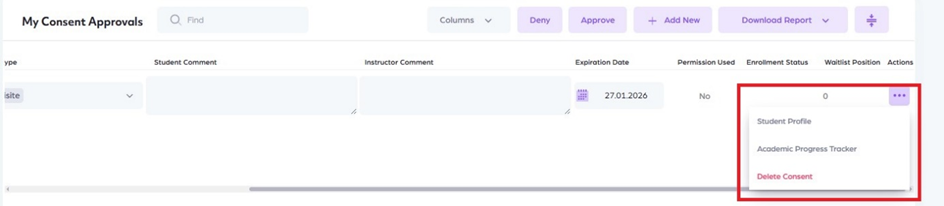
For more information about a student, use the 'Student Profile' and 'Academic Progress Tracker' links located under the Action menu at the end of the row.
-
Submitted consents can be modified when necessary by checking or unchecking the releated checkboxes. You can make changes to approved or denied consents until the student use the consent.
-
After clicking Save, the selected permission types will be granted.
-
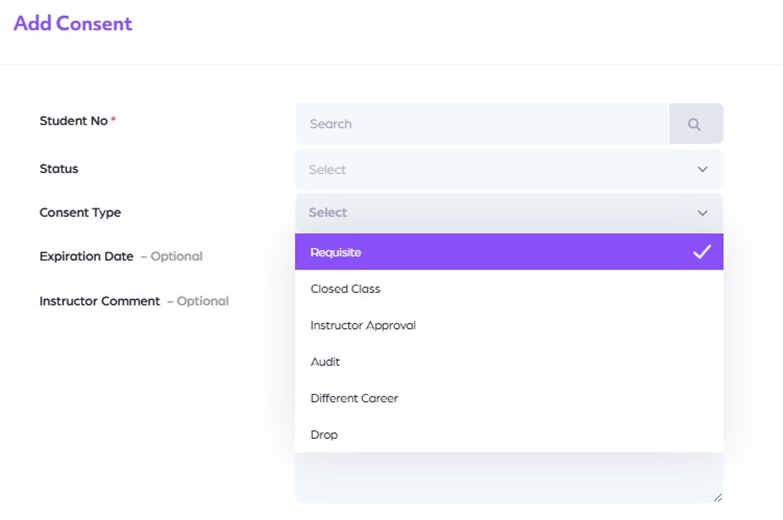
You can grant consent to any student you choose by using the 'Add New' button, even if the student has not submitted a request.
Sorting on the Class Roster Page
On the Class Roster page, the student list can be sorted using the available column headers.
Instructors can sort the list by:
-
Student ID
-
First Name
-
Last Name
Sorting helps instructors quickly organize and locate student information based on their preferred order.
-
Type of Consents
Requisite:
This is given for enrolling in courses that have not been completed as prerequisite courses.
-
Closed Class:
This is given for enrollment in classes that have reached their full enrolment capacity.
-
Instructor Approval:
This is given for courses that can only be taken with the approval of the instructor, or for students who should take the course under any circumstances. It overrides both Closed Class and Requisite conditions.
-
Different Career:
This is given to allow students to take courses across different careers between UGRD (Undergraduate) and GRAD (Graduate). It overrides both Closed Class and Requisite conditions.
-
Audit:
This is given for taking a course as an auditor. The student is not responsible for the final exam. It overrides both Closed Class and Requisite conditions.
-
Limited Audit:
This is given for taking a course as a limited auditor. The student is not responsible for attendance or exams. It overrides both Closed Class and Requisite conditions.
Edit Consent
-
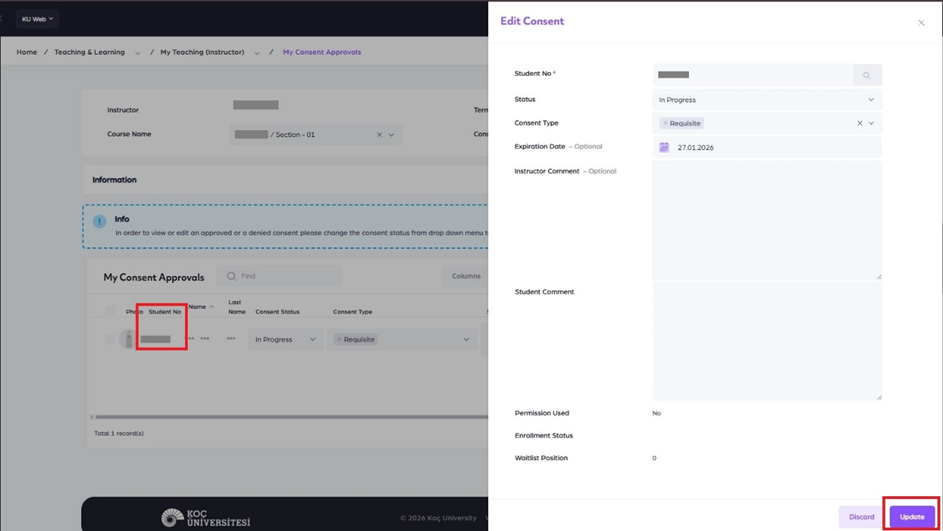
By clicking on the Student ID, the Edit Consent page opens.
-
On this page, instructors can review and edit the available consent types for the selected student.
-
After making the necessary changes, instructors must click the Update button at the bottom of the page to save the updates.
-
Once the window is closed, instructors must click the Save button on the previous page to complete and apply the changes.