
When students are marked as “graduated” in the Student Information System, they are notified that their OneDrive / Google Drive services will be deactivated. They are informed that only their Email and KUSIS access will remain active.
Graduates are given 6 months to transfer their data.
For detailed information on exporting data, please click the link.
What Is the Concept of File Ownership in Google Drive and How Does It Work?
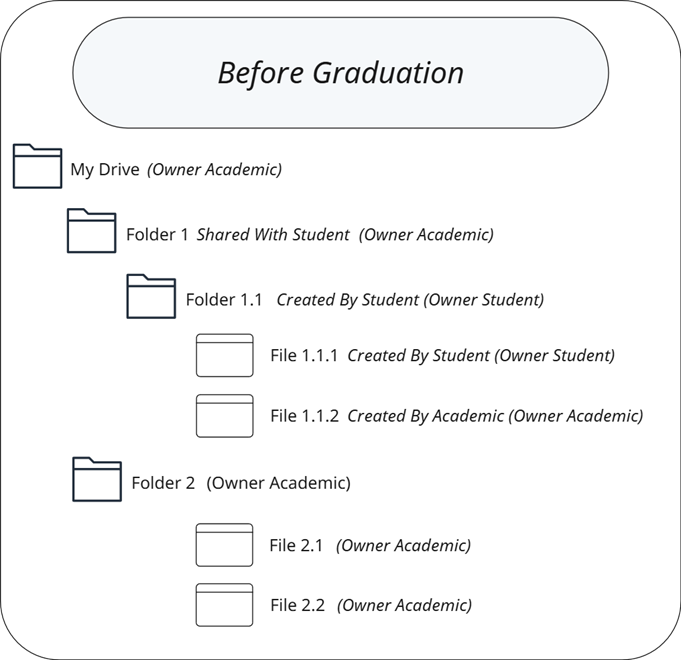
In Google Drive, the person who creates or uploads a file or folder is considered its owner.
Even if you create a folder yourself, any files uploaded into that folder by other users remain owned by those users.
Example: Folders Created by an Academic and Shared with a Student
How is the Google Drive Deletion Process for Graduates Applied?
For students who graduated in 2023 or earlier, Google Drive access was restricted, and their Google Drive data was gradually deleted.
The deletion process is carried out in two steps:
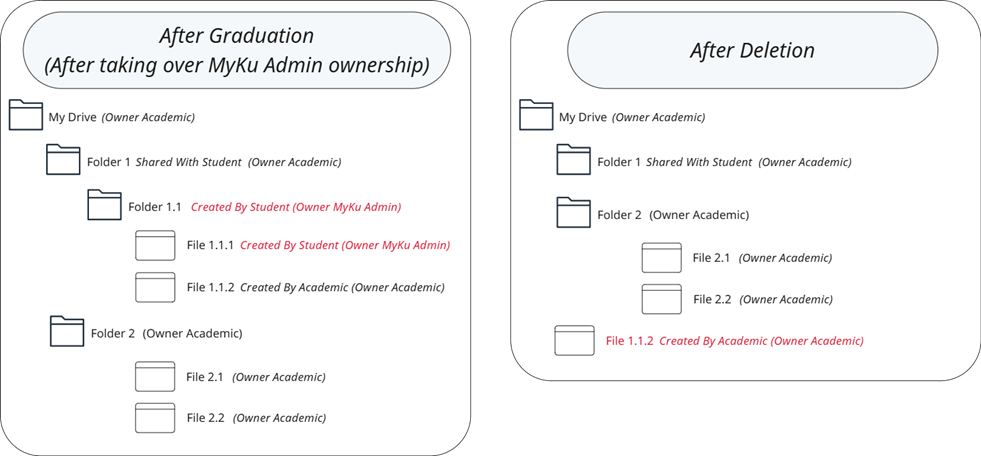
1. Ownership Transfer
-
All files that belong solely to the grad students are transferred to the MyKU Admin account, which the IT department manages.
-
Then, the deletion process is carried out for the data belonging to the graduated student.
-
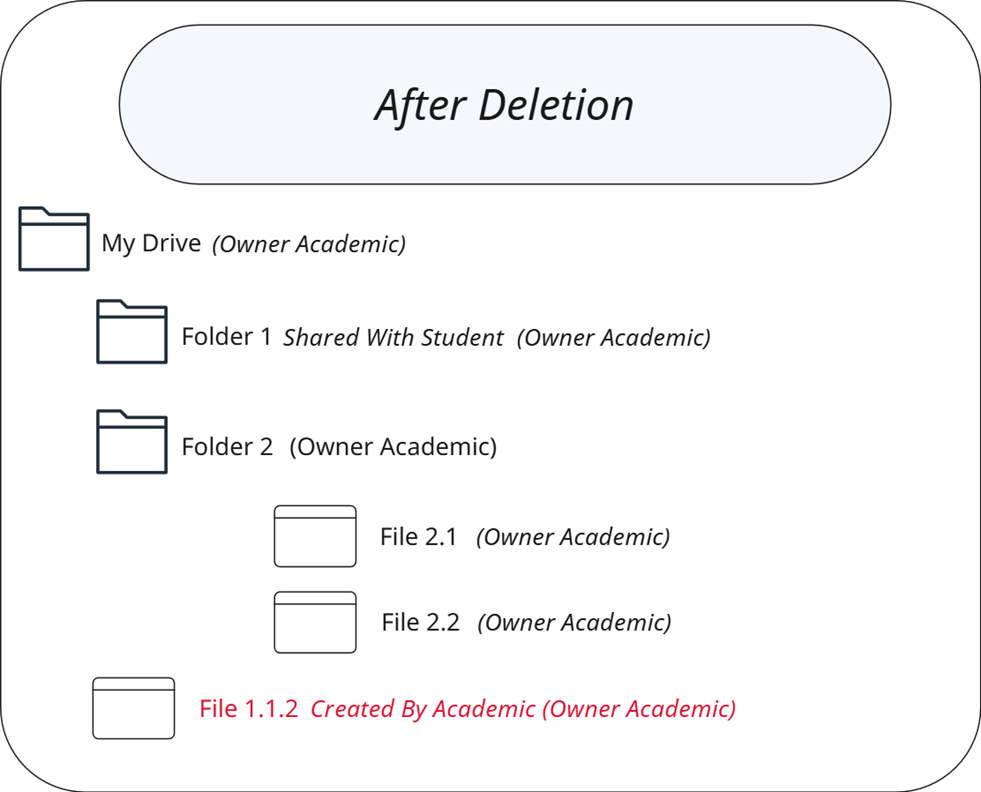
During the deletion process, the files created by the student (Folder 1.1 and File 1.1.1) are removed. The file created by the Academic inside Folder 1.1 (File 1.1.2) is moved to the Academic’s My Drive (root directory). You can check this location.
No action has been taken on the data for students who graduated in 2024 or later, or who are still active.
How can I find files shared with graduates or files I share with them?
-
Files owned by the MyKU Admin account appear as shown below.

First Method
-
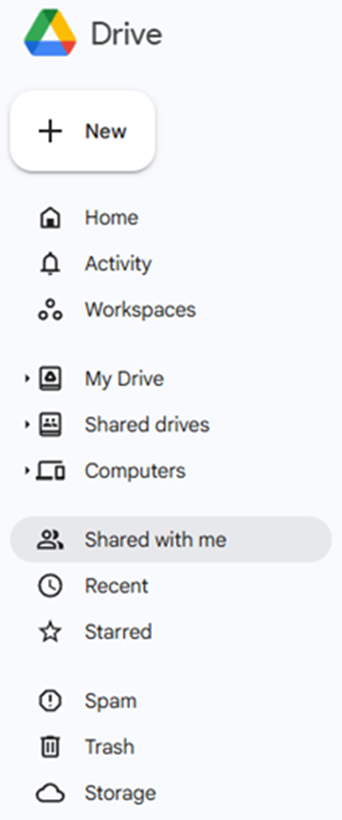
When you access the Google Drive → Shared with me section via the web interface,
Here, you can identify the files owned by MyKU Admin.Note: You will see all files shared across Koç University
Second Method
-
Open Google Drive. In the Search in Drive box at the top, type sharedwith:yourusername@ku.edu.tr into the Search bar and check whether there are any files whose ownership is assigned to MyKU Admin.

Third Method
-
Open Google Drive. In the Search in Drive box at the top, type the mail-admin@ku.edu.tr address.

Fourth Method
-
You can check the "Activity" history of the folder you shared with your student.

How Should You Request Files That Were Shared with Alumni and Deleted?
Files that previously belonged to alumni, were deleted, and have a creation date within the last 10 years can only be restored upon request if the following information is provided:
-
The file owner and the account information with which the file was shared
-
The file name
Since the deletion was performed by transferring file ownership to the MyKu Admin user, files belonging to alumni cannot be restored to their original folder hierarchy prior to the deletion. This is due to how the system operates.
If you identify any files of this type, you may submit a request by emailing it@ku.edu.tr