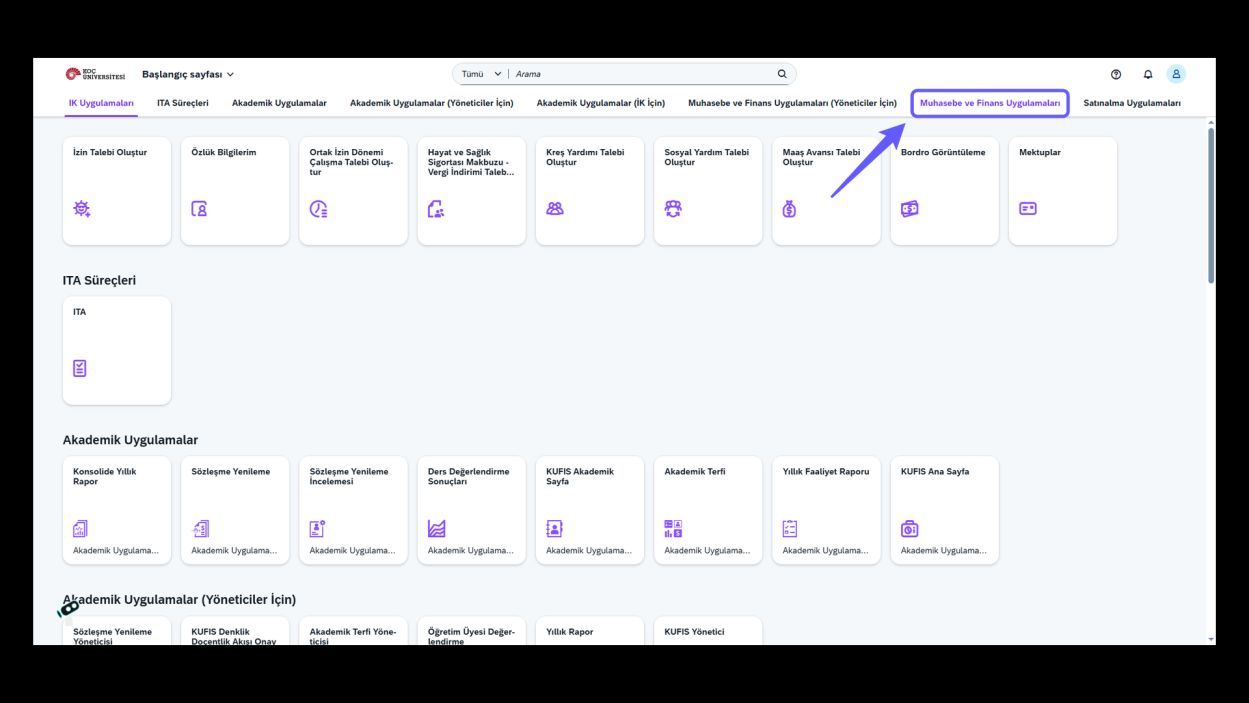
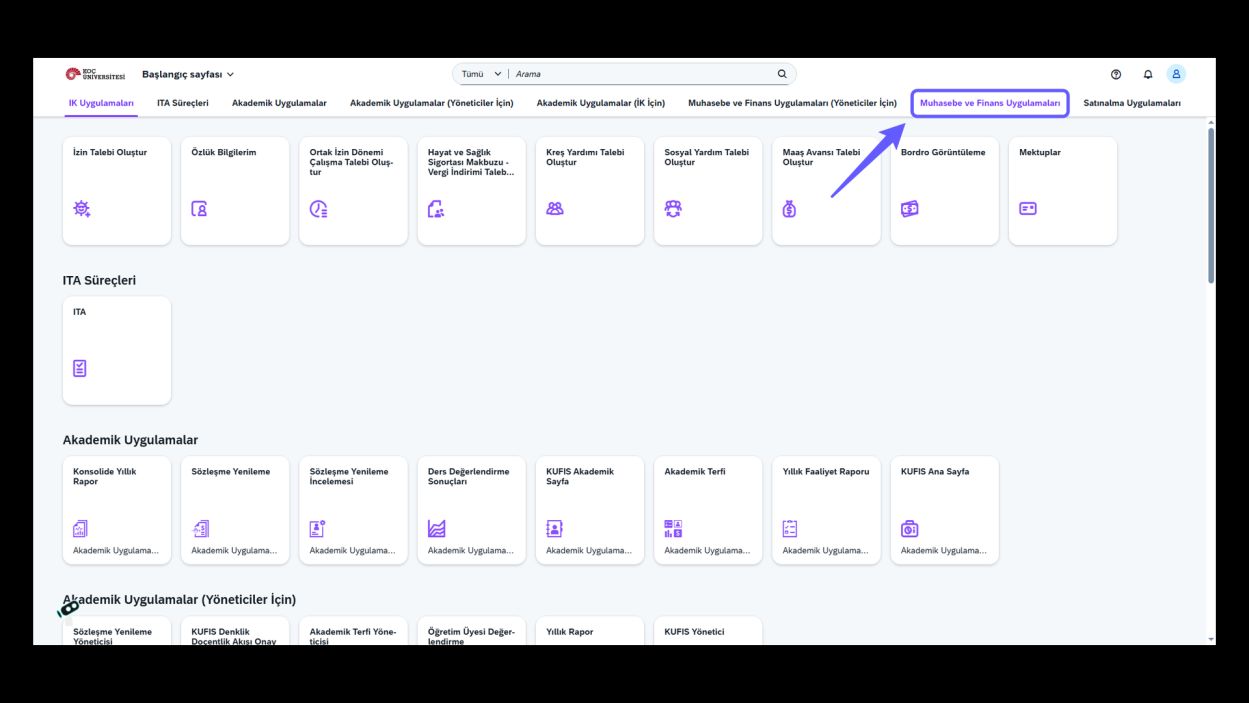
1. Go to Accounting and Finance Applications
-
Click the Accounting and Finance Applications section.
-
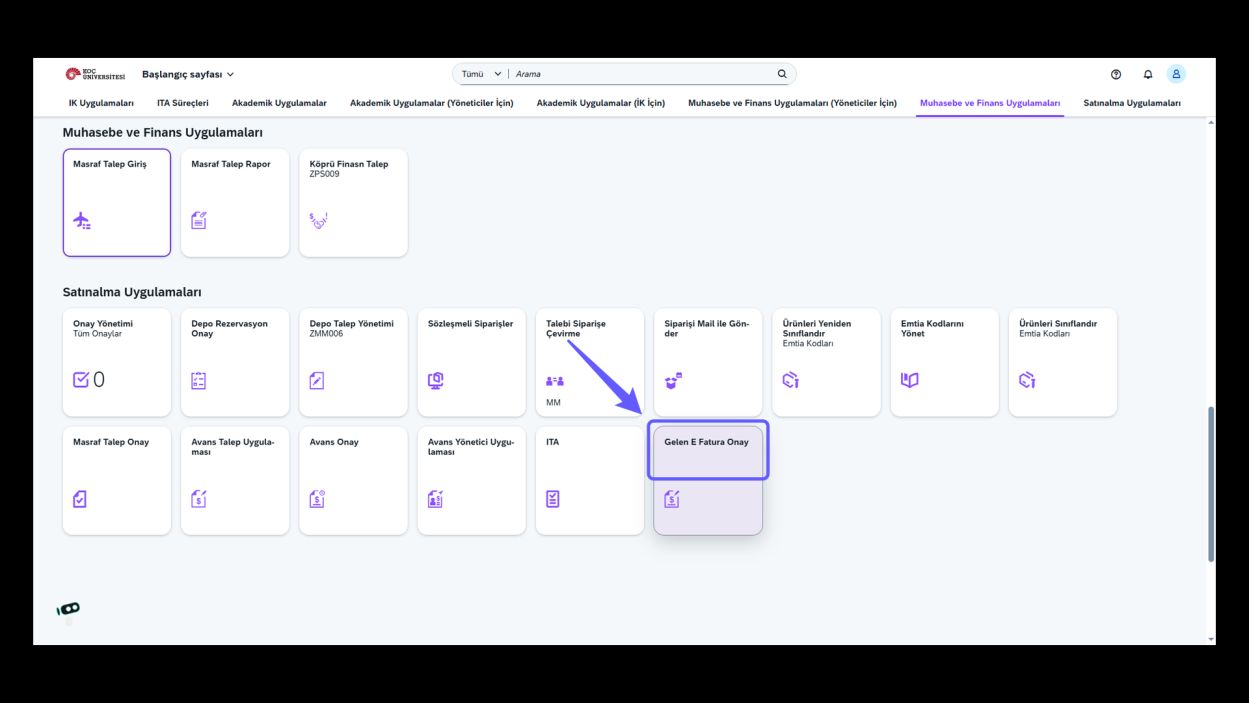
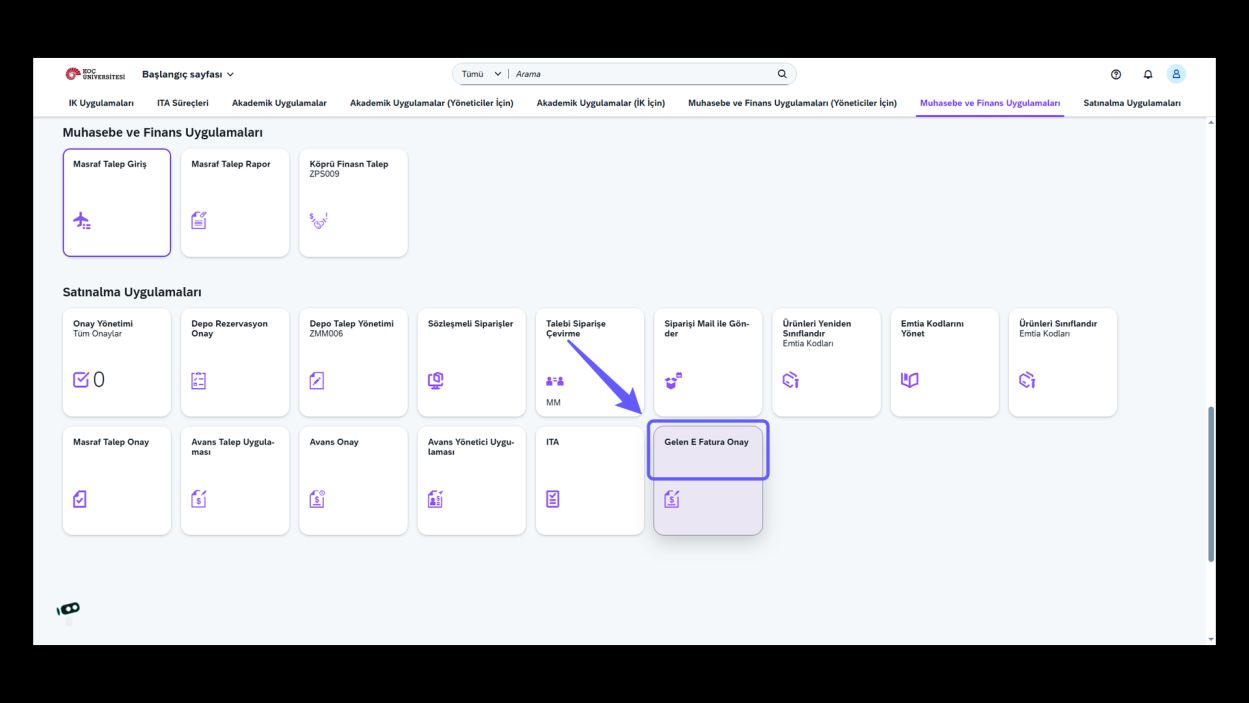
Open Incoming E-Invoice Approval
-
Click Incoming E-Invoice Approval.
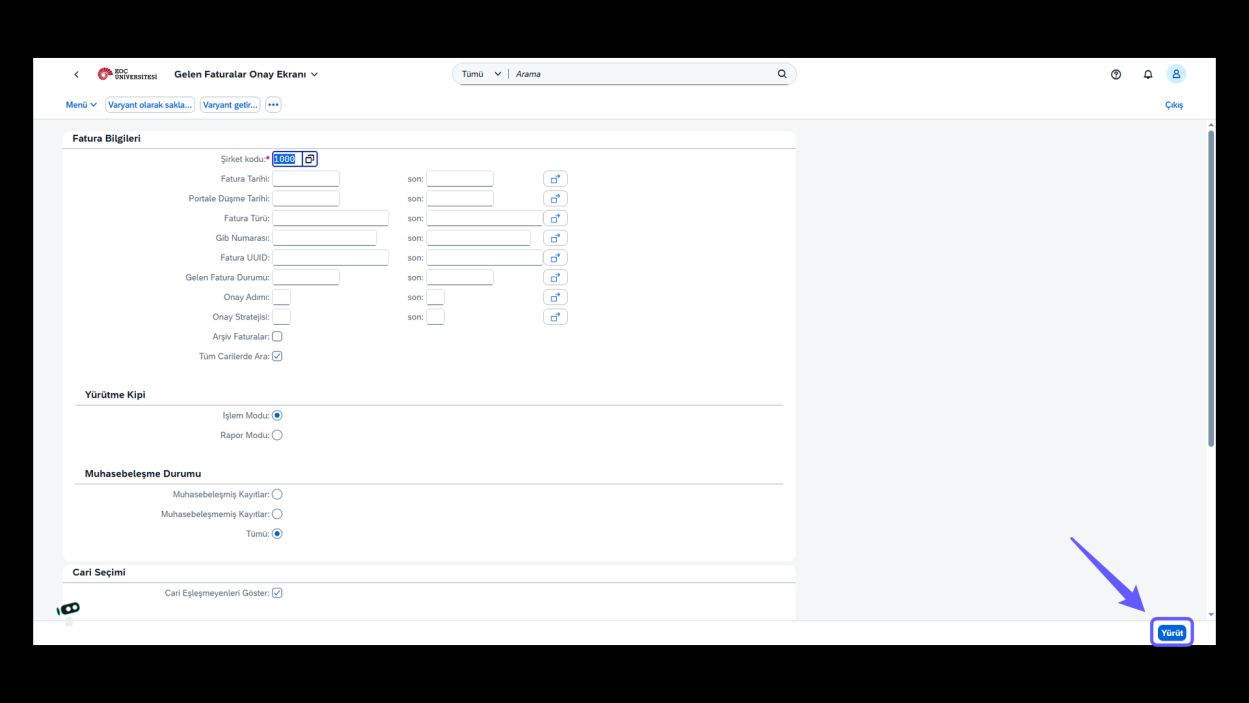
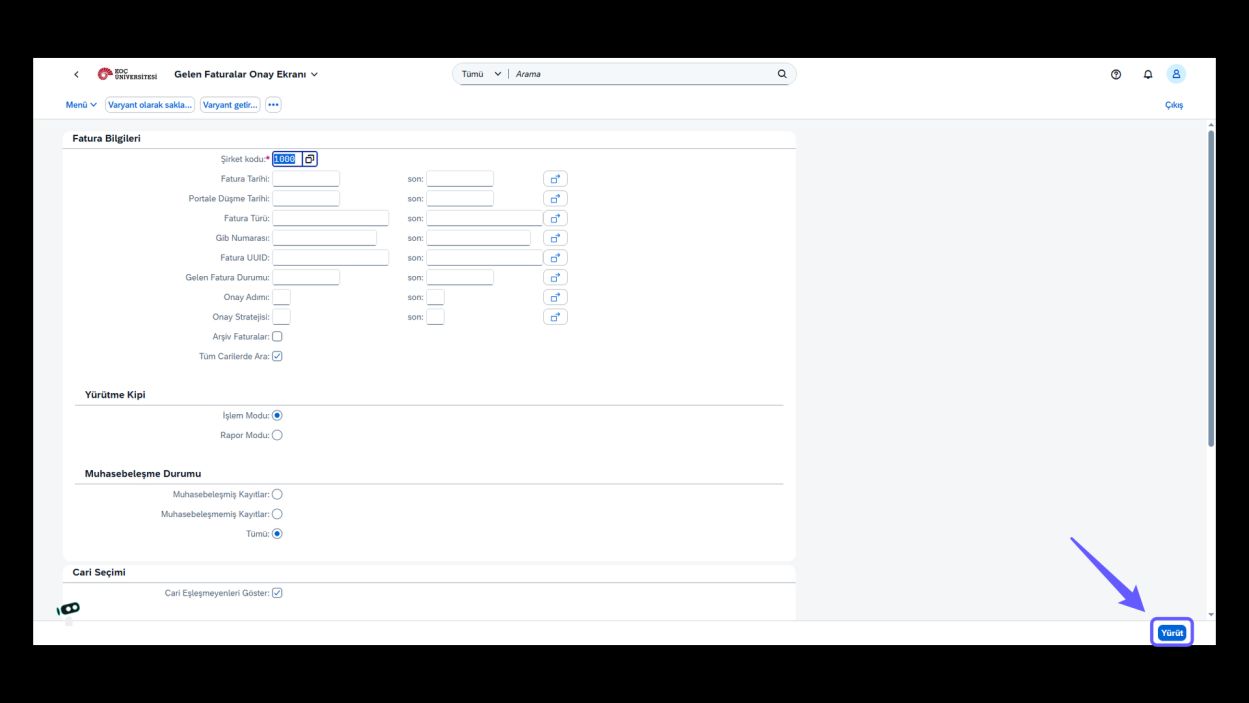
2. Enter Company Code and Execute
-
Fill in the company code field and click the Execute button.
3. Approve the Invoice
-
If the invoice is correct, click "Approve" to complete the e-invoice approval process.
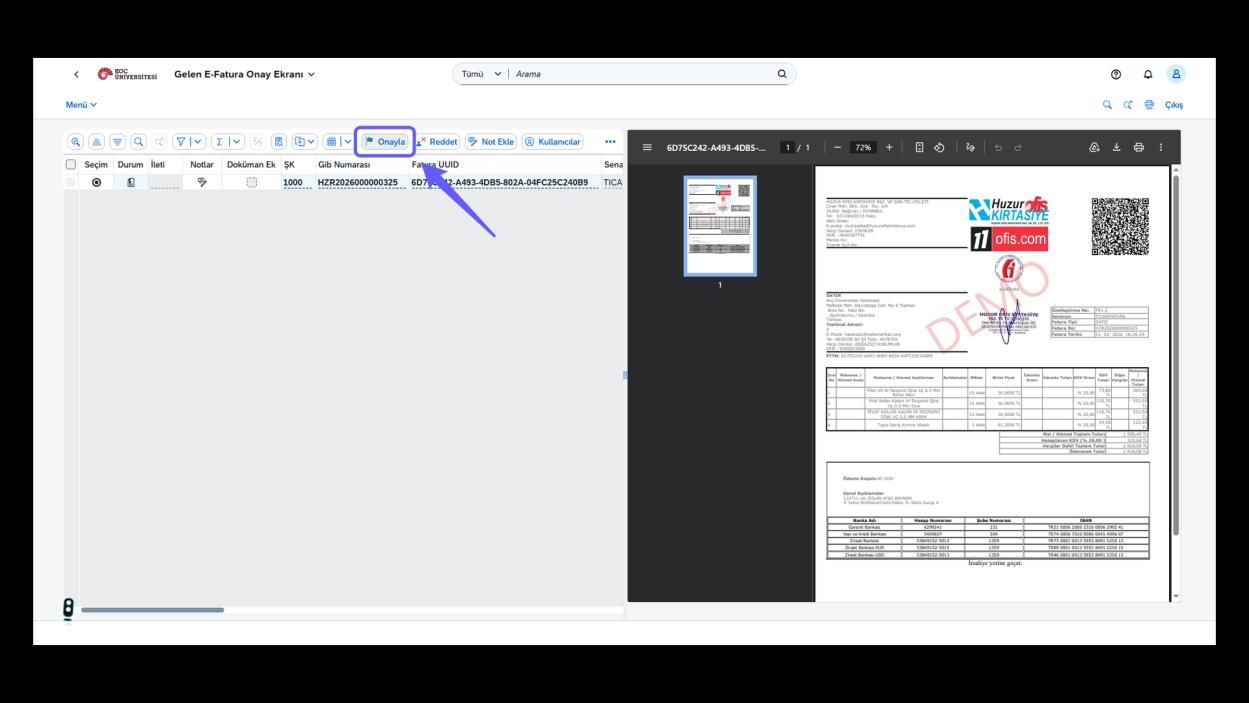
4. Reject the Invoice
-
If the SAS number is incorrect, click 'Reject' to route the invoice back to the previous user.
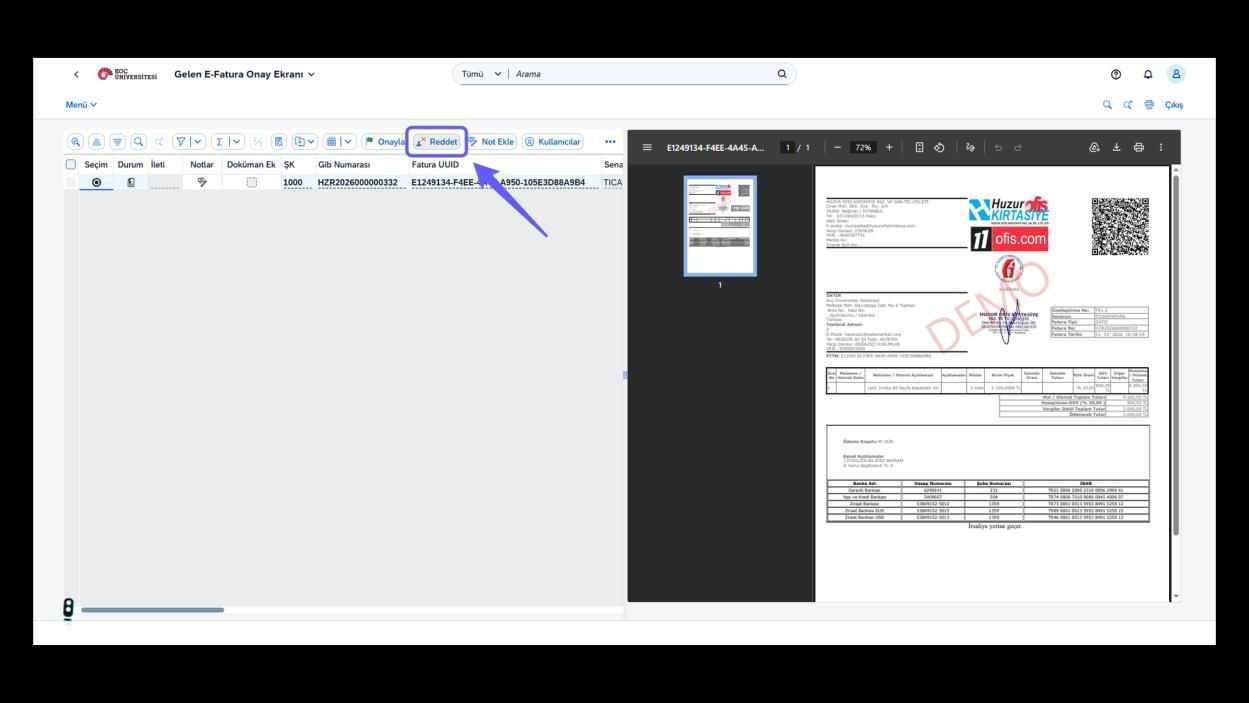
5. Write the Rejection Reason
-
Write the rejection reason and click 'Continue' to finalize the process.
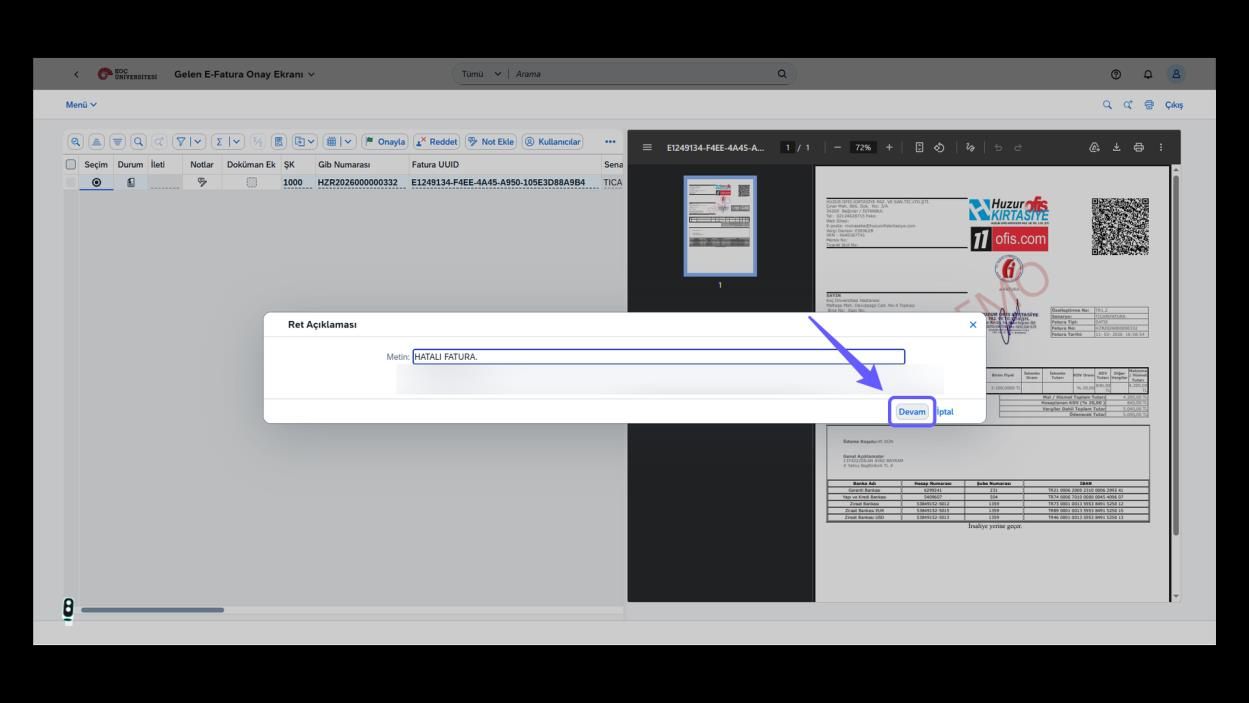
6. Open the Send-to-Pool Option
-
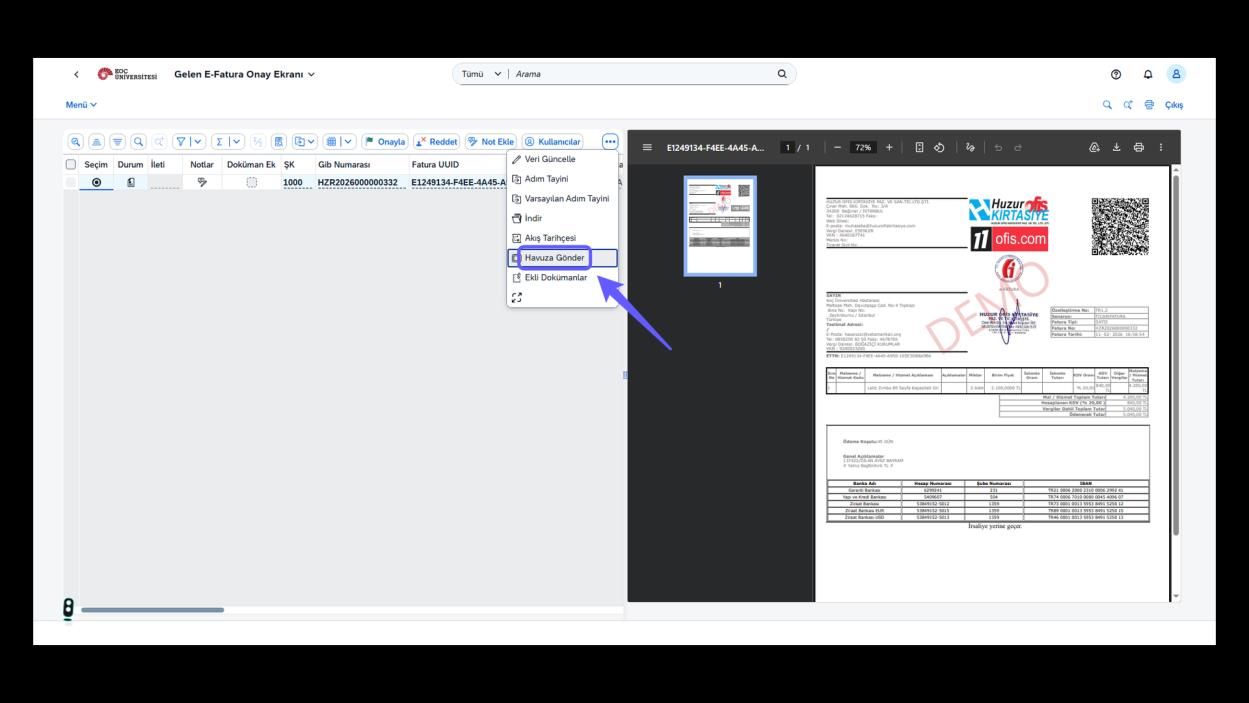
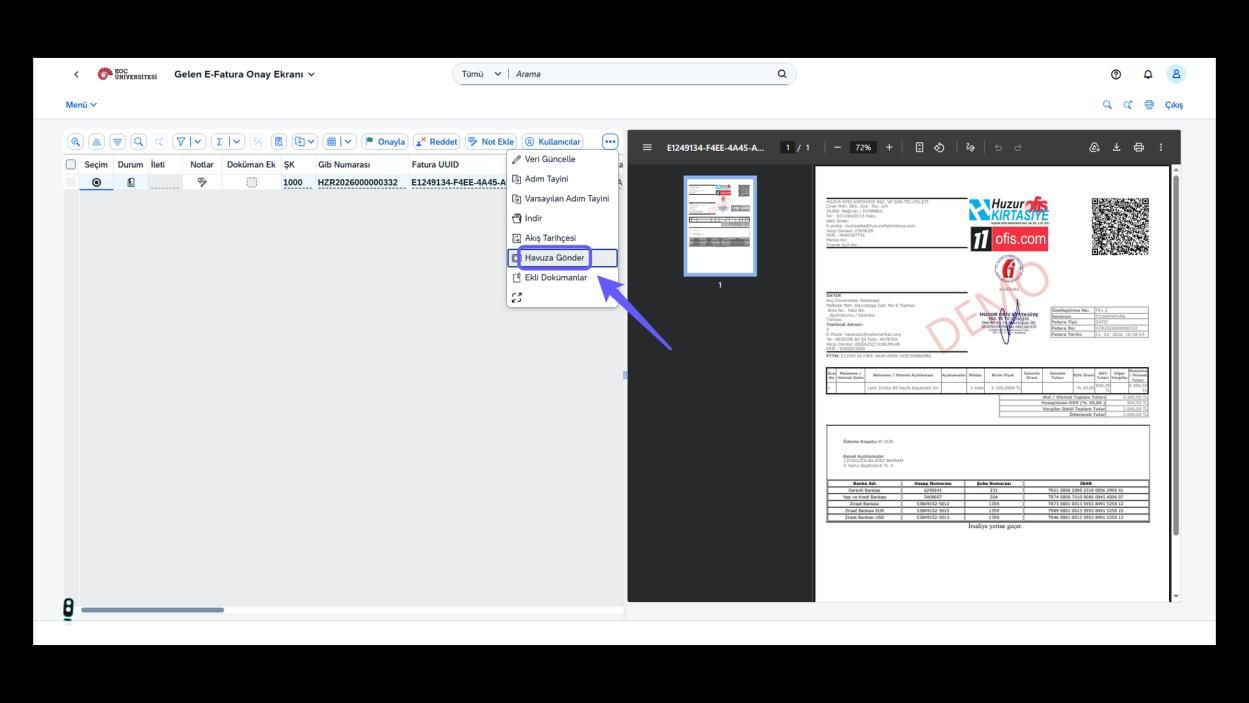
If the invoice does not belong to your department, click the three-dot icon to send it to the pool.
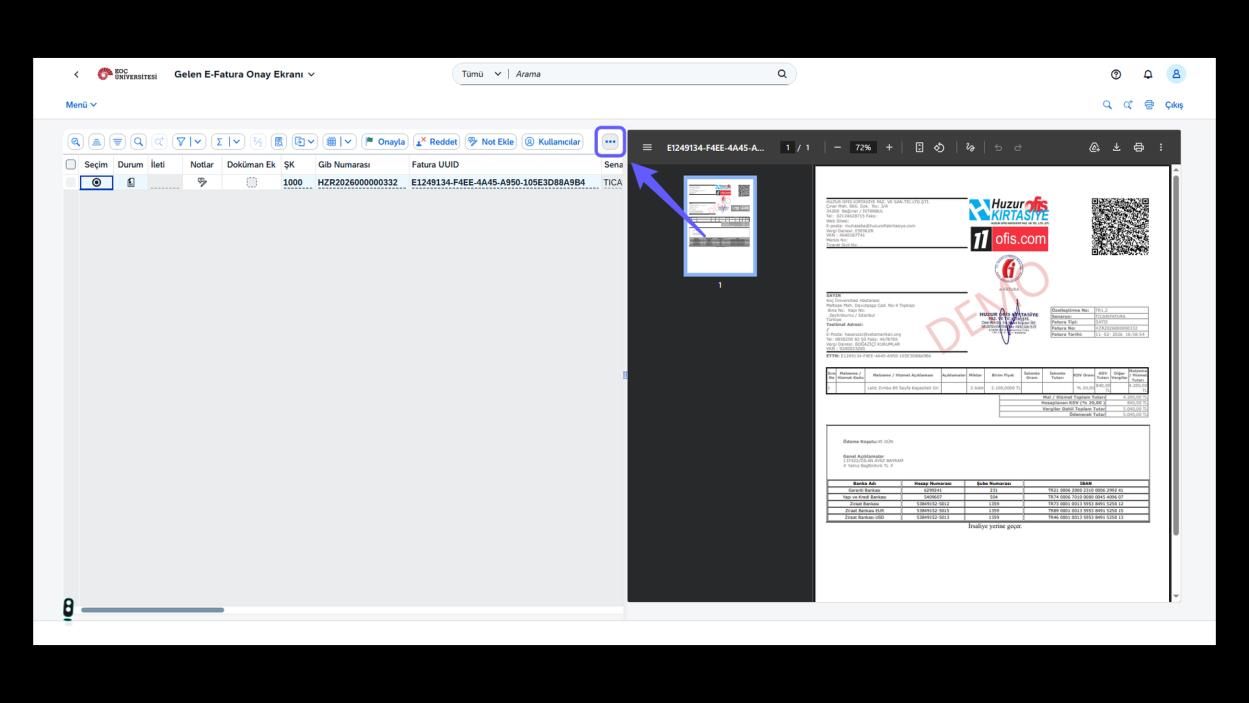
7. Send Invoice to Pool
-
Click the button to send the selected invoice to the pool.
1. Muhasebe ve Finans Uygulamalarına Git
-
Muhasebe ve Finans Uygulamaları bölümüne tıklayın.
2. Gelen E-Fatura Onayını Aç
-
Gelen E-Fatura onayına tıklayın.
3. Şirket Kodunu Gir ve Yürüt
-
Şirket kodu alanını doldurun ve Yürüt butonuna basın.
4. Faturayı Onayla
-
Eğer fatura doğruysa "Onayla" düğmesine tıklayın ve e-fatura onay işlemini tamamlayın.
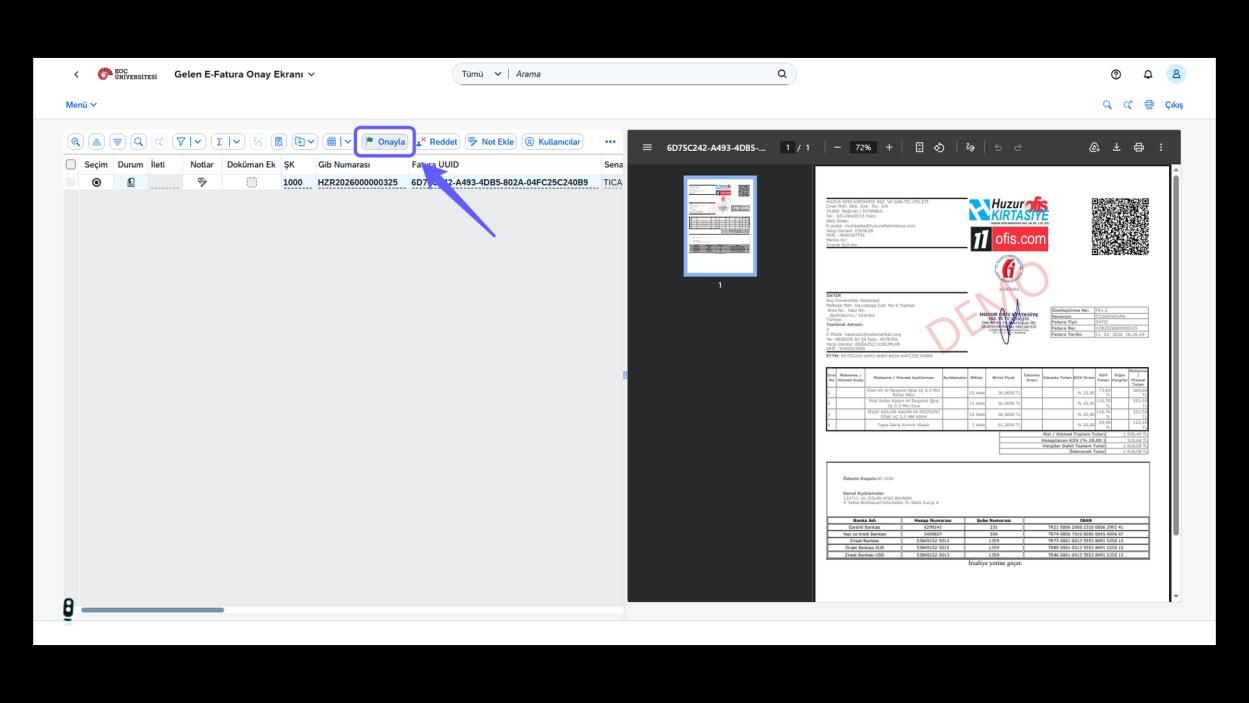
5. Faturayı Reddet
-
Sas numarası hatalıysa bir önceki kullanıcıya faturayı yönlendirmek için 'Reddet' butonuna tıklayın.
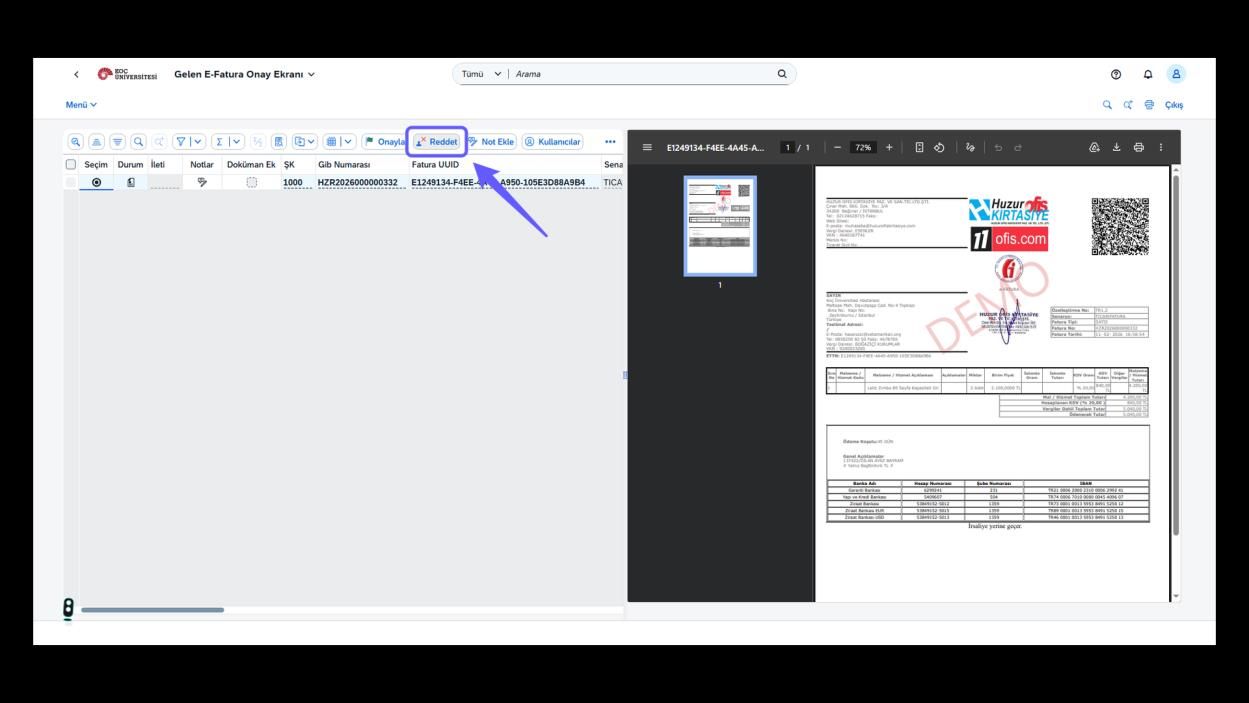
6. Ret Açıklamasını Yaz
-
Ret açıklamasını yazınız ve 'Devam' butonuna tıklayarak işlemi sonlandırın.
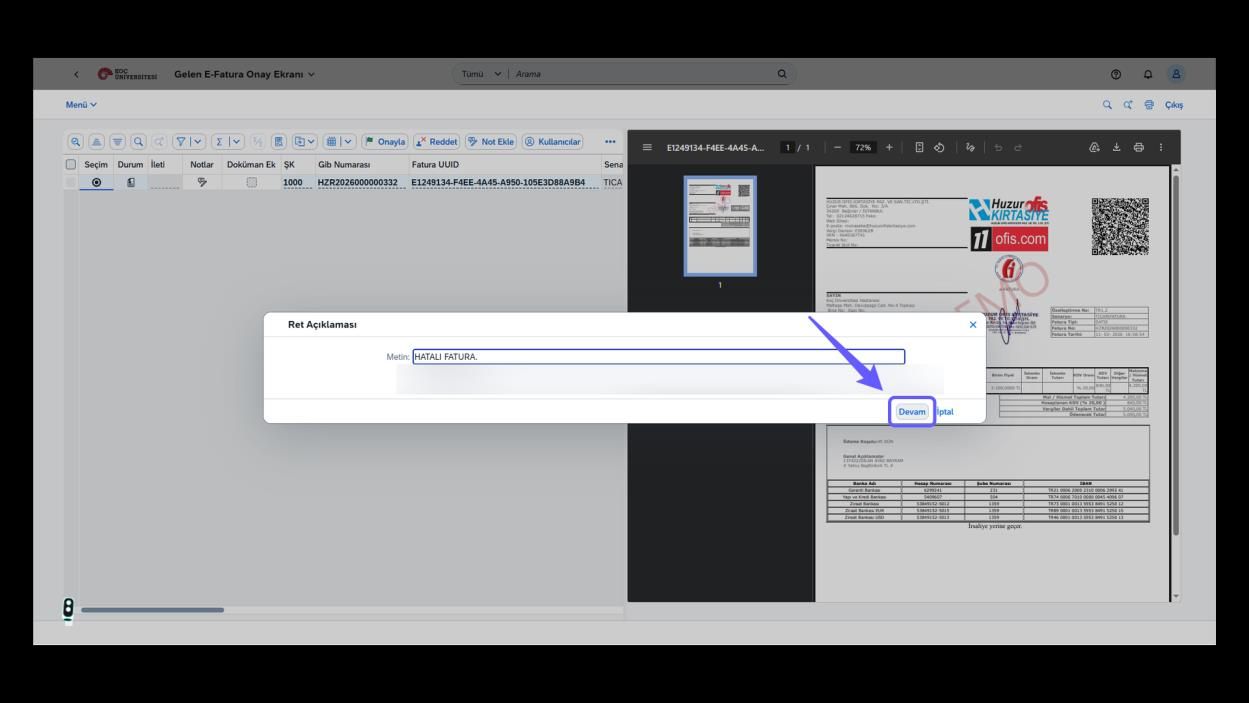
7. Faturayı Havuza Gönder Seçeneğini Aç
-
Fatura departmanınıza ait değilse faturayı havuza göndermek için üç nokta ikonuna tıklayın.
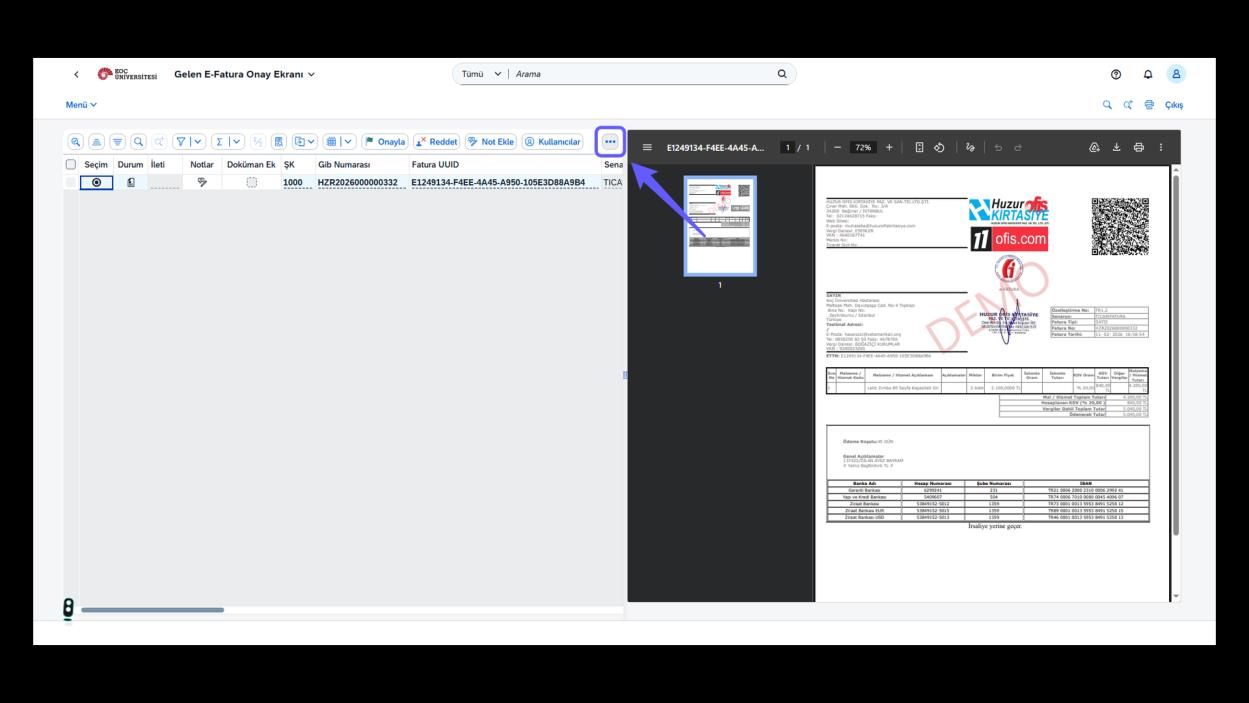
8. Faturayı Havuza Gönder
-
Seçili faturayı havuza gönder butonuna basın.