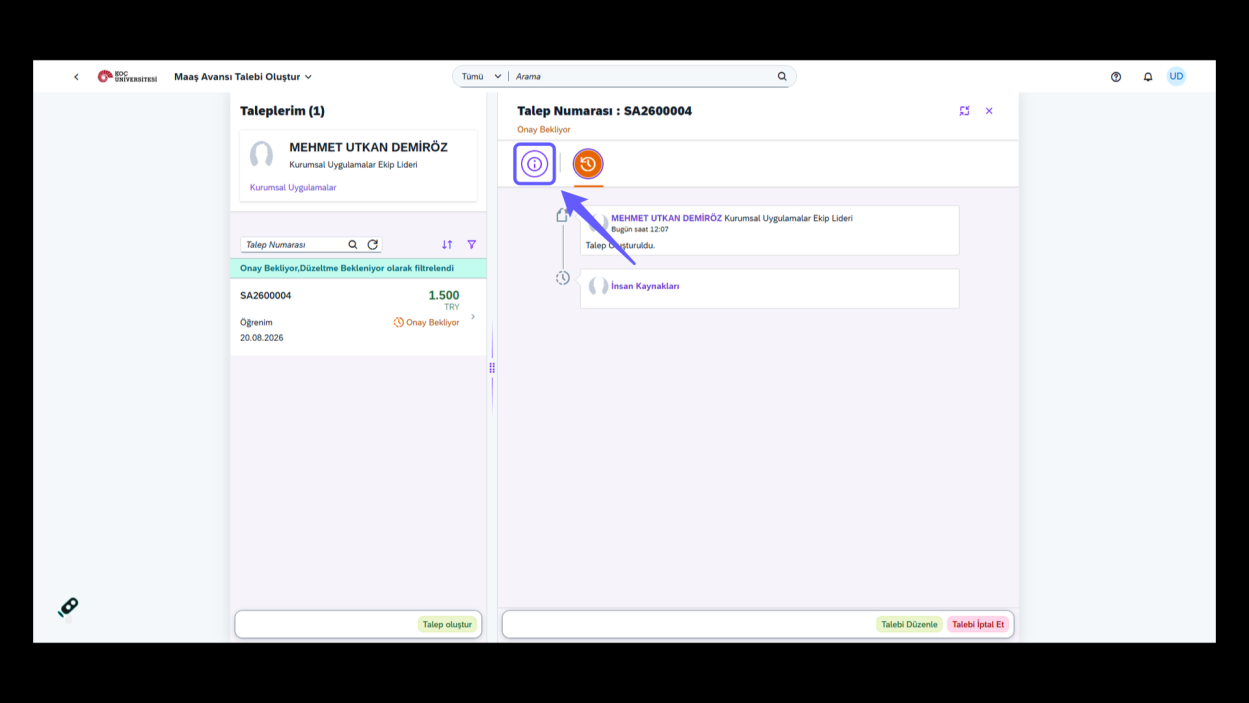
1. Initiate Salary Advance Request
-
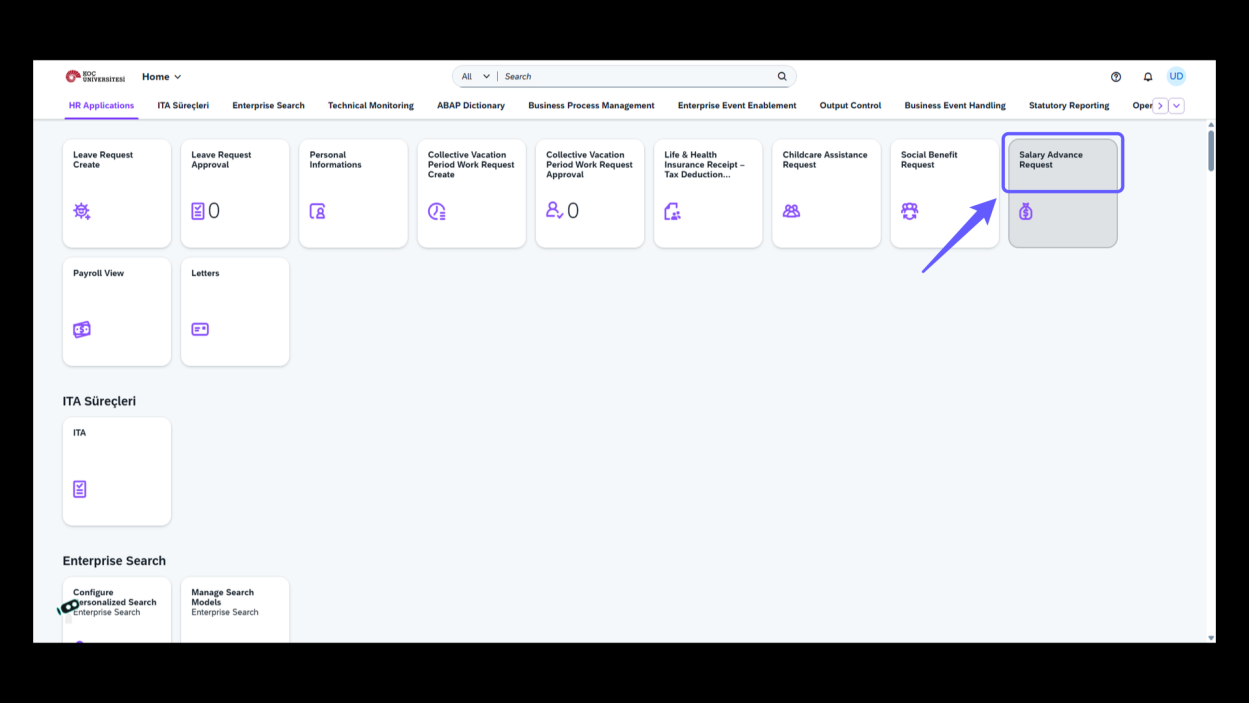
Select 'Salary Advance Request' to begin the process of requesting a salary advance. Follow the provided steps to complete your application.
2. Initiate New Request
-
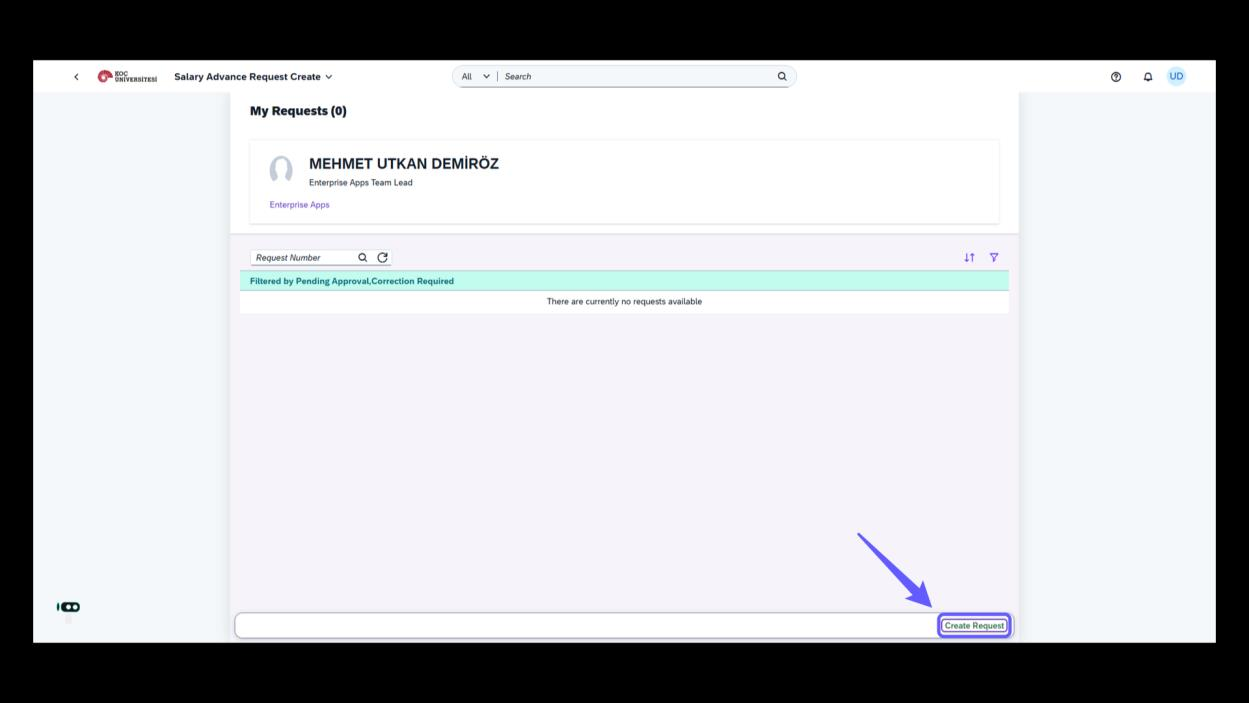
Click 'Create Request' to start a new salary advance application.
3. Click to Expand Options
-
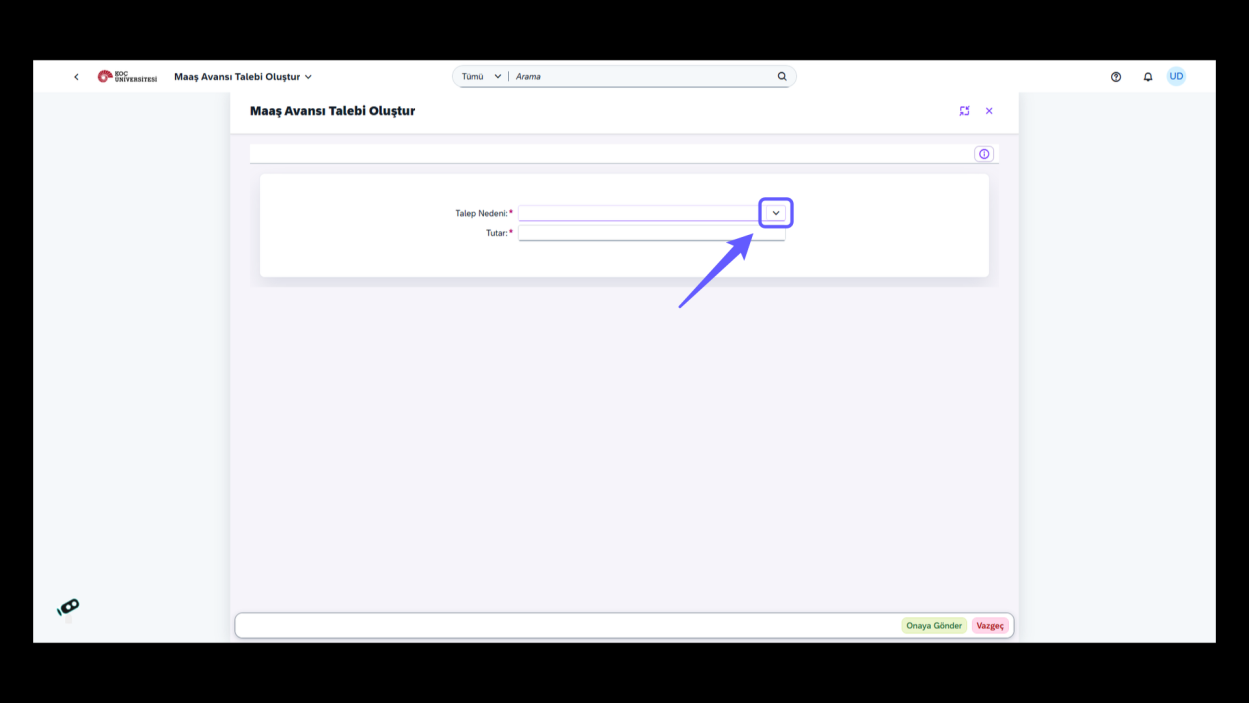
Click the dropdown arrow to view and select from available options.
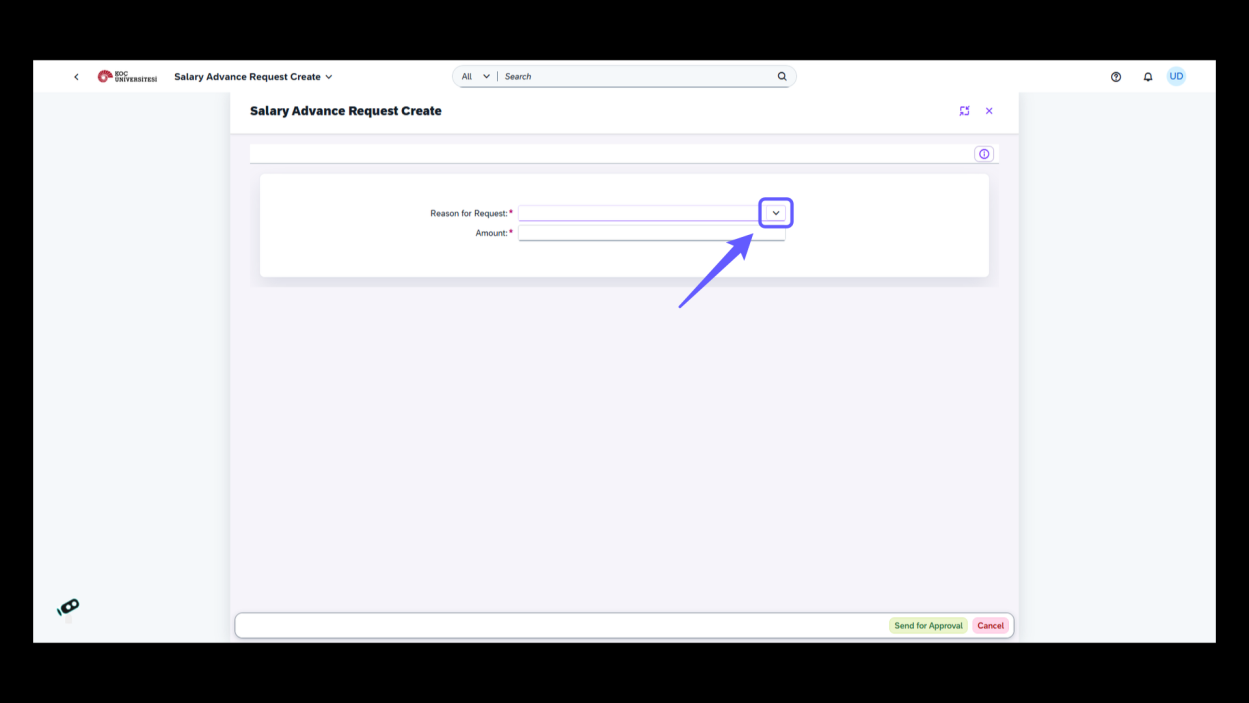
4. Select Reason for Request
-
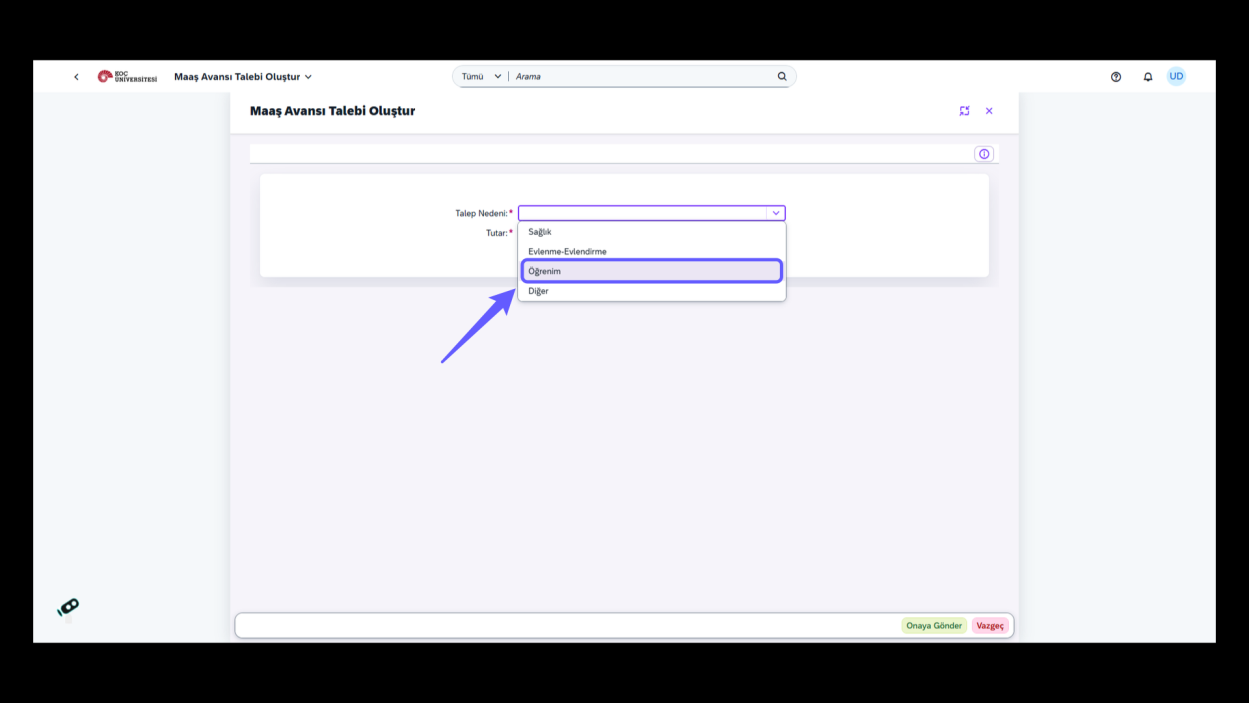
Choose a reason from the dropdown menu to set the reason for your salary advance request.
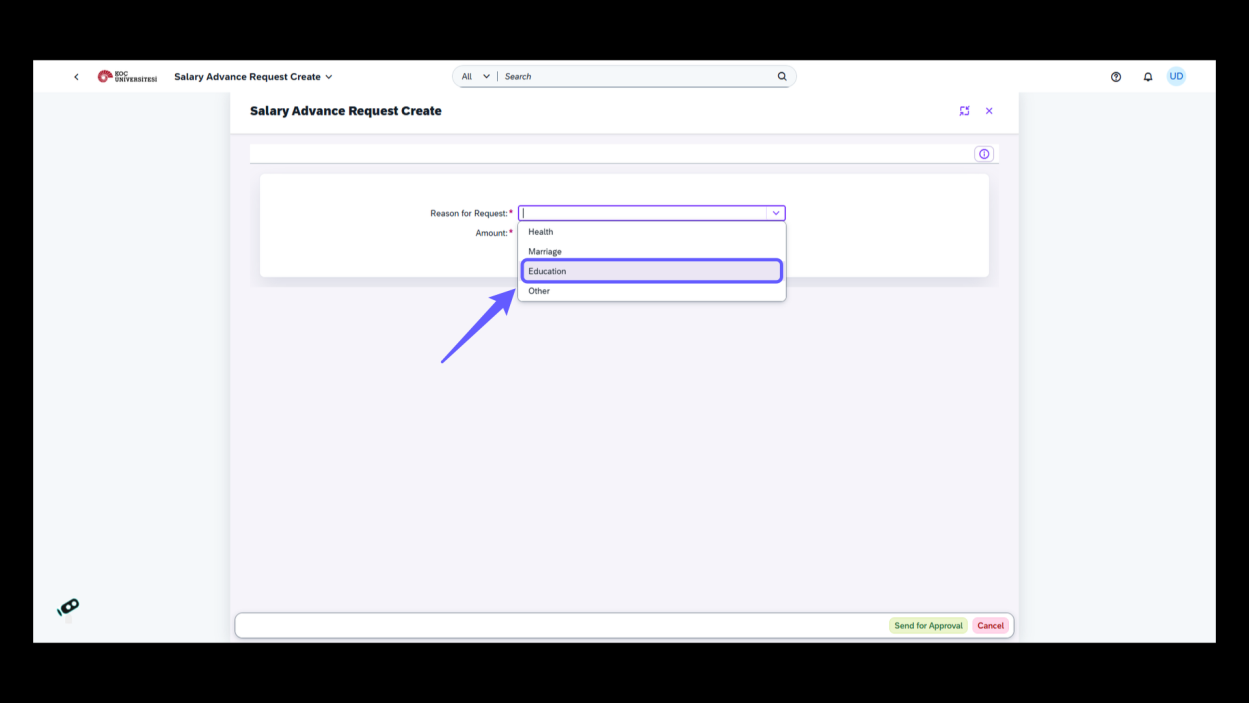
5. Enter Amount Requested
-
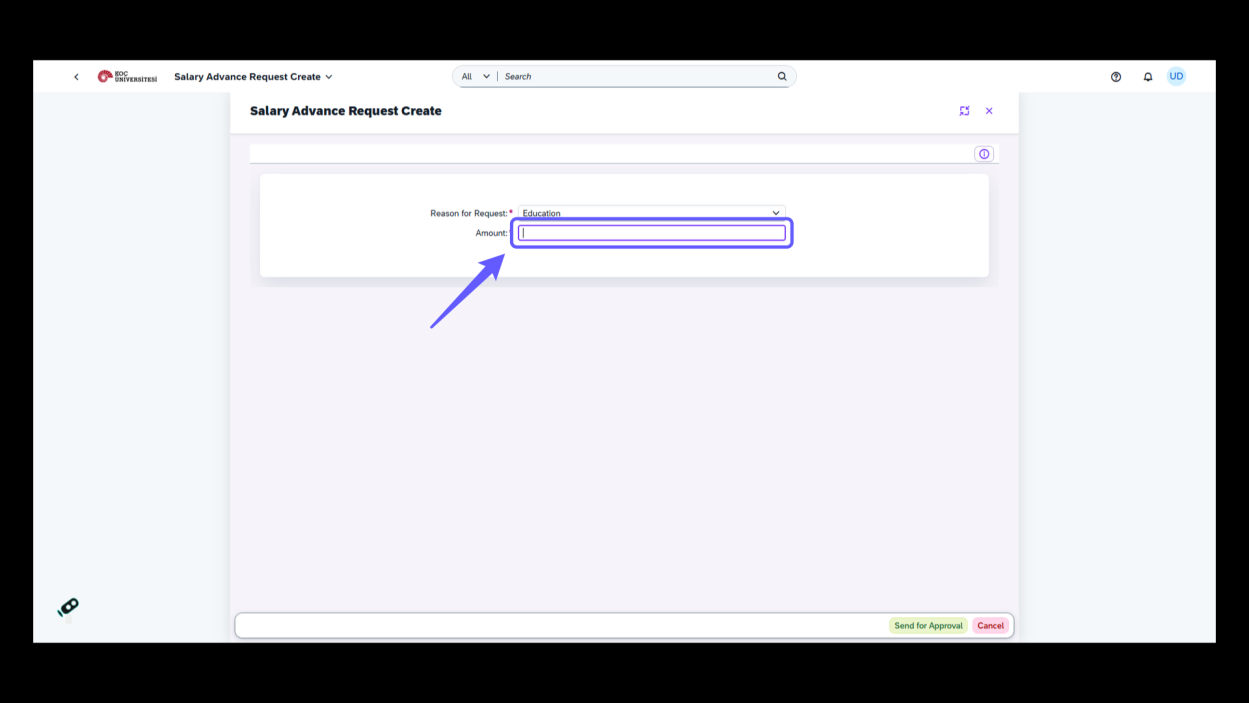
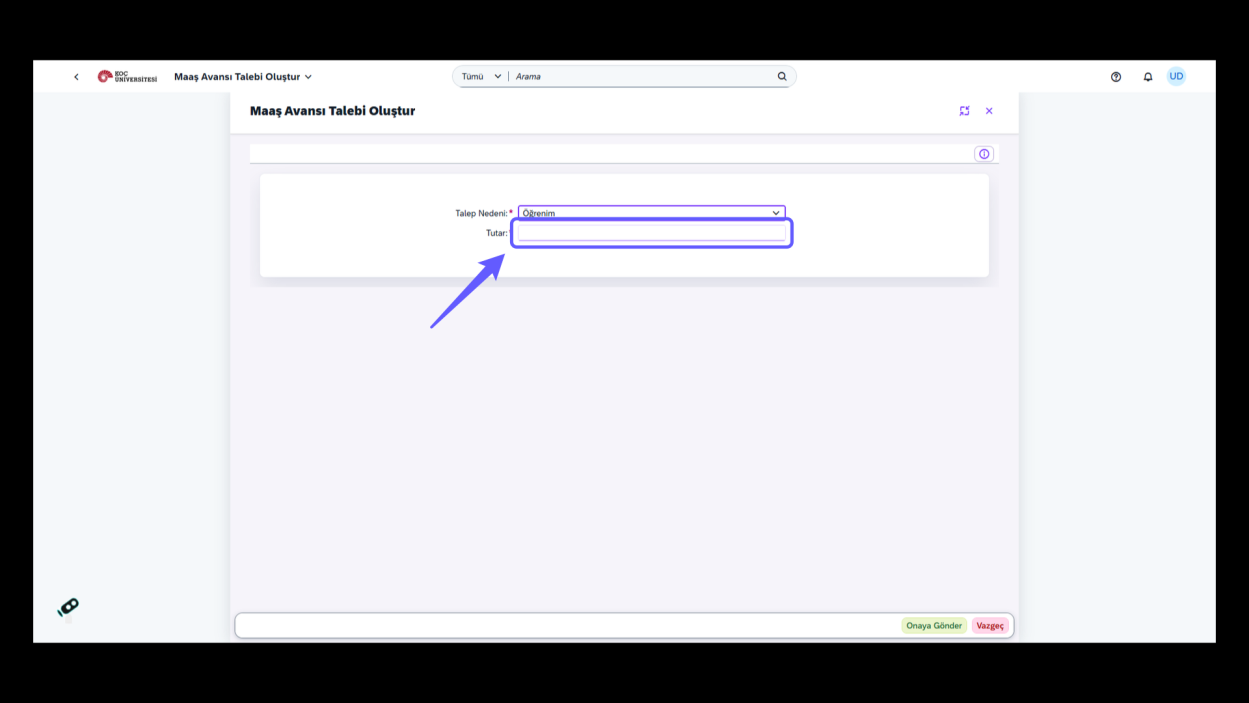
Input the amount you wish to request in the designated field below 'Reason for Request.' Ensure accuracy before proceeding.
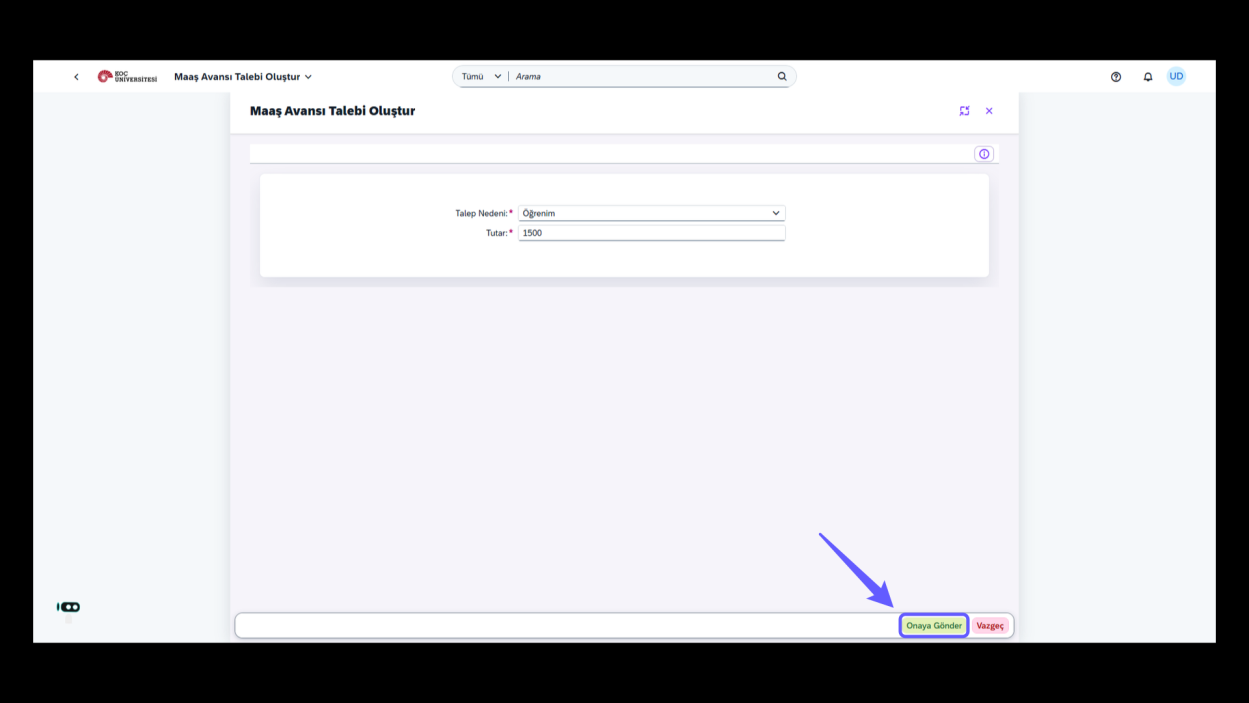
6. Submit Request
-
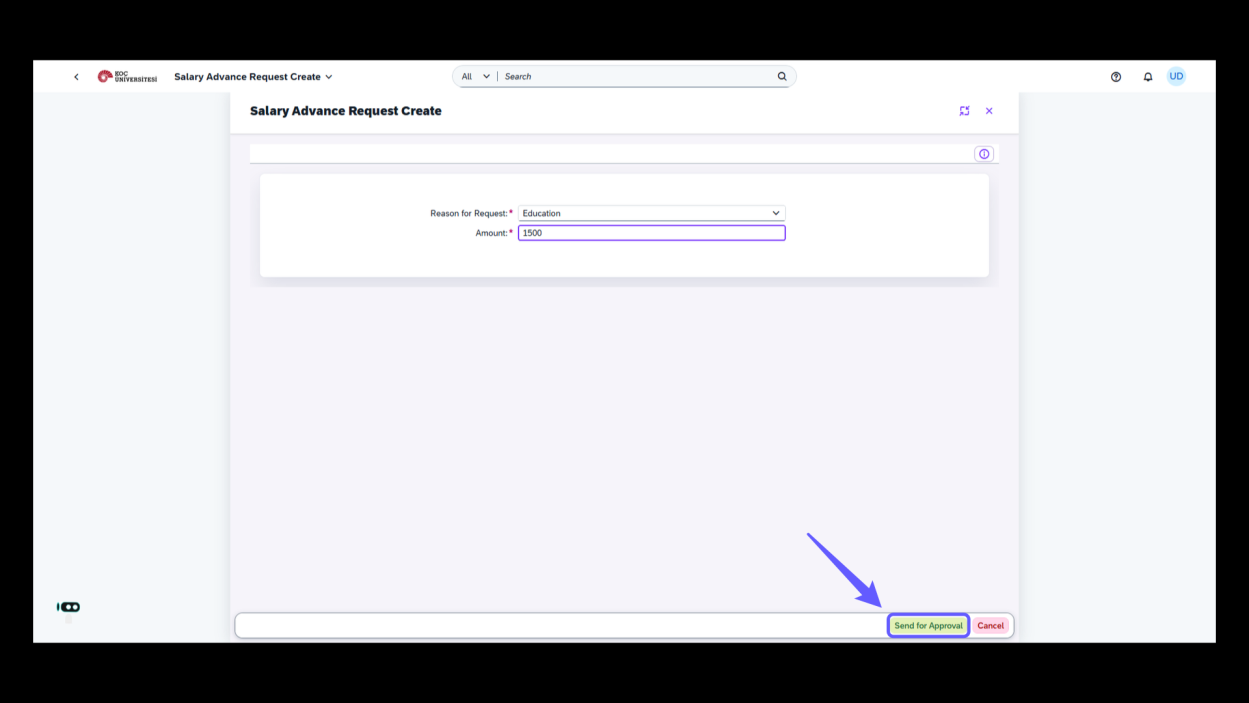
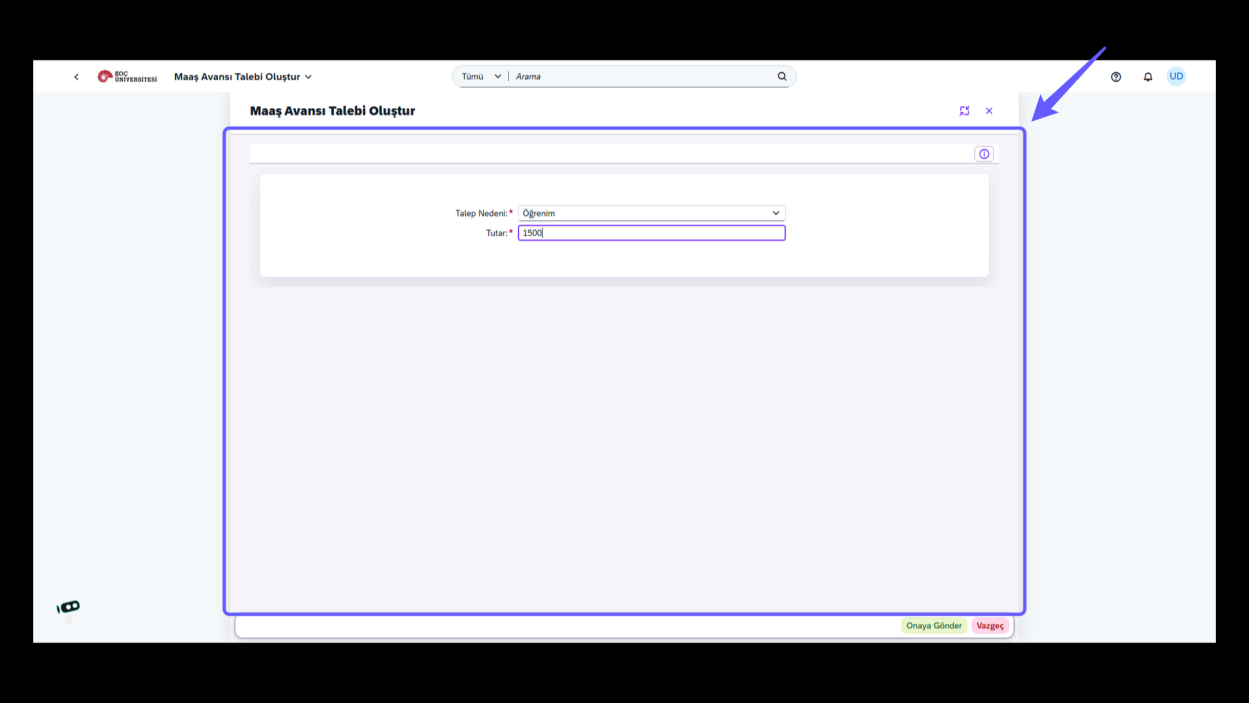
Click 'Send for Approval' to proceed with your request submission.
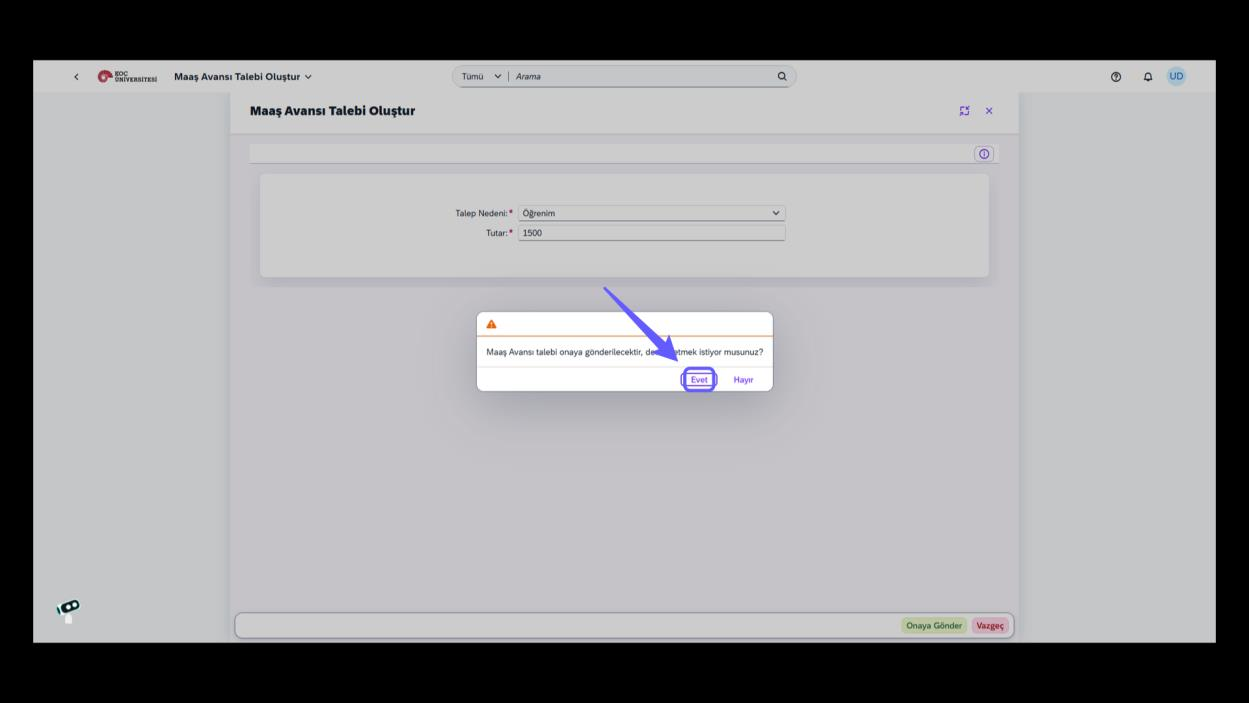
7. Confirm Salary Advance Request
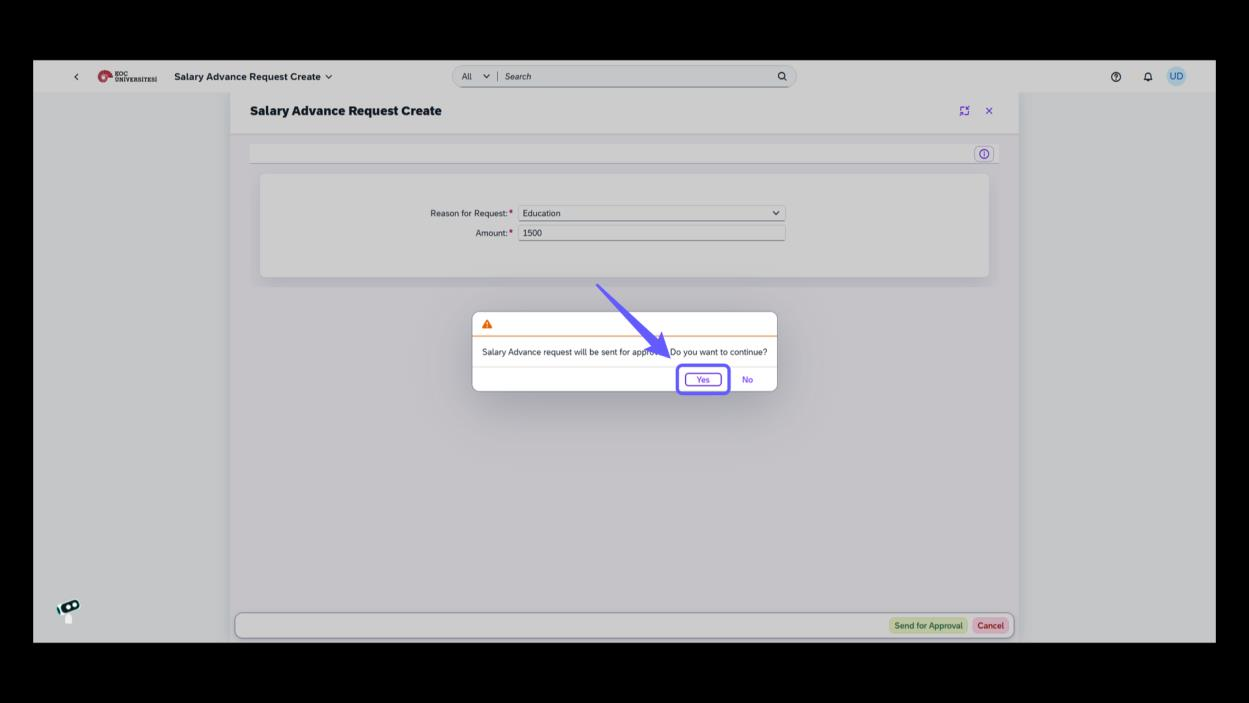
-
Click 'Yes' to proceed with sending the salary advance request for approval.
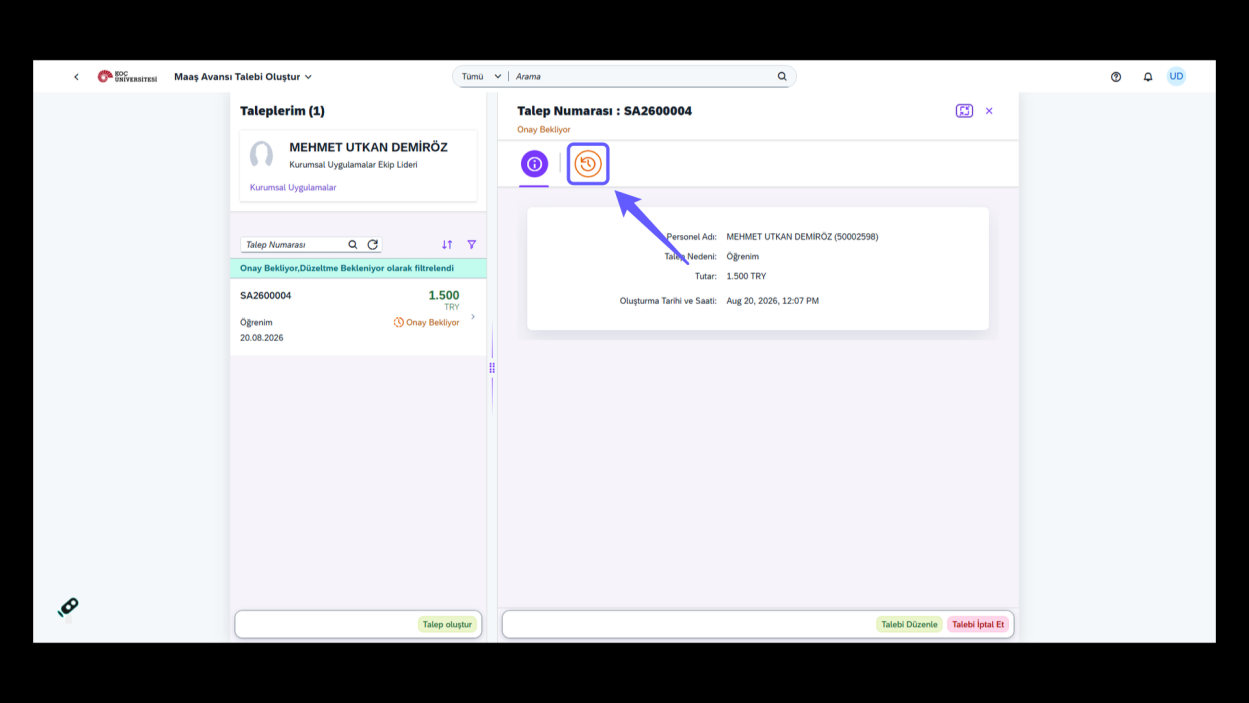
8. Access Request History
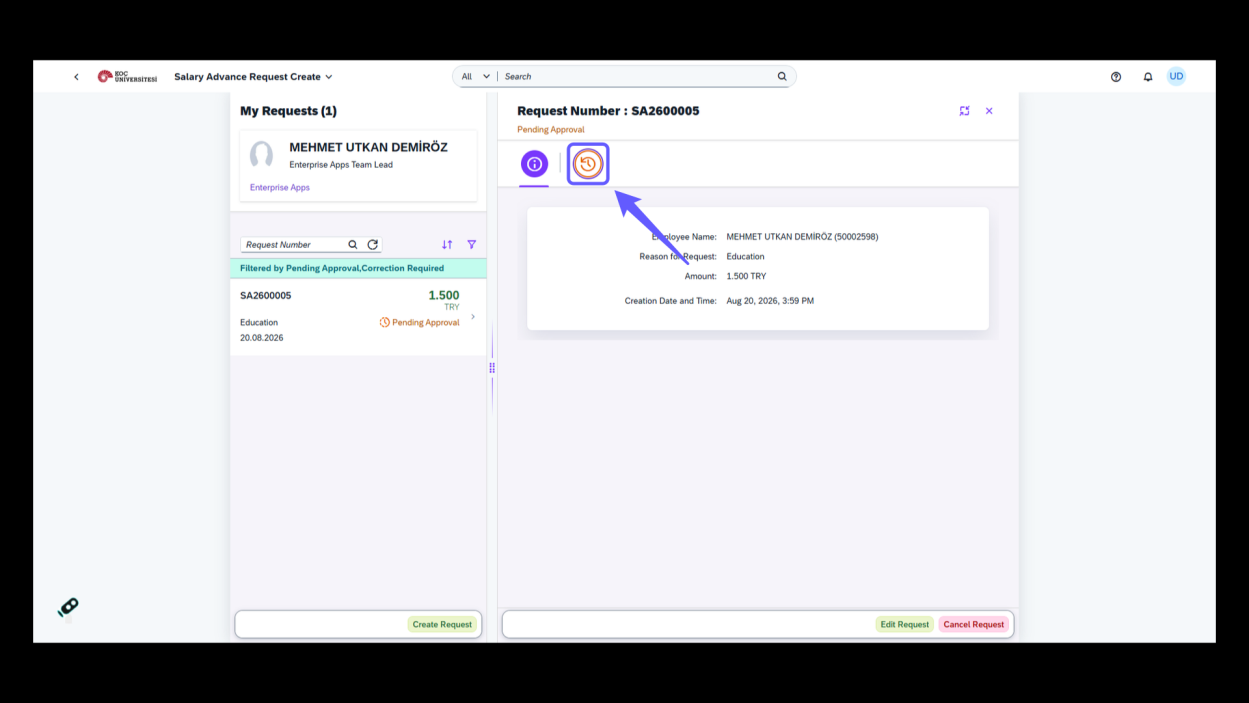
-
Click the circular icon to view the history of the request.
1. Maaş Avansı Talebi
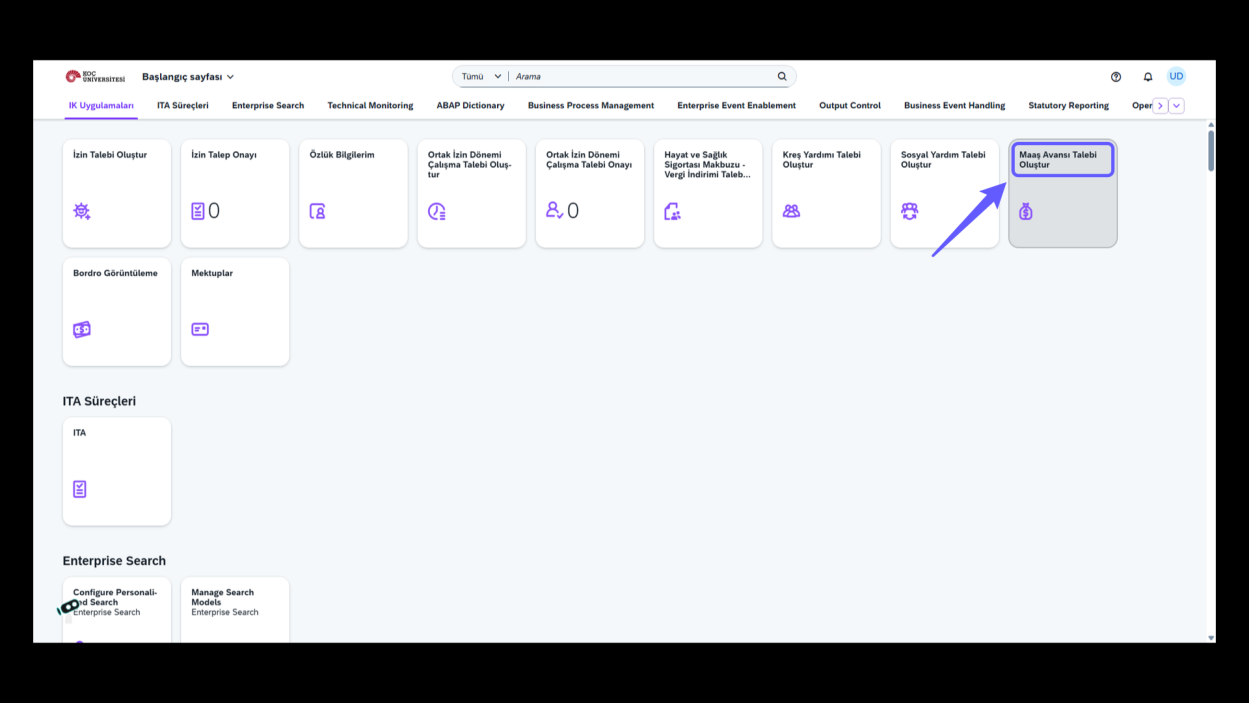
-
Maaş avansı talebi oluşturmak için bu seçeneğe tıklayın.
2. Yeni Talep Oluştur
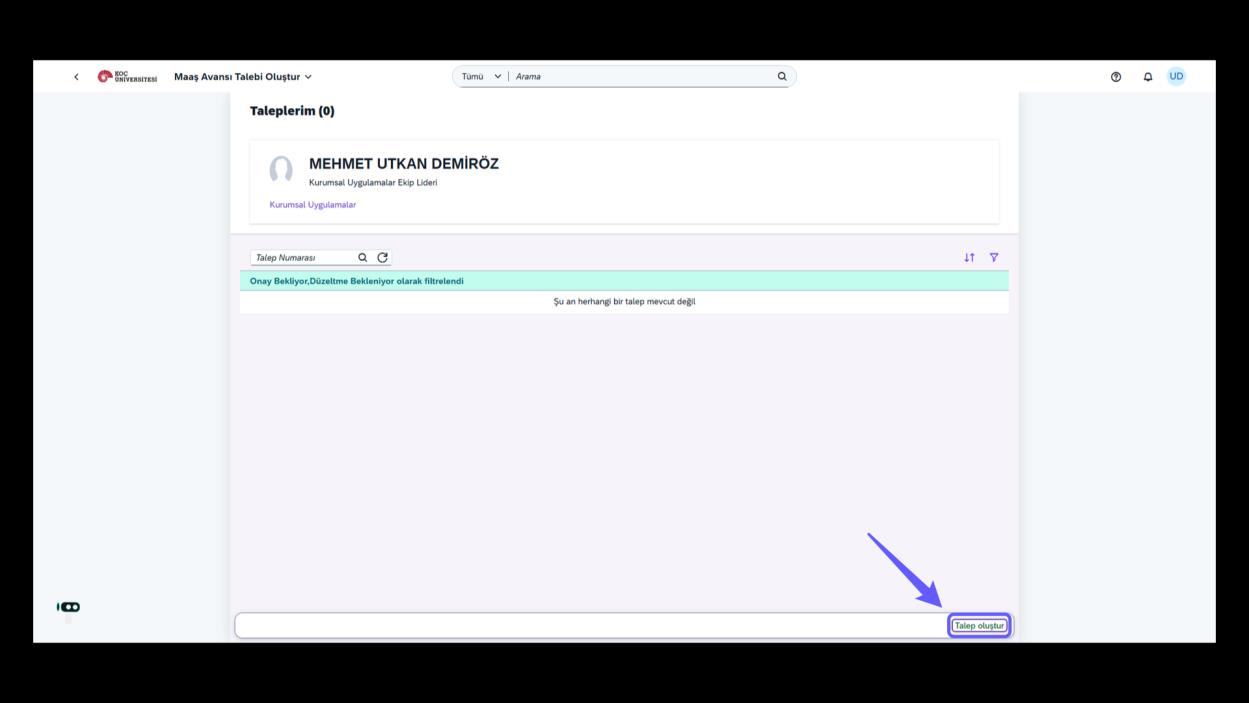
-
"Talep oluştur" butonuna tıklayarak yeni bir talep başlat.
3. Seçenek Menüsünü Aç
-
Aşağı ok simgesine tıklayarak seçenek menüsünü aç.
4. Talep Nedeni Seçimi
-
Talep nedeni olarak ilgili seçeneği seçin.
5. Tutar Alanını Doldurun
-
Talep edilen tutarı girin.
6. Maaş Avansı Talebi Yap
7. Onaya Gönderme
-
Onaya Gönder butonuna tıklayarak işleminizi tamamlayın
-
Maaş avansı talebini onaya göndermek için 'Evet' butonuna tıkla ve işlemi tamamla.
8. İkonu Takip Et
-
İkonu takip ederek daha fazla bilgi edinin. Onay durumunu kontrol etmek için ikonun üzerine tıklayın.
9. Bilgi İkonuna Tıkla
-
Bilgi ikonuna tıklayarak detaylı bilgilere ulaş.
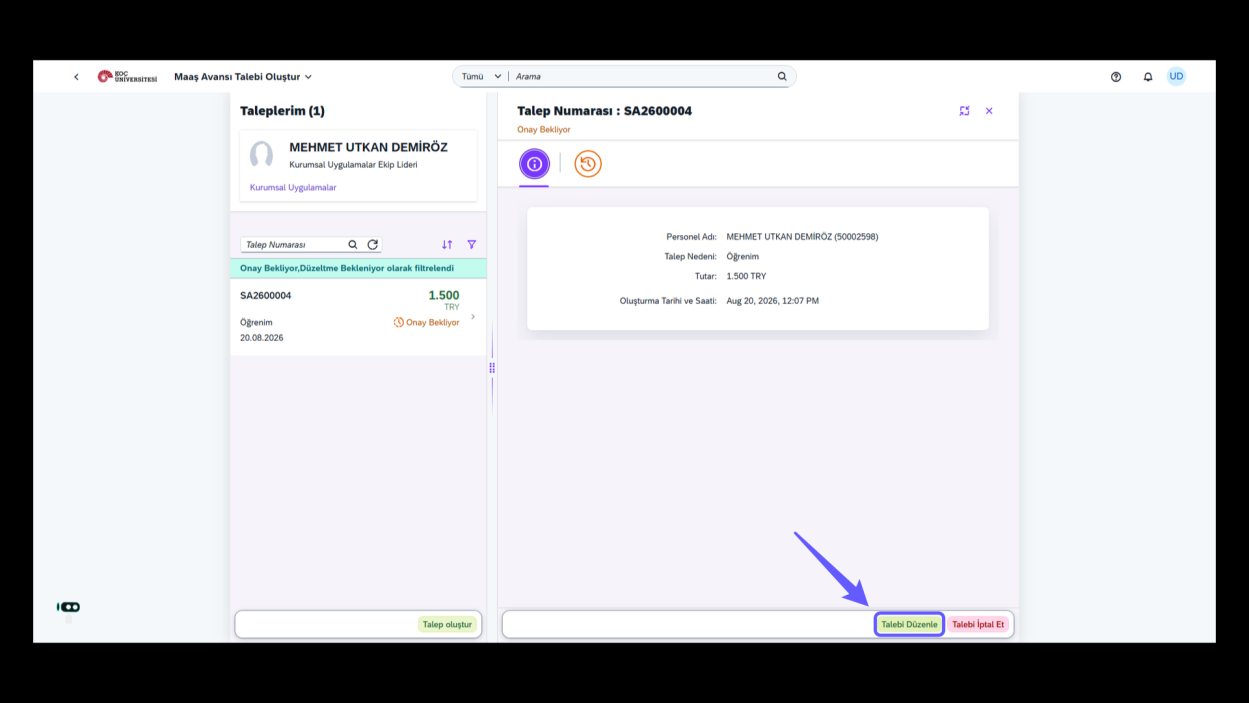
10. Talebi Düzenleme Talimatı
-
Talebi düzenlemek için bu düğmeye tıkla. Değişiklikleri yaptıktan sonra kaydederek işlemi tamamla.