Copy
-
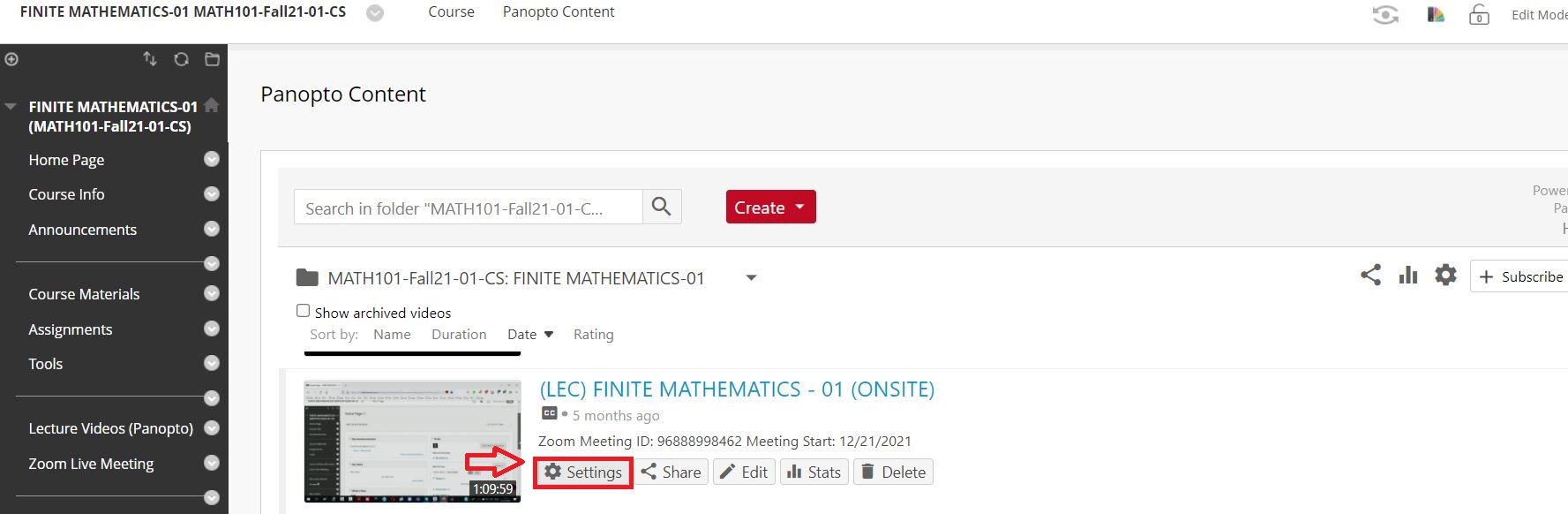
Click the Settings tab on the video that you want to copy.
-
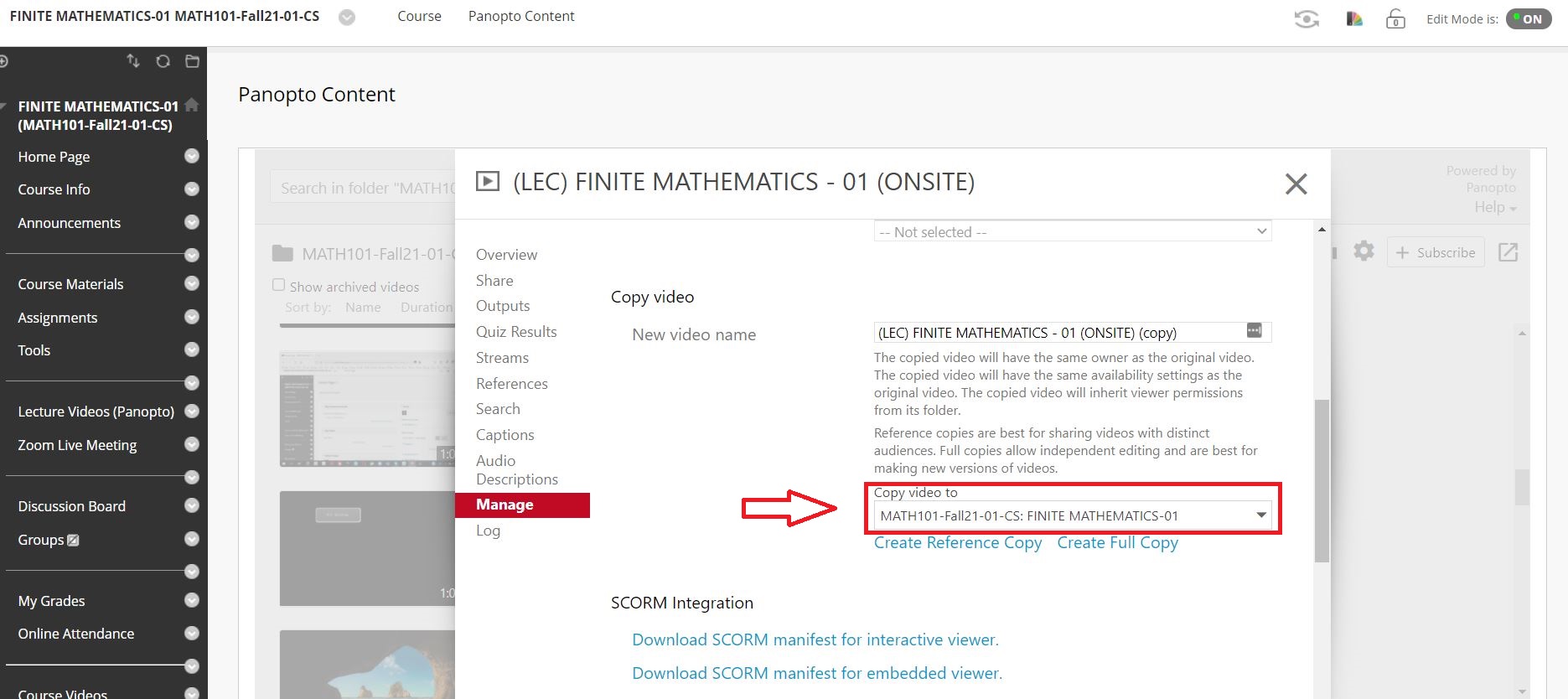
Choose the folder to copy from the drop-down menu.
-
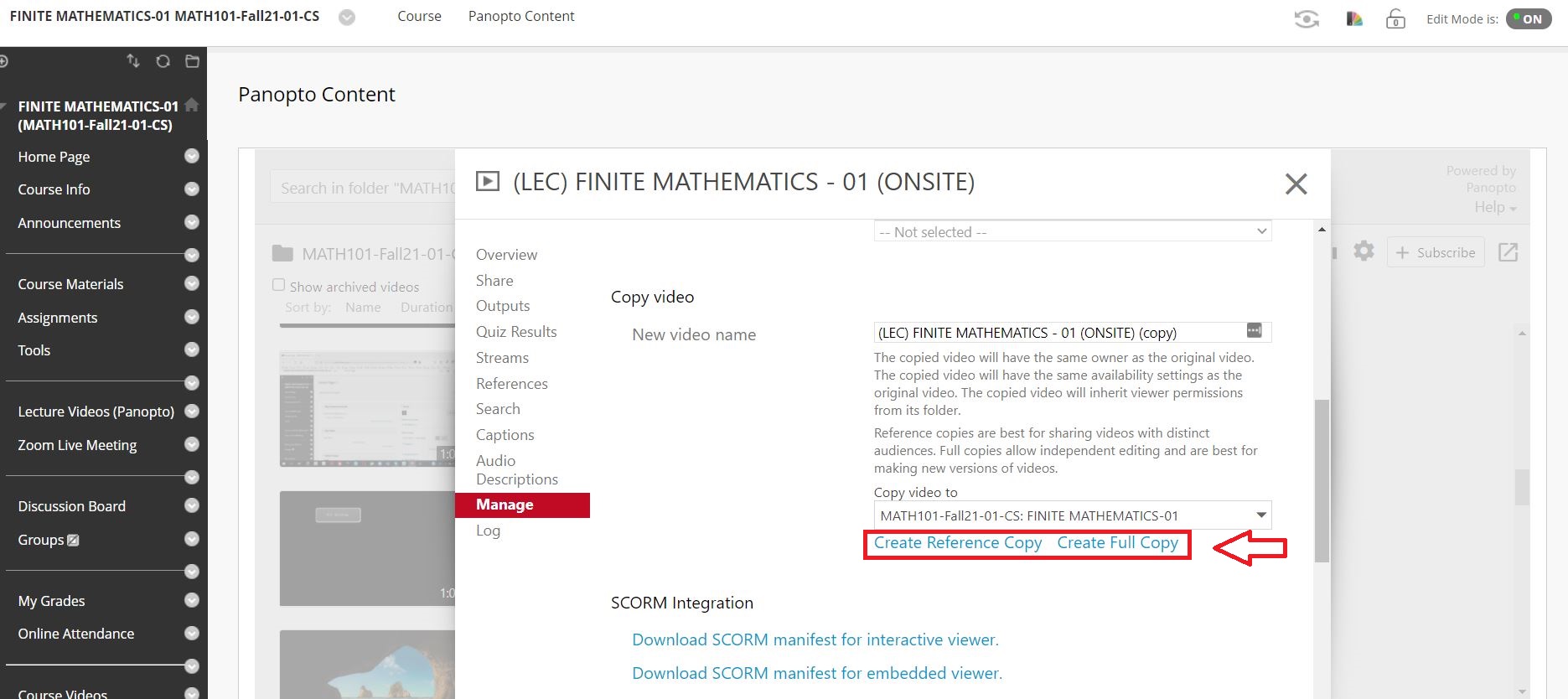
Click the Create Full Copy (click Reference Copy if you prefer that option, please see the details for the differences in between the two types)
Move
-
Click the Settings tab on the video that you want to move
-
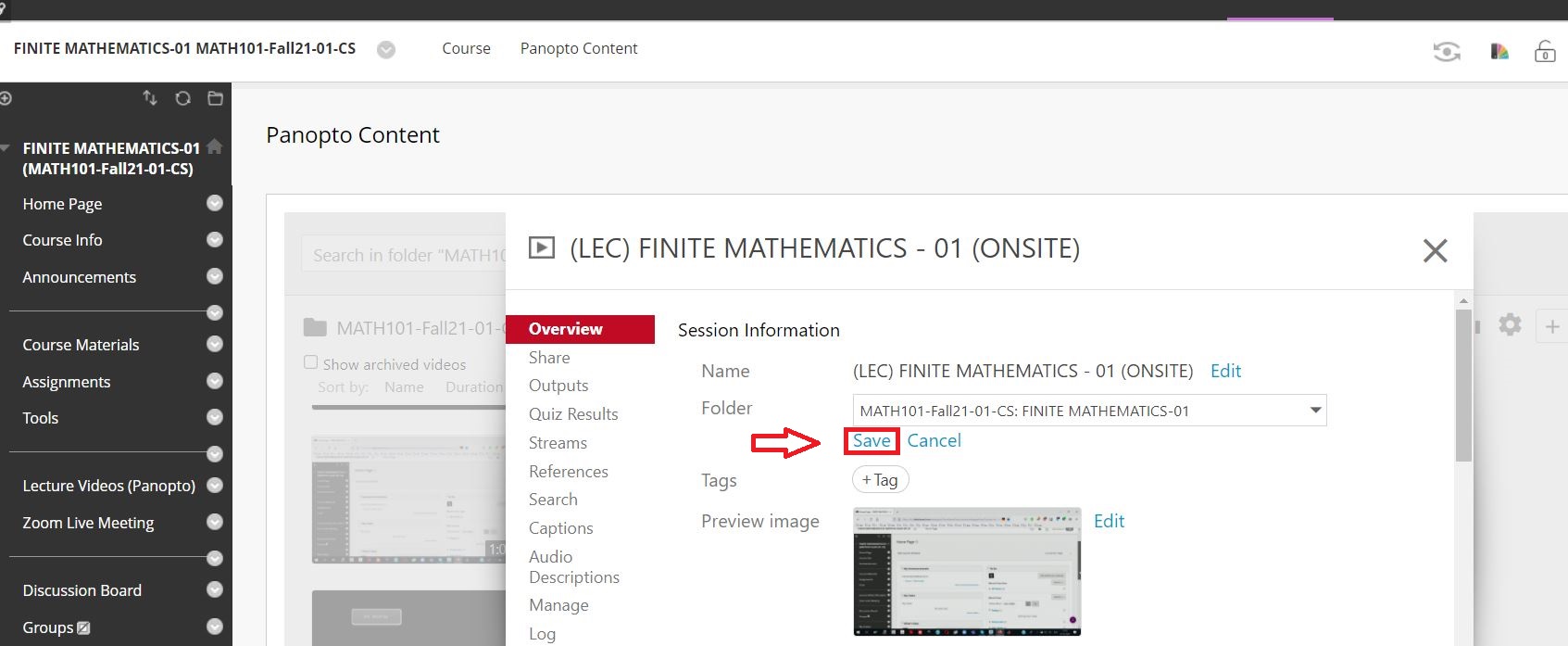
In the Overview tab, click edit under the folder setting
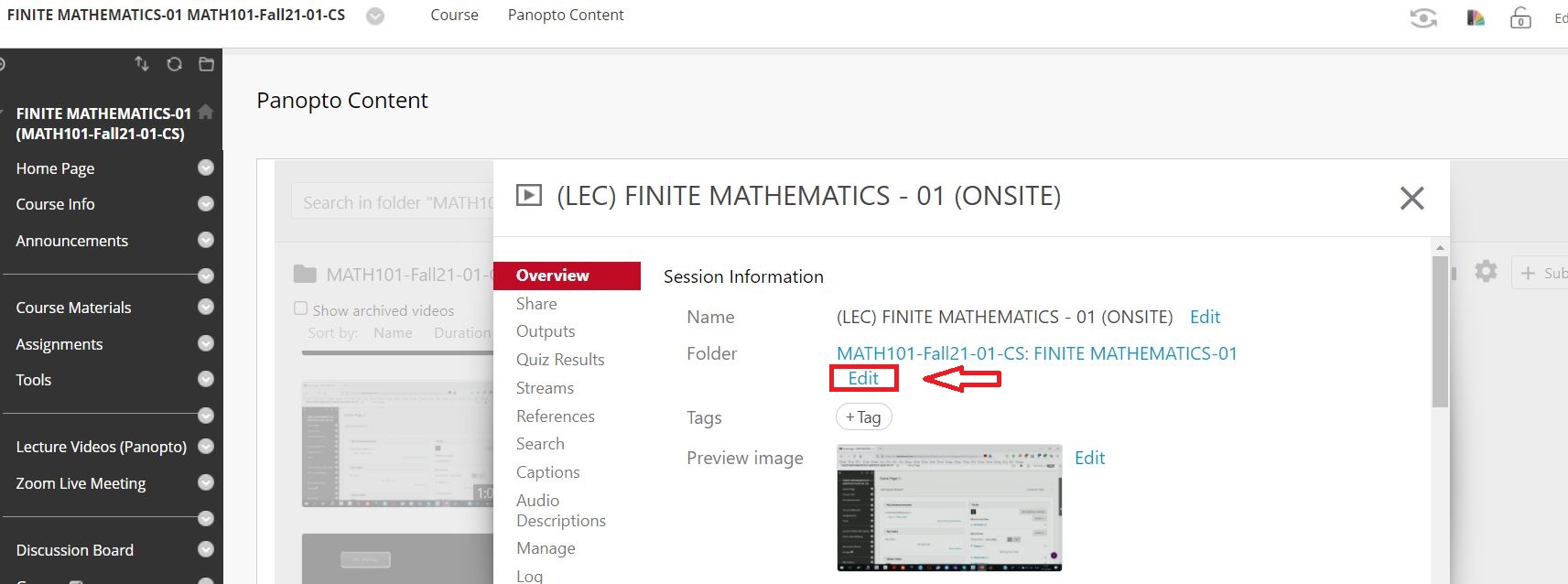
-
Choose the folder to copy the video
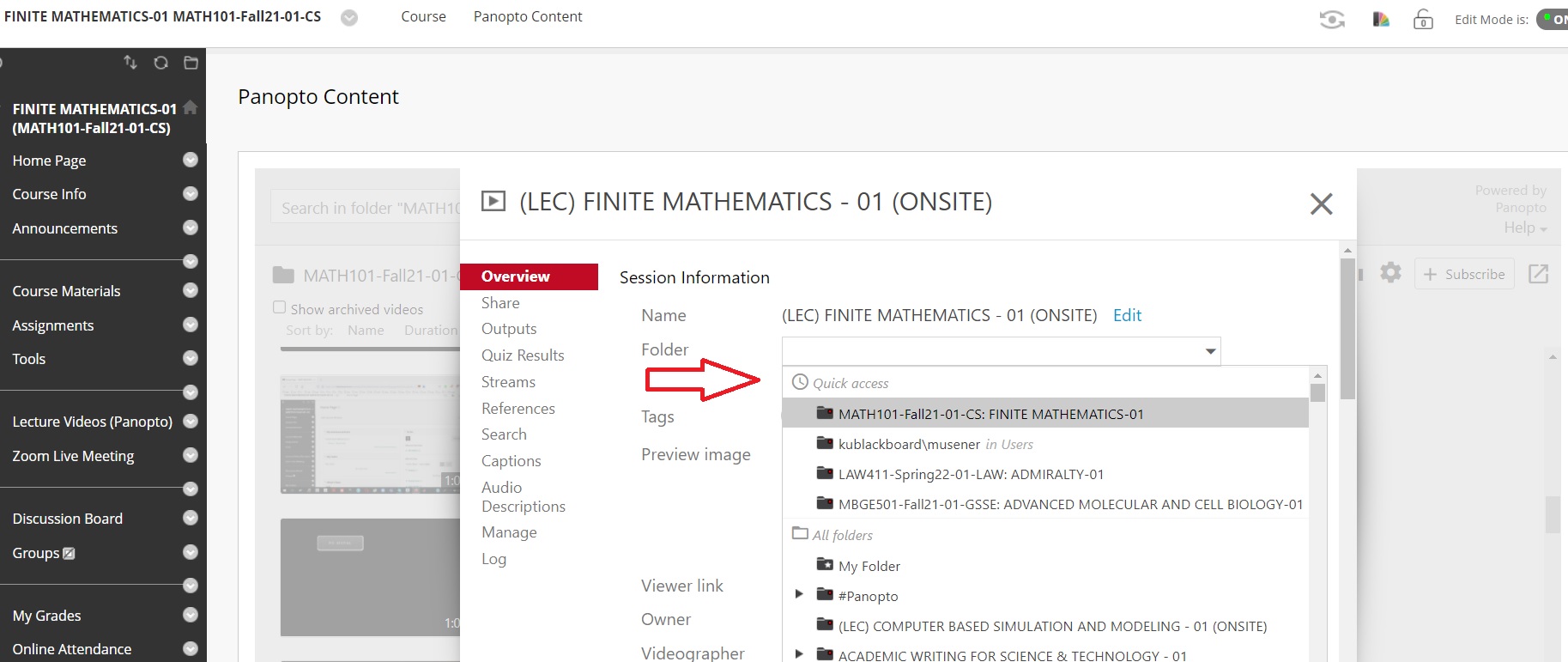
-
Click Save