-
Log in to Blackboard and go to your course.
-
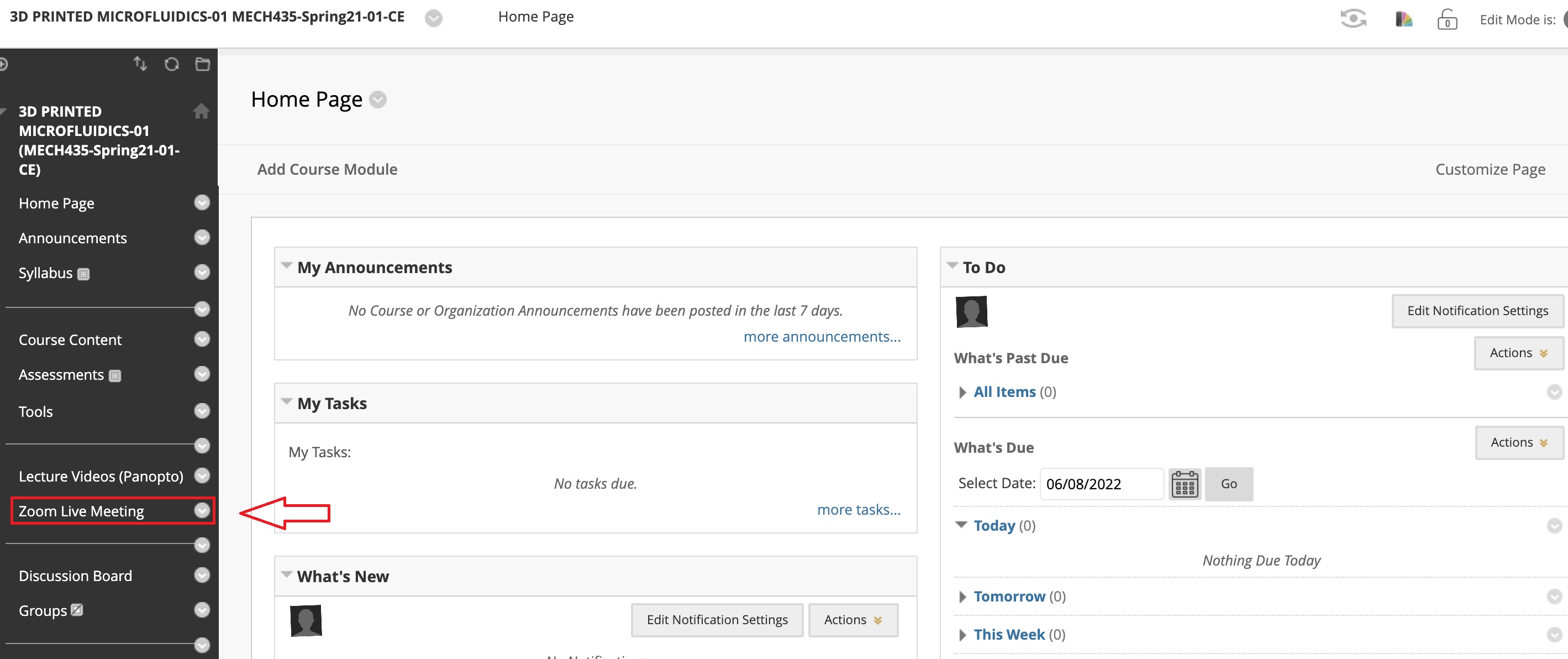
Click Zoom Live Meetings on the left navigation menu.
-
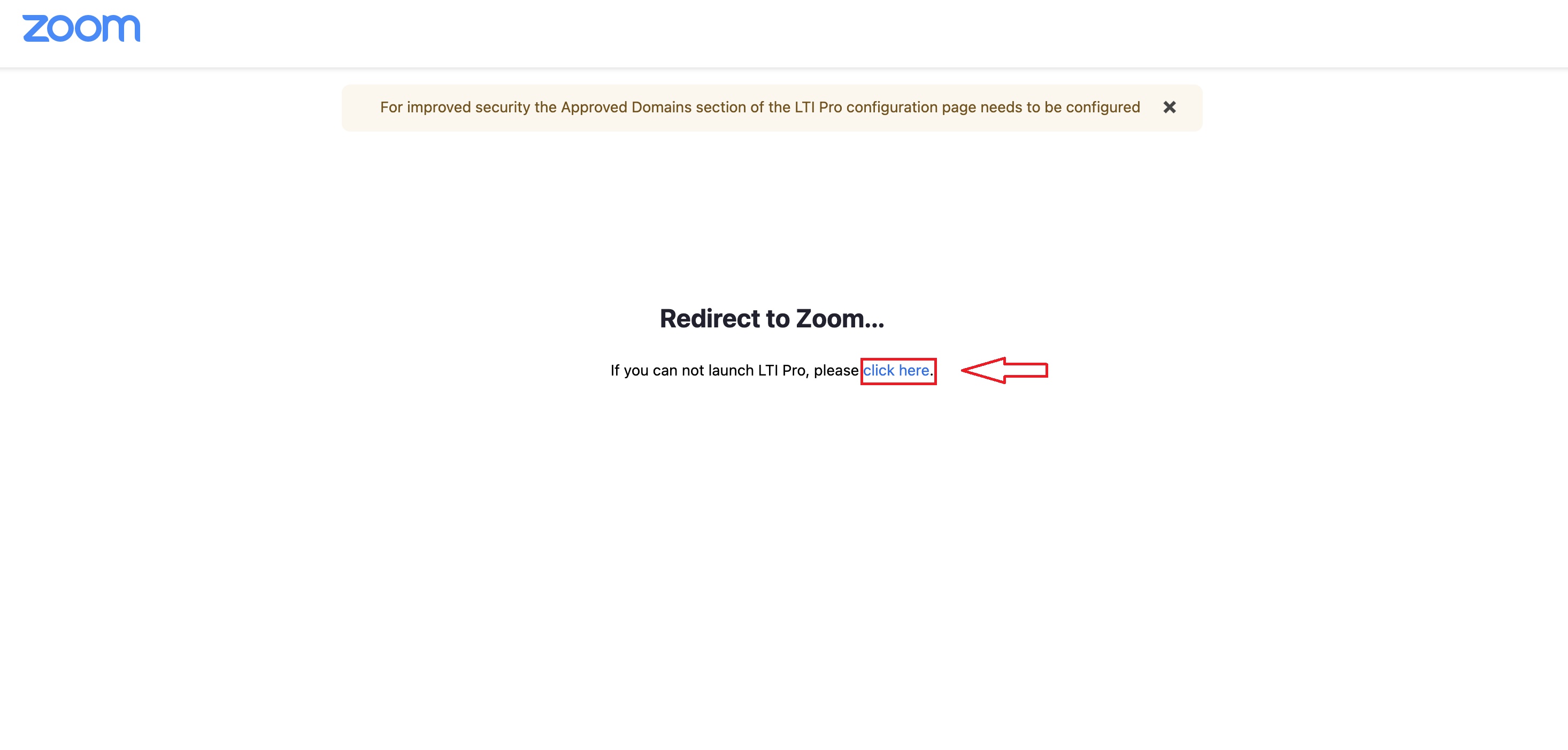
In the pop-up window, Click “click here” in blue.
-
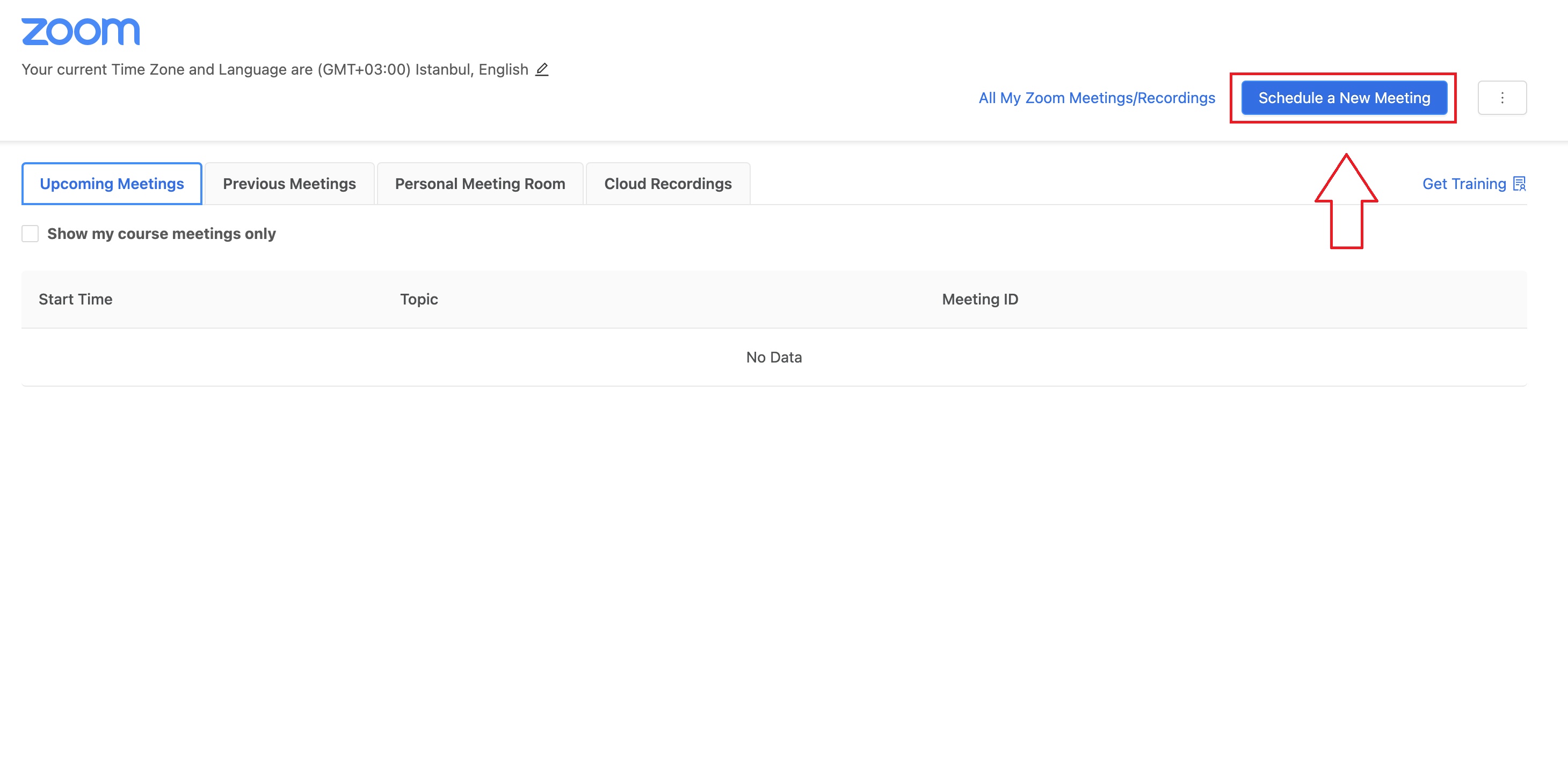
Click Schedule a New Meeting on the top right corner.
-
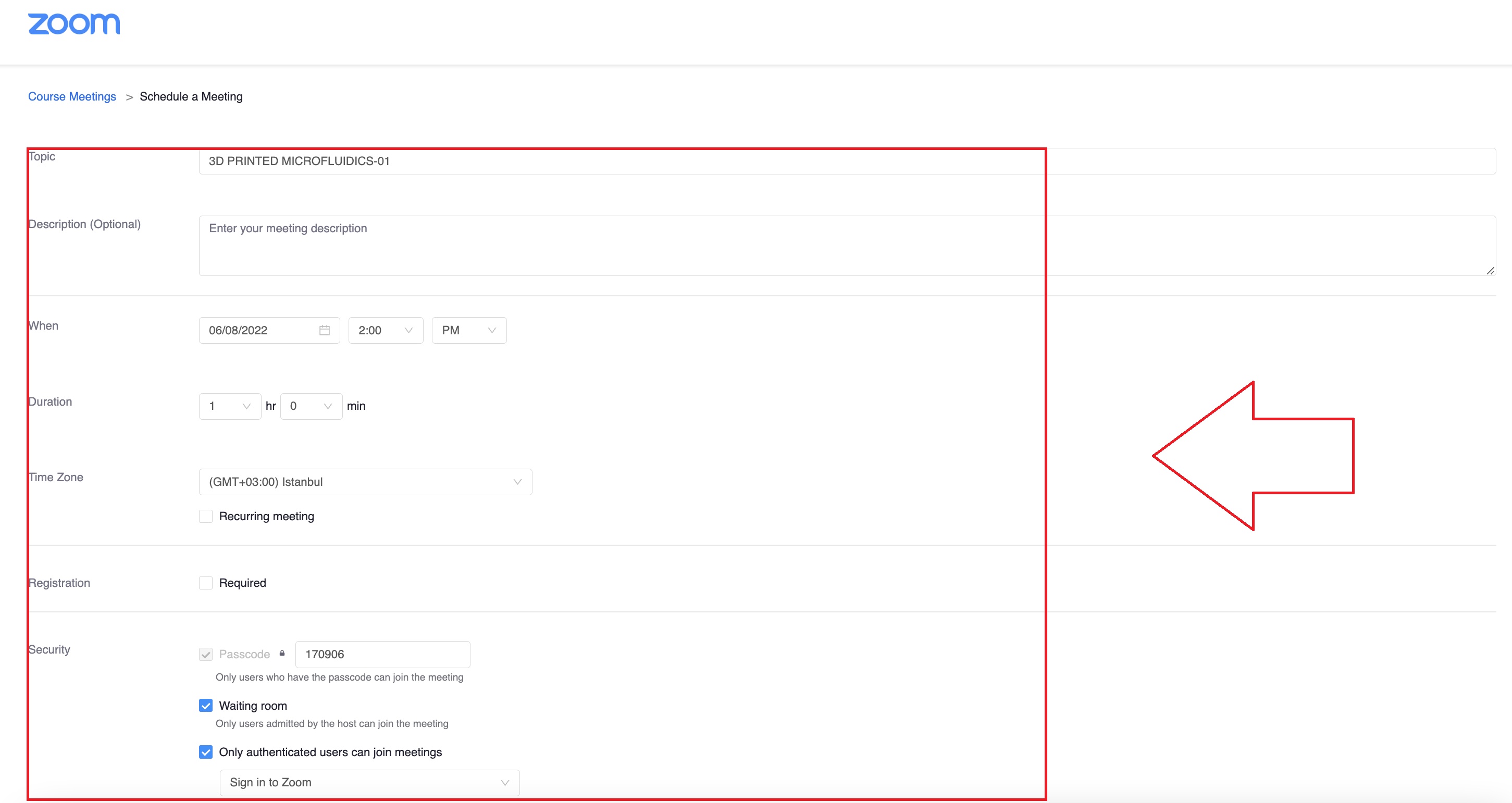
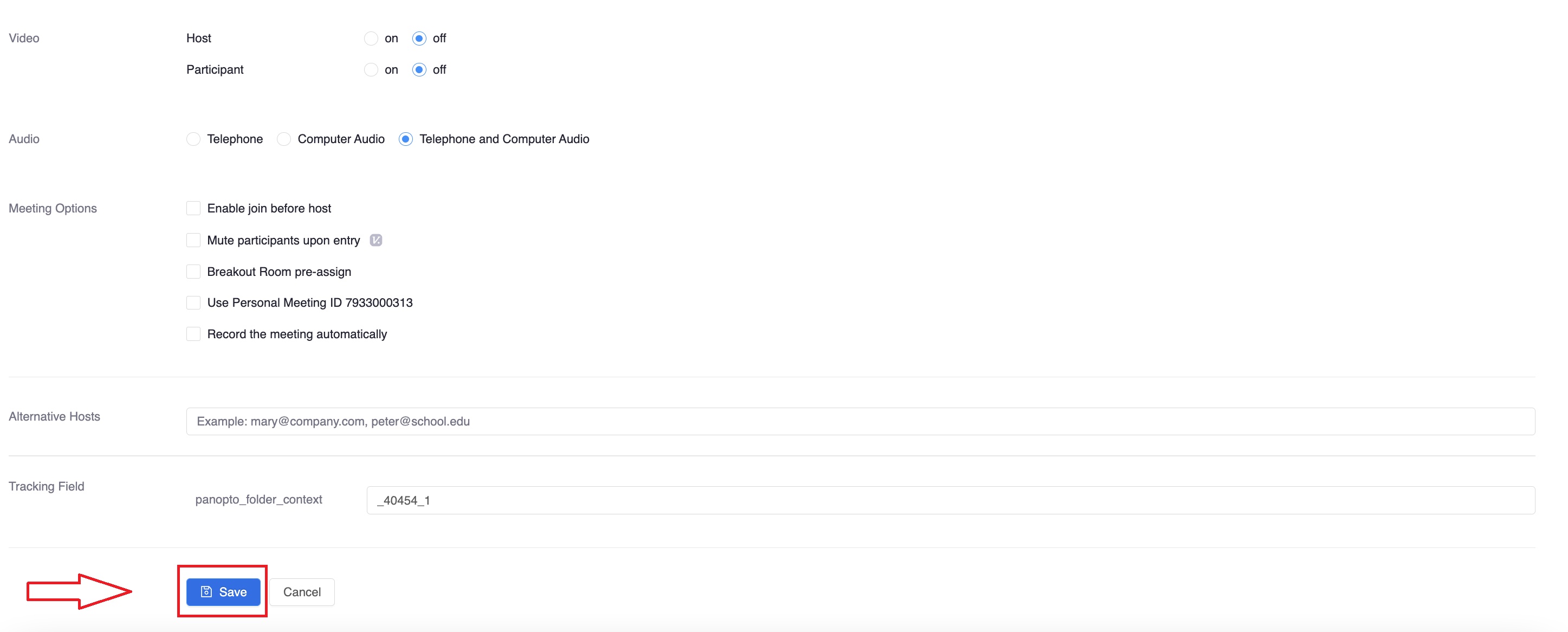
Enter the meeting information and click Save.