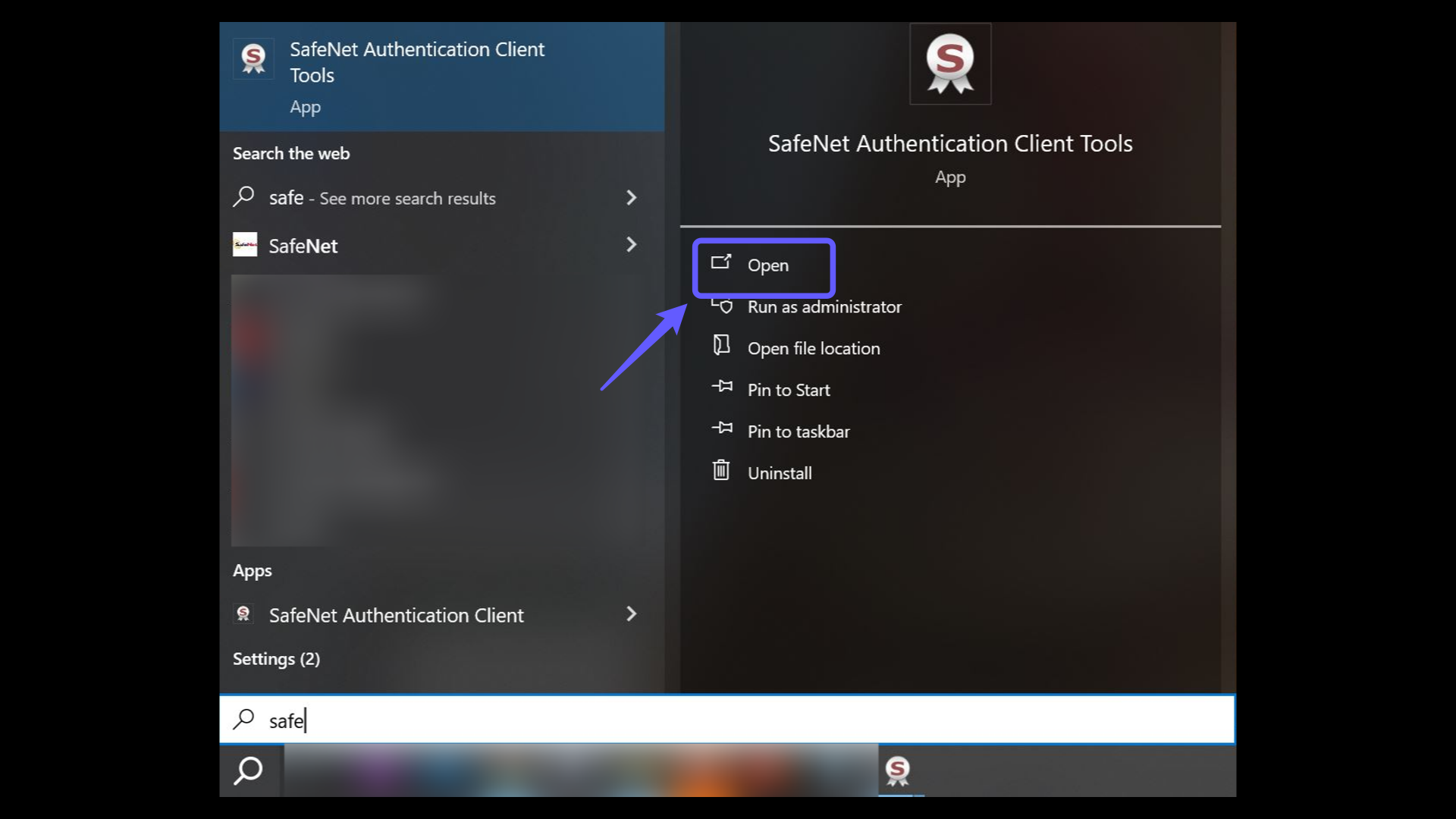
1. For e-Güven Service Provider e-Signature Verification
In the Windows search bar, type "SafeNet" and open it by clicking "Open".
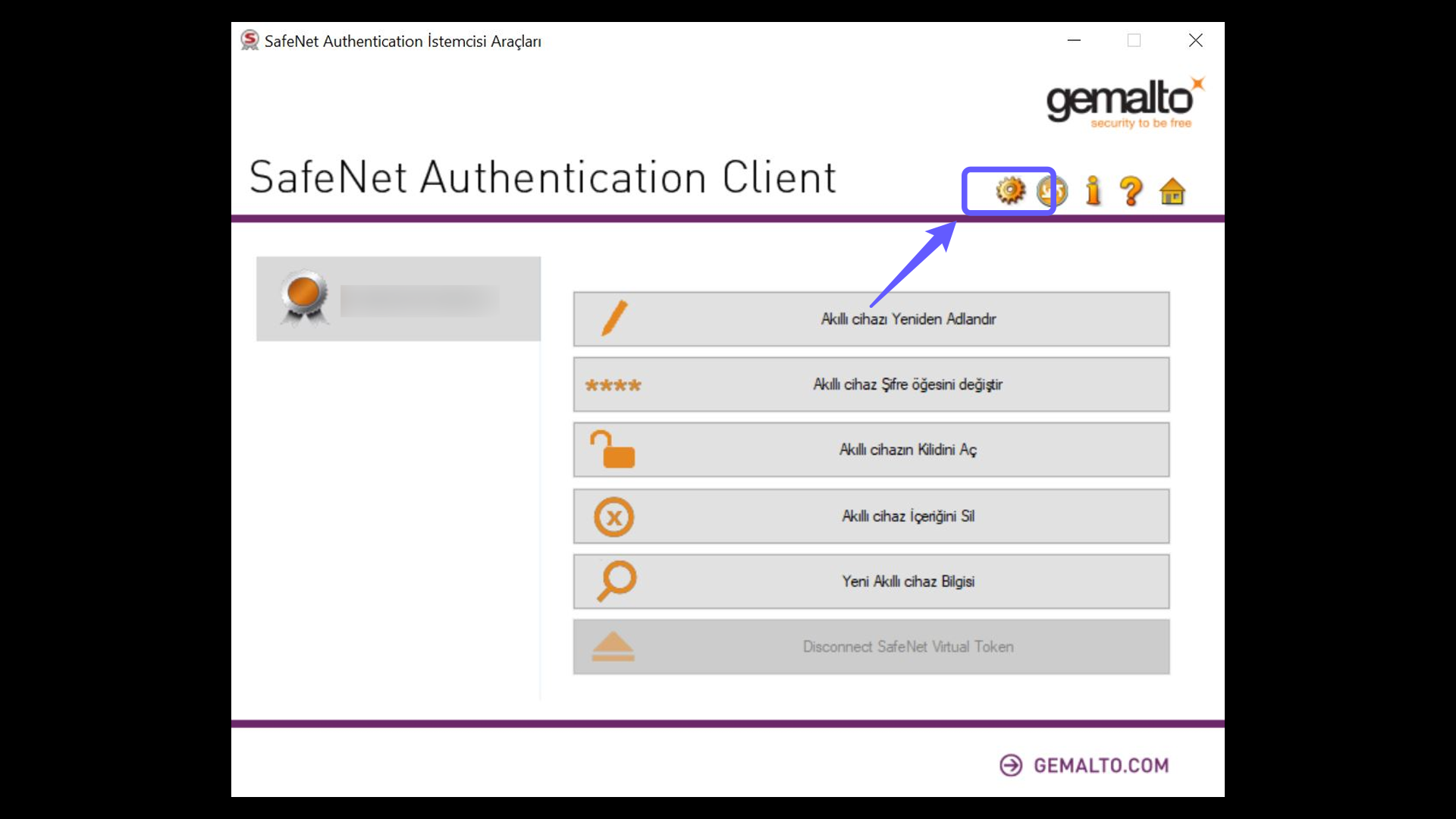
2. Accessing Certificate Information via the SafeNet Application
Insert your e-Güven e-signature device into your computer and log in to the application. Then, click the gear icon in the application.
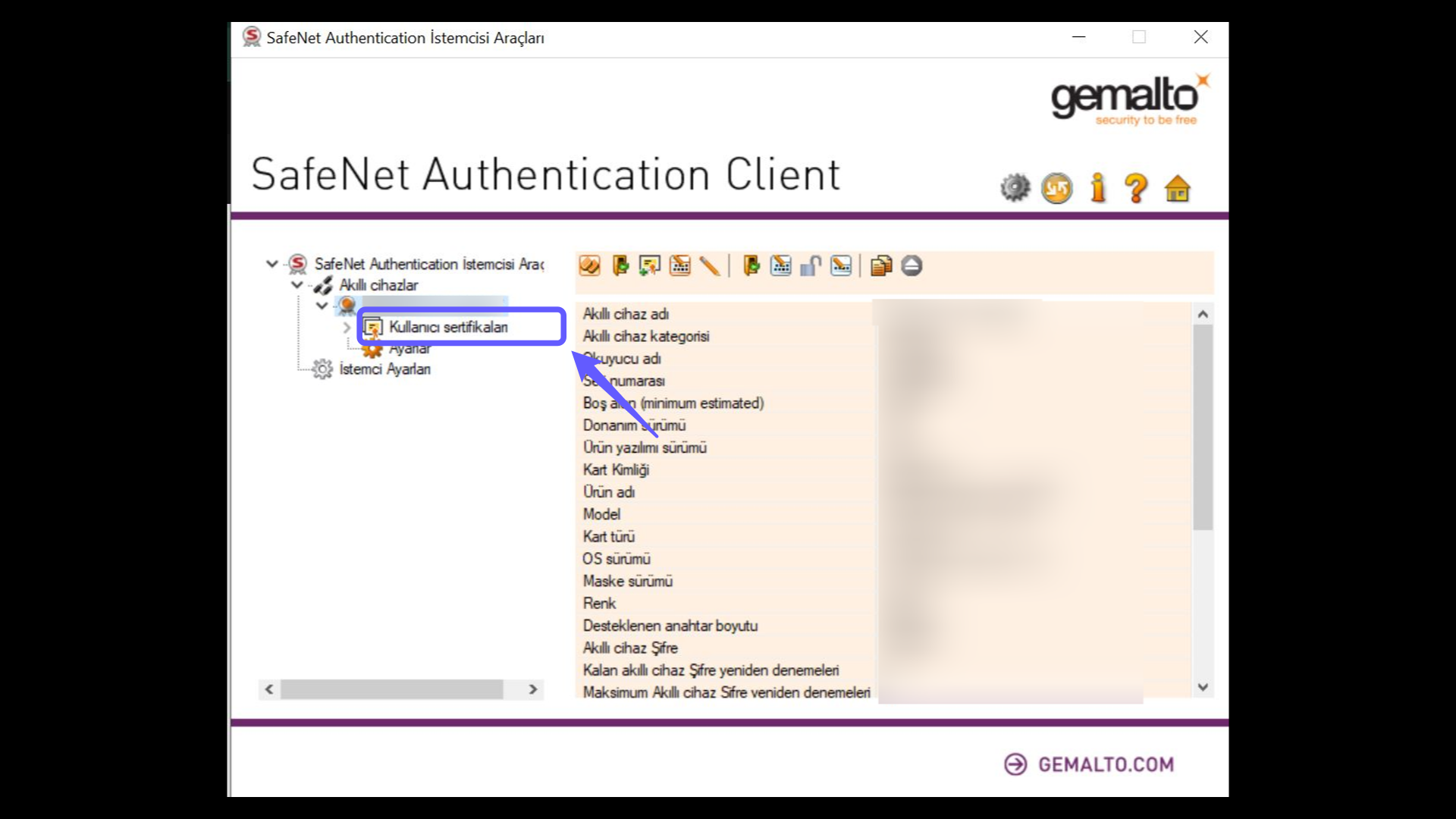
3. Accessing Certificate Information via the SafeNet Application
On the page that opens, click the "User Certificates" section under your name.
4. Accessing Certificate Information via the SafeNet Application
Click the "User Certificates" section, then double-click your name on the screen that appears. When a small window pops up, click the "Details" option. The serial number you see is the serial number of your e-signature purchased from the e-Güven service provider.

5. For TürkTrust Service Provider e-Signature Verification
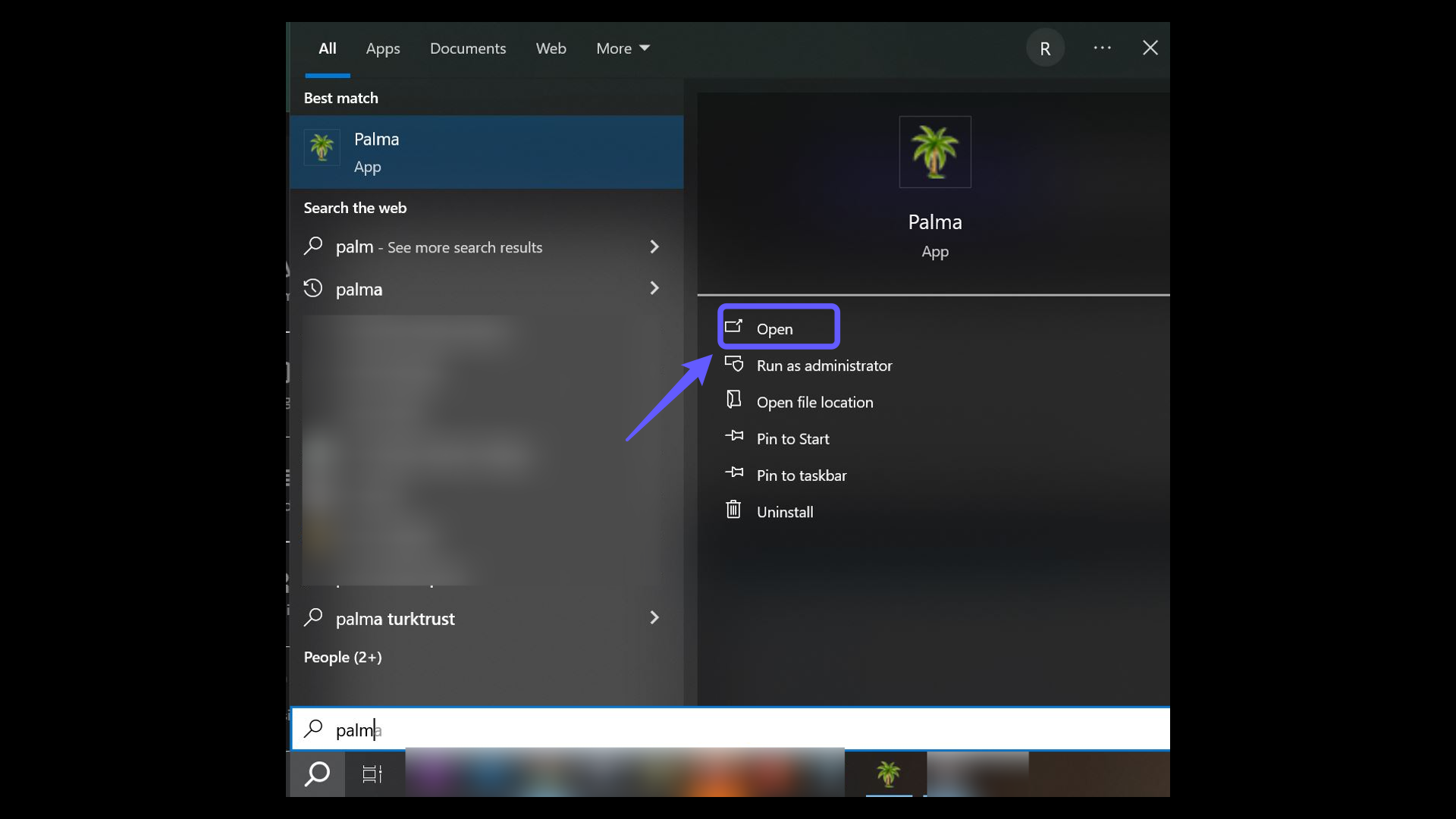
In the Windows search bar, type "Palma" and open it by clicking "Open".
6. Accessing Certificate Information via the Palma Application
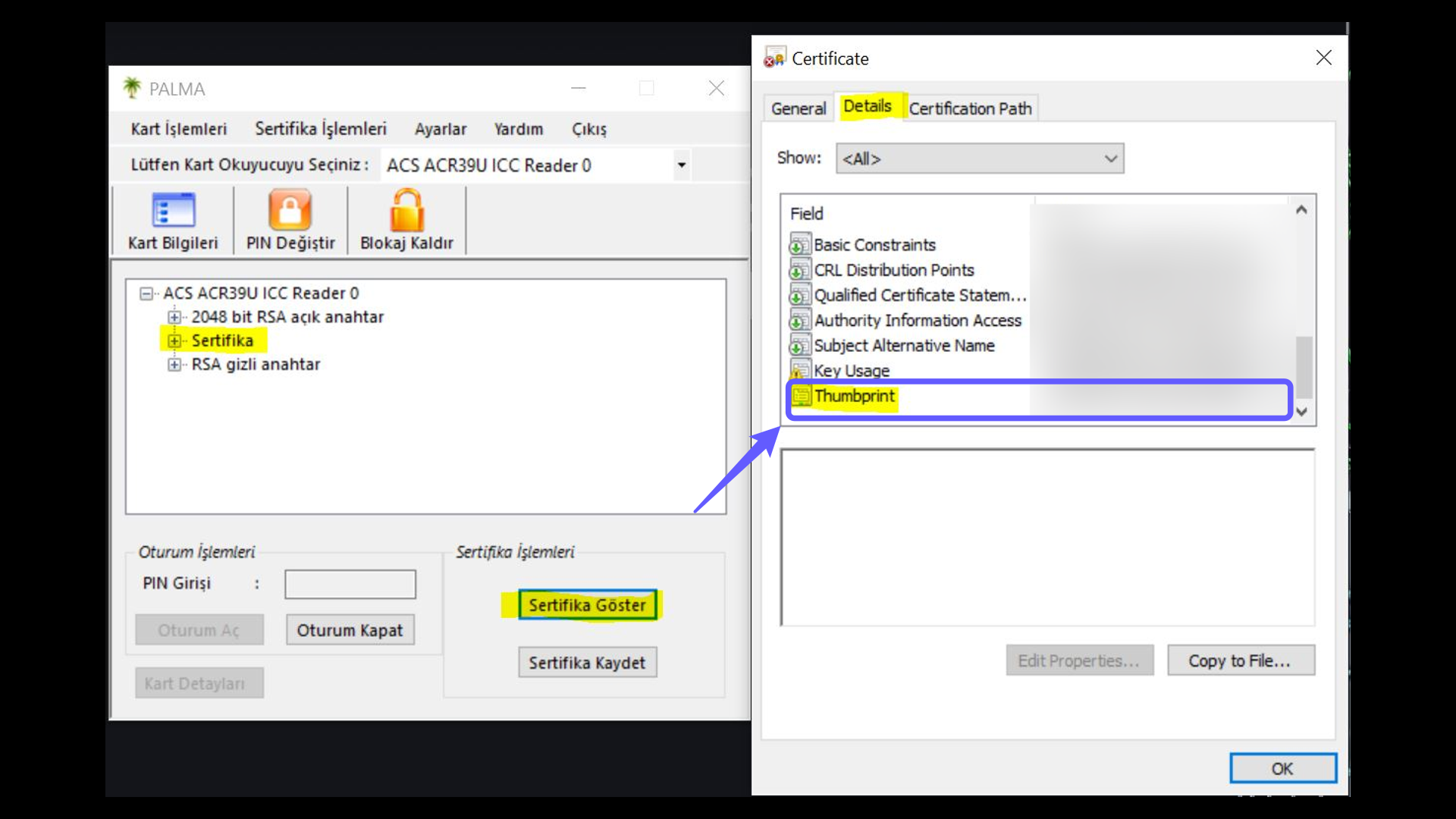
After plugging your TürkTrust e-signature device into your computer and logging into the application, select your card reader.

7. Accessing Certificate Information via the Palma Application
After selecting your card reader, click on the card information section. Then, select the certificate area and choose the Show Certificate option. When a small window appears, click the Details option. The Thumbprint you see is the serial number of your e-signature purchased from the TürkTrust service provider.
8. Electronic Certificate Inquiry via the e-Devlet Portal
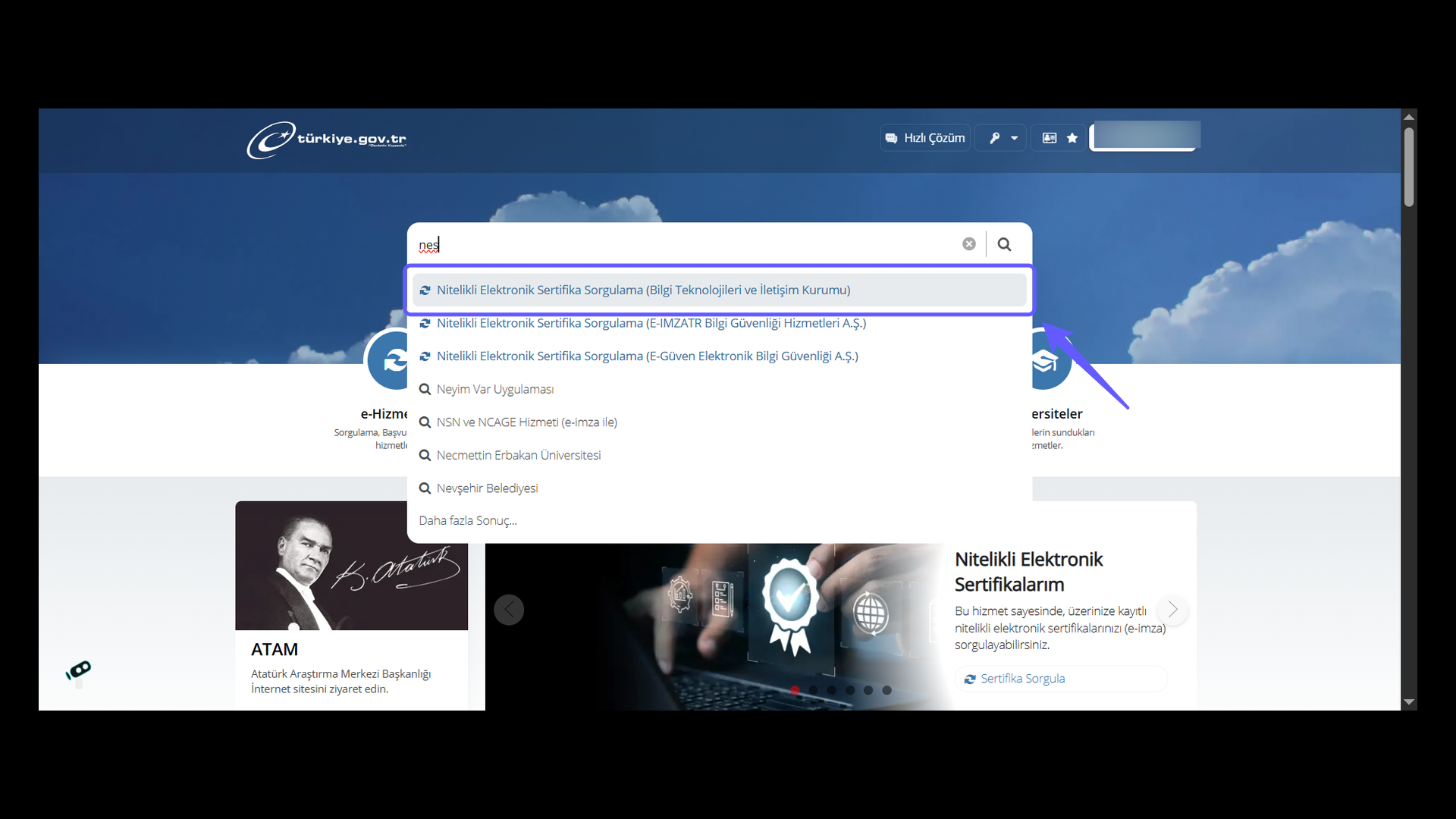
Log in to the e-Devlet portal with your TR identity number and password. Then, type Nitelikli Elektronik Sertifika Sorgulama into the search bar, select the link, and click on it.
9. Electronic Certificate Inquiry via the e-Devlet Portal
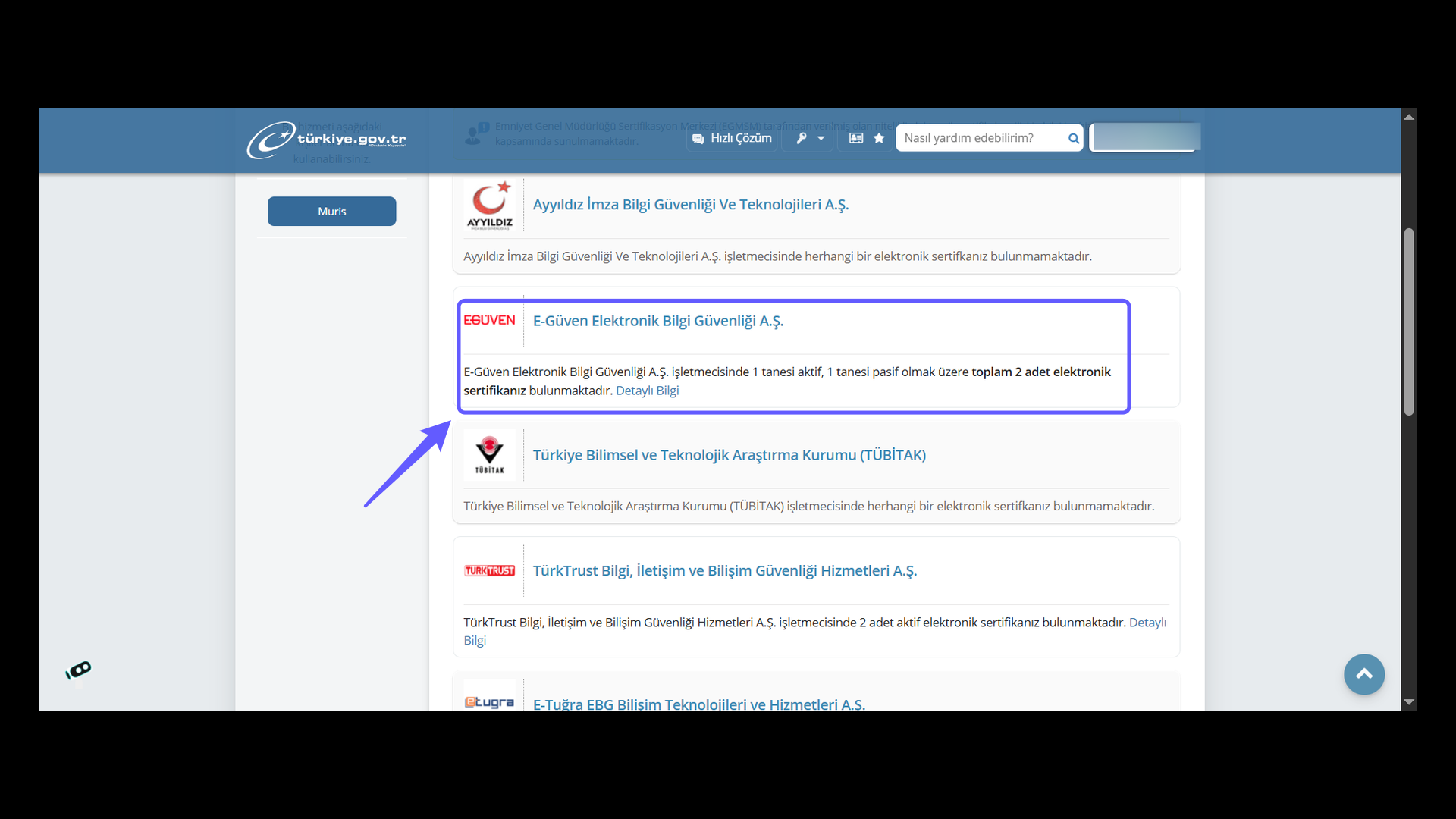
To check your certificate status with E-Güven Elektronik Bilgi Güvenliği A.Ş., please click on Detailed Information.
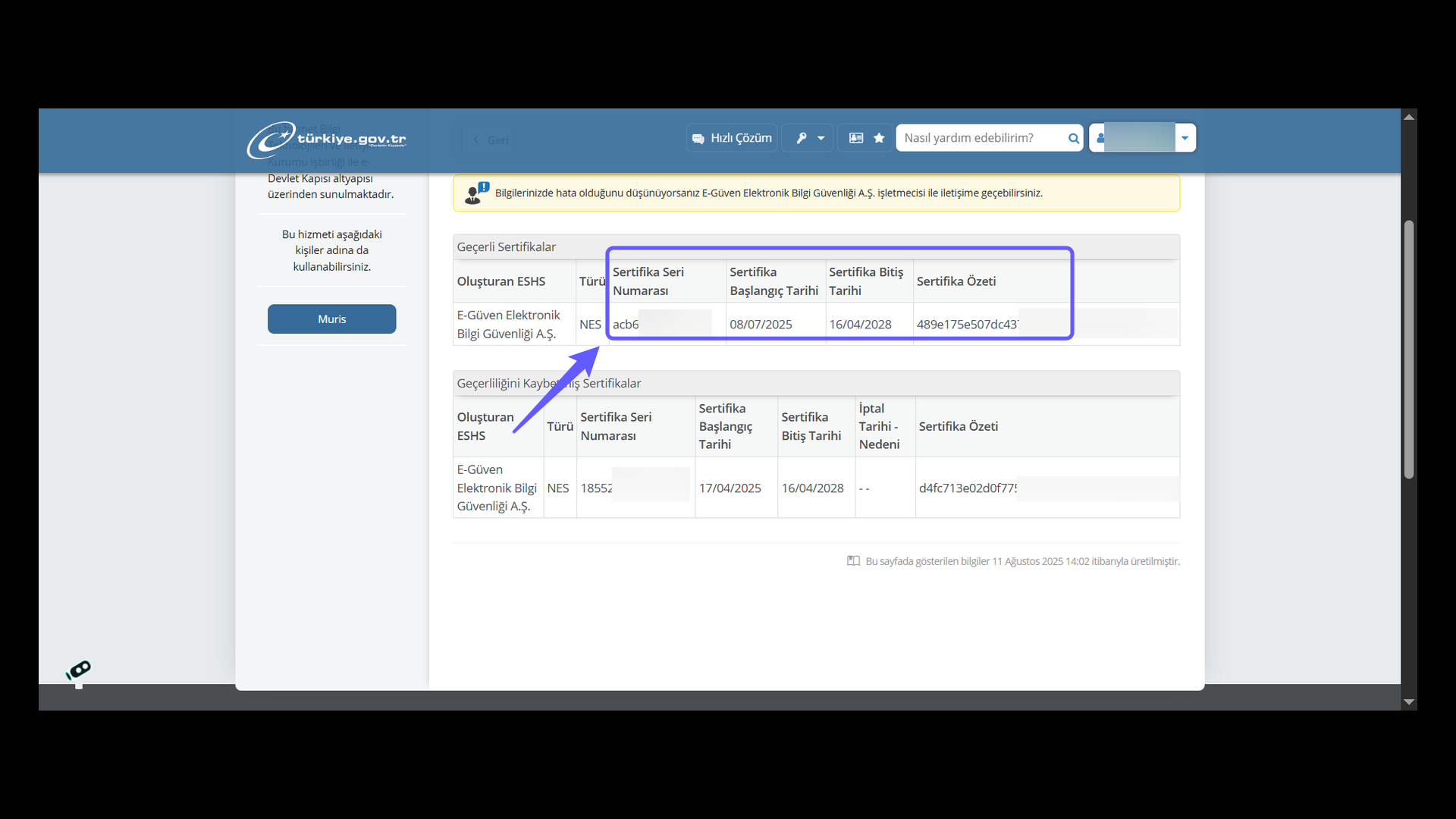
10. e-Güven Certificate Serial Number Verification
Review the certificate serial number, as well as the certificate’s start and end dates. Verify that it is listed among the valid certificates and save the information.
11. Electronic Certificate Inquiry via the e-Devlet Portal
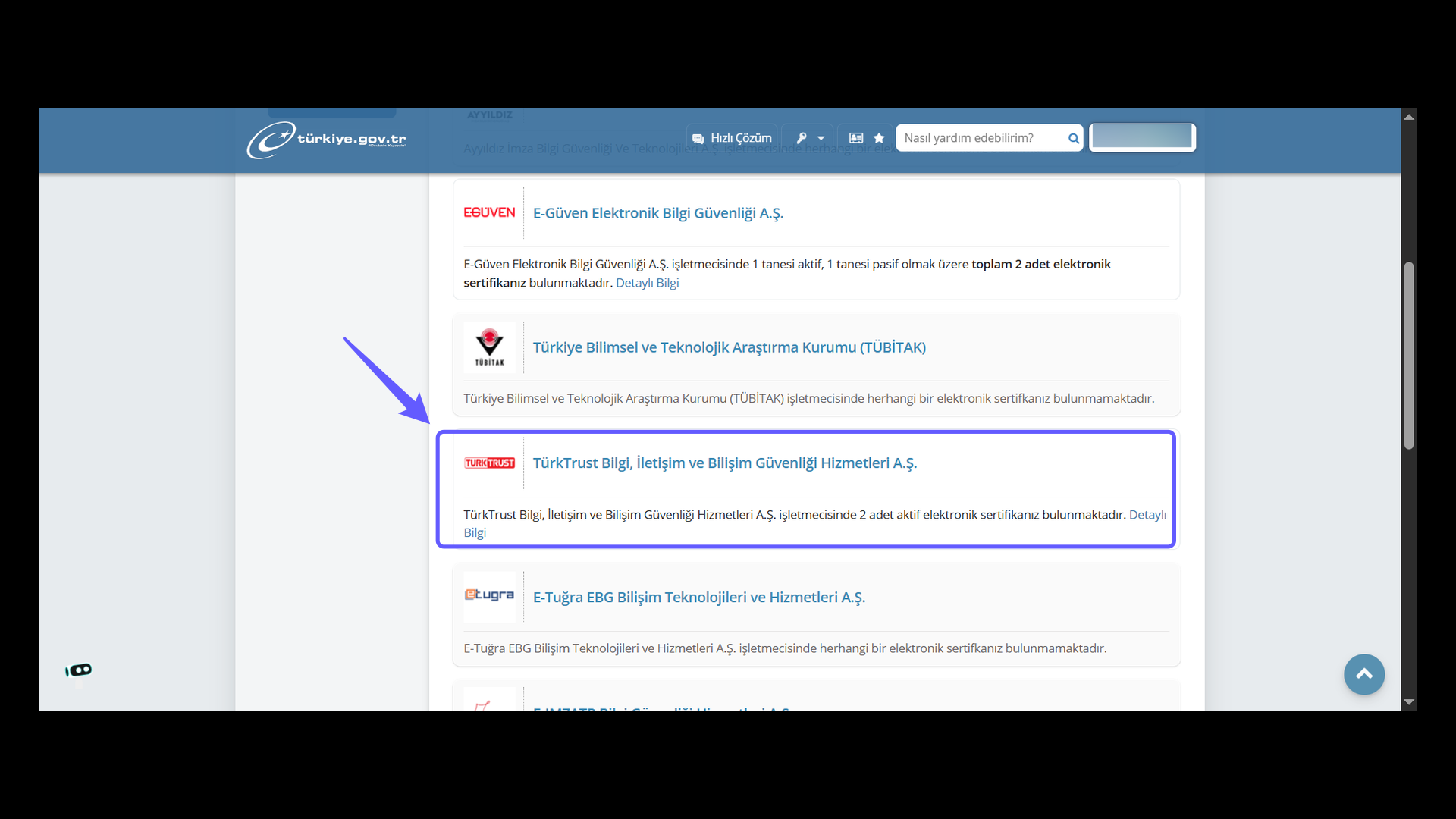
To check your certificate status with TürkTrust Bilgi, İletişim ve Bilişim Güvenliği Hizmetleri A.Ş., please click on Detailed Information.
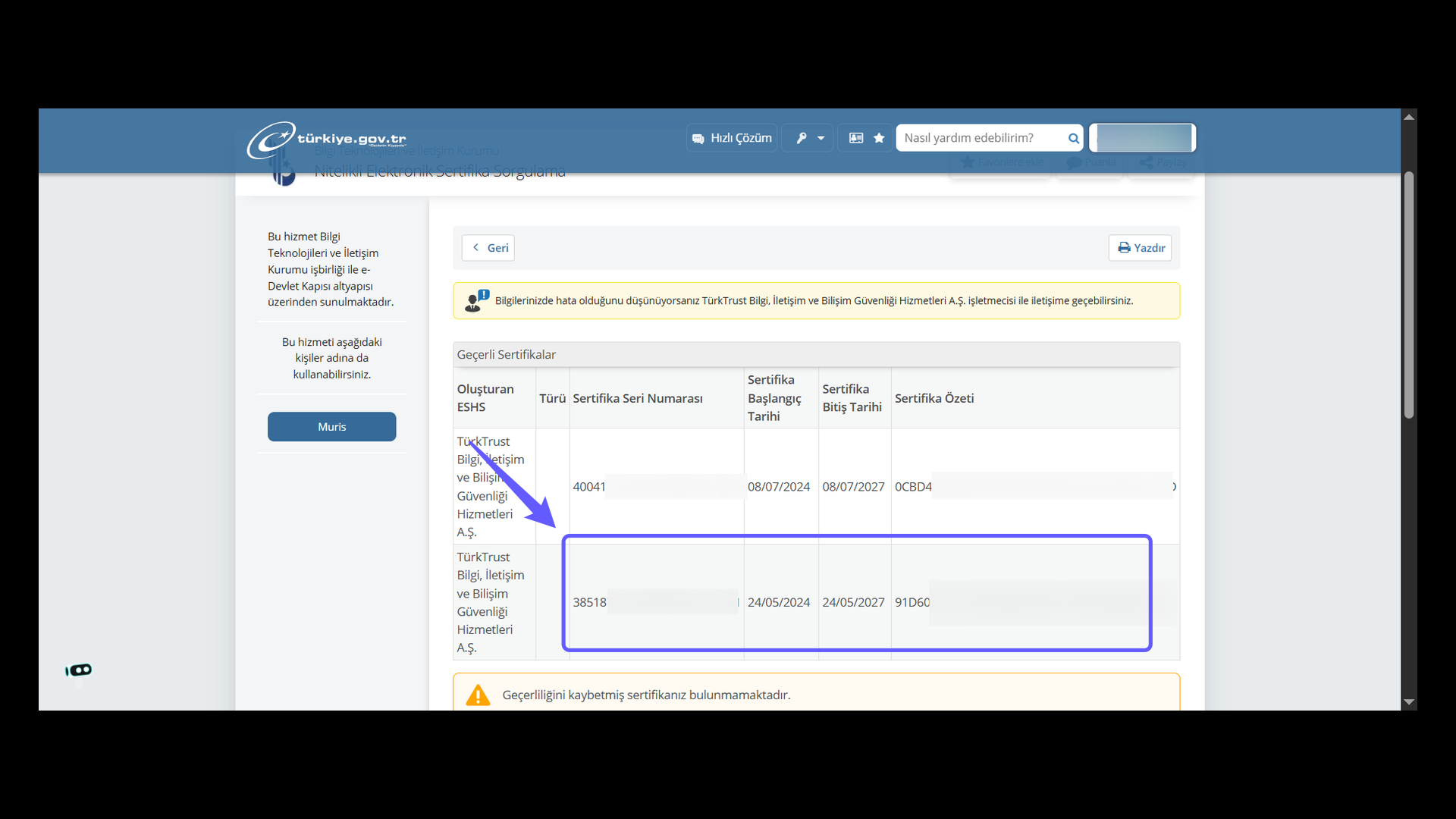
12. TürkTrust Certificate Serial Number Verification
Review the certificate serial number, the certificate thumbprint, and the certificate’s start and end dates. Verify that it is listed among the valid certificates and save the information.