Overview
This guide explains how to add a user to a course with the Teaching Assistant (TA) role. By following the steps below, you will be able to enrol a user and assign them the appropriate permissions to support the course.
Purpose of This Guide
The purpose of this guide is to help instructors and course administrators quickly and correctly assign the Teaching Assistant role to users within a course.
What You Will Learn
By the end of this guide, you will be able to:
-
Access the course participant list
-
Enrol a new user into the course
-
Assign the Teaching Assistant (TA) role
-
Complete the enrolment process successfully
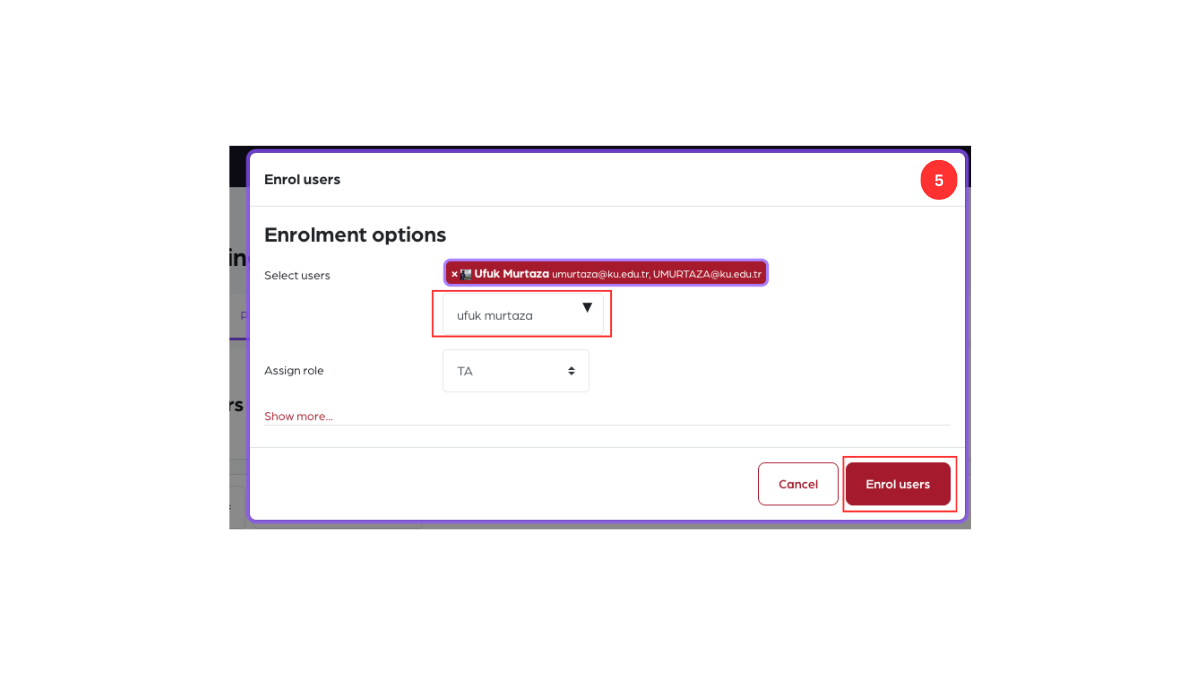
Step 1: Open the Participants tab
Go to the relevant course and click the Participants tab.
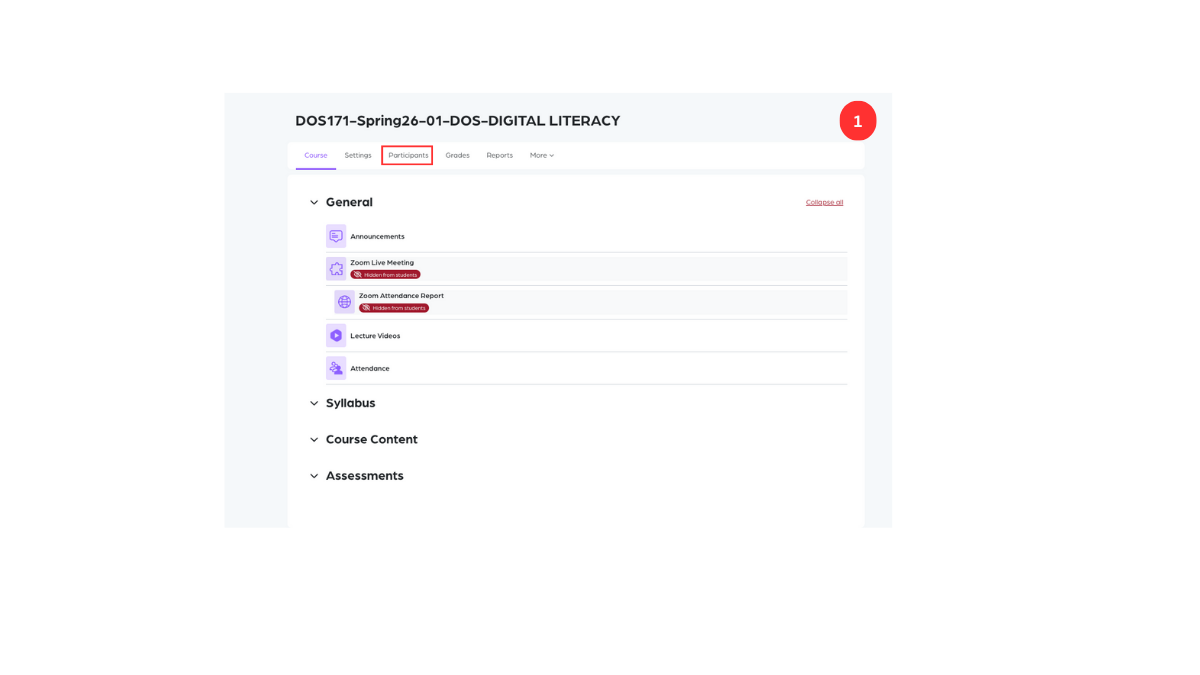
Step 2: Click Enrol users
On the Participants page, click the Enrol users button.
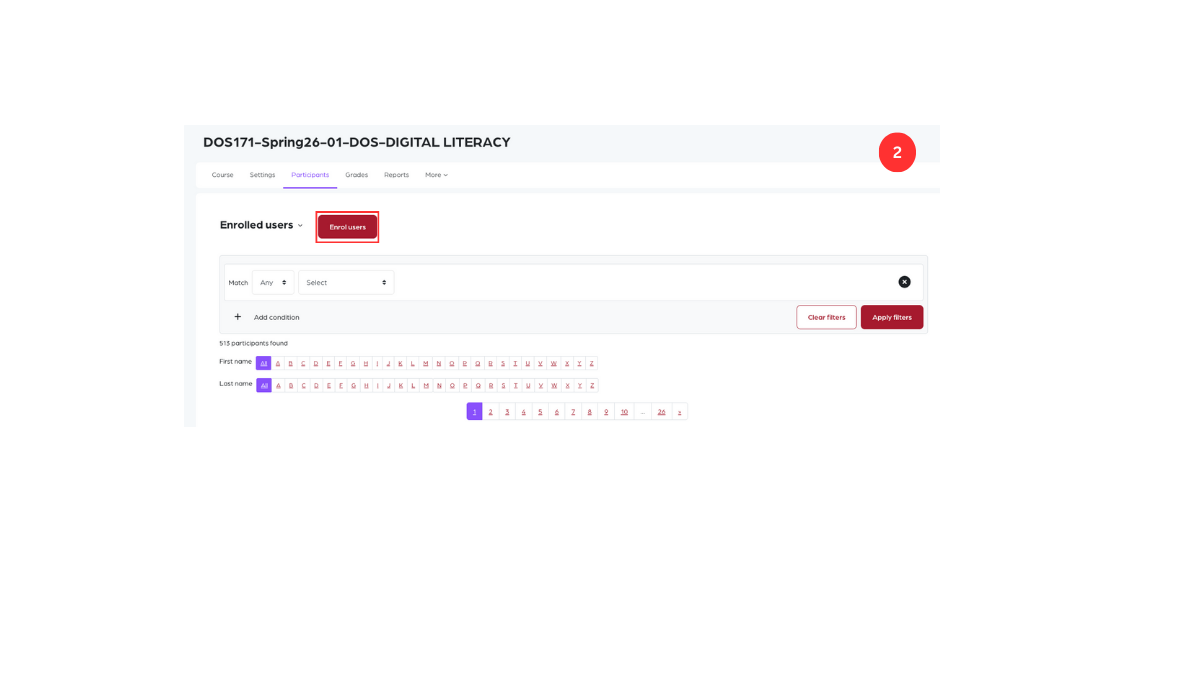
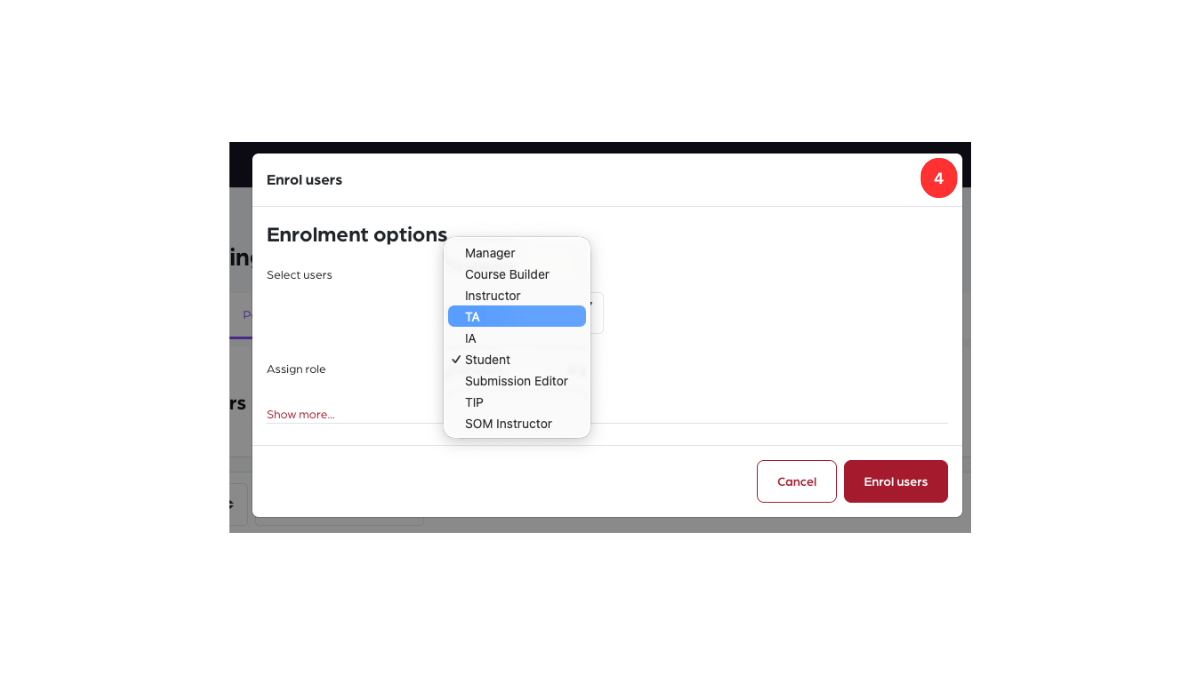
Step 3: Open the Assign roles menu
Click the dropdown menu next to Assign roles.
Step 4: Select Teaching Assistant
From the list of roles, choose Teaching Assistant (TA).
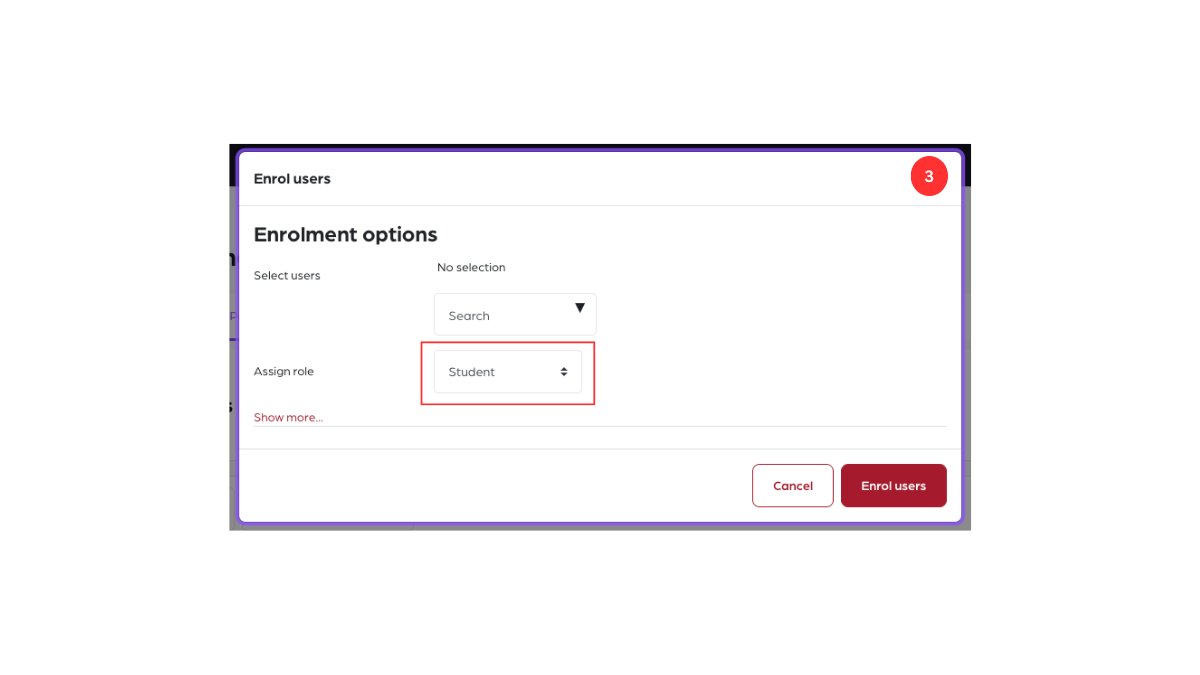
Step 5: Add the user and enrol
In the Select users field, enter the user’s email address, select the user, and click Enrol users.