
This guide explains how instructors can manage and calculate grades in LearnHub using two methods:
-
Automatic grading via the Grade Report (demonstrated in the video below)
-
Manual grade calculation (Scroll down to see a step-by-step guide with screenshots.)
Managing Grades in the Grade Report
Watch the video below to learn how grades are managed directly within the Grade Report.
In this video, you will see:
-
How grades are reflected in the system
-
How the total score updates dynamically
-
What to consider when reviewing overall grades
About This Method
The Grade Report allows you to manage grading automatically within LearnHub.
-
The system calculates the total score based on your inputs
-
Changes are reflected instantly
-
This method is recommended for fast and efficient grading
Manual Grade Calculation
If you prefer more control over the grading process, you can calculate grades manually.
-
Click the three dots next to Course Total, then select Edit calculation.

-
Assign Shortnames
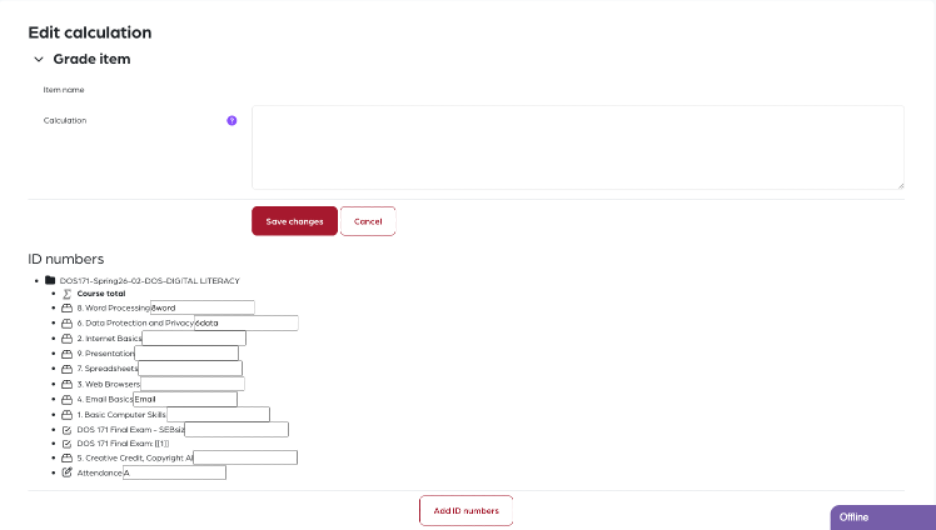
Give each grade item a shortname by entering it in the box next to the item name.
This will make it easier to reference each item in calculations.
-
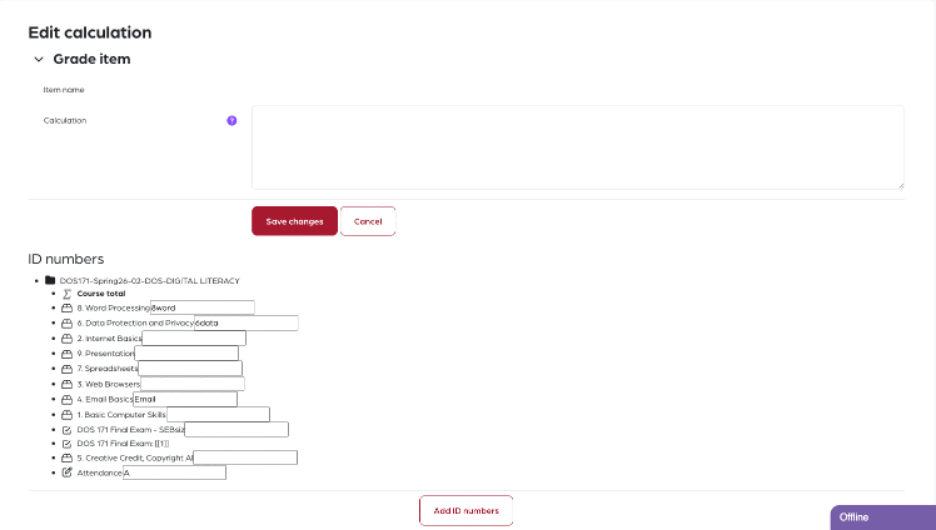
After entering shortnames, click Add ID Numbers to apply your updates.
-
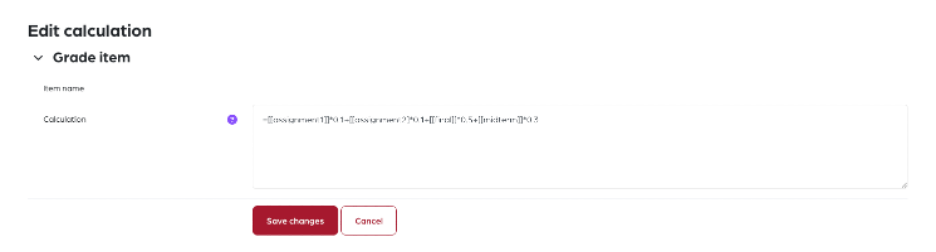
In the calculation field, enter the formula using the shortnames, including square brackets
[[ ]]and the=sign.
For example:=[[Assignment1]]*0.3 + [[Quiz1]]*0.2 + [[Final]]*0.5
Ensure that the total score equals 100 to complete the calculation correctly.
Tips
-
Shortnames exactly match the grade items
-
Use parentheses if needed for clarity in complex formulas
-
Check the calculated total before saving
General Tips
-
Use the automatic method for efficiency
-
Use manual calculation when you need detailed control
-
Always review the final total score before finalizing grades